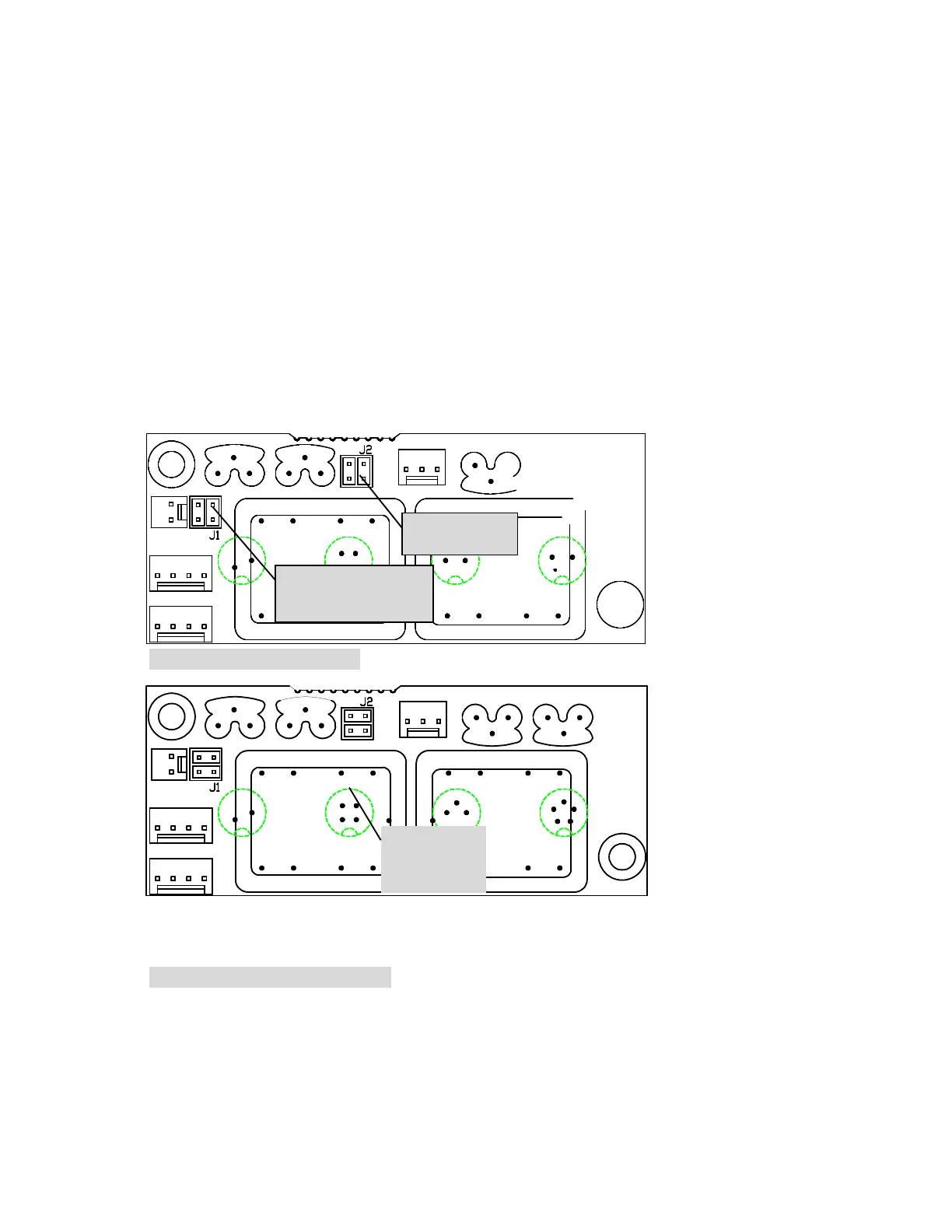
The procedure to setup a RS422 or a RS485 port is shown below:
• Un-plug the unit and place face down, with the mains lead to the back and
on left hand side, on a clean surface.
• Carefully remove the fixings using the Allen key provided with the unit.
• On the right hand side of the inside wall of the unit is the EMC board. If
RS422 or RS485 computer protocols are required, make sure the two sets
of jumpers are lined up horizontally. For RS232 protocol the jumpers
should be aligned vertically. See the diagrams a3, a4 and a5.
• Replace the base cover to the unit and re-fix.
• The unit may now be used with the computer protocol which has been set-
up.
vertical RS232.
jumpers to the same
orientation as shown here
Figure a4: The EMC board RS232
Figure a5: The EMC board RS422/485
are horizontal
RS422/485



 To Next Page