Connecting devices to the AMBEO Soundbar
AMBEO Soundbar | 25
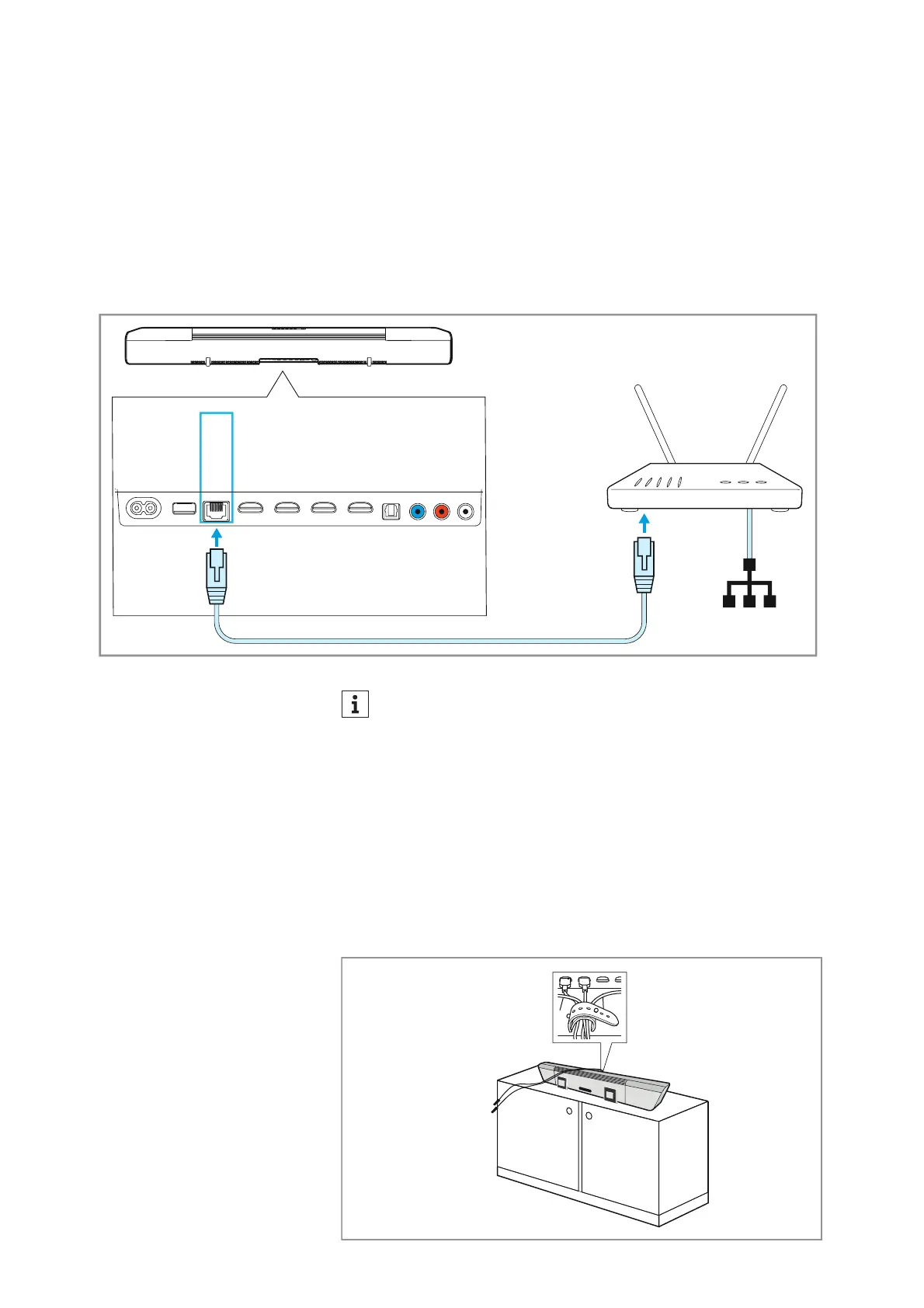
Connecting an Ethernet cable
To connect the Soundbar to a wired network:
▷ Connect one connector of a network cable (with RJ-45 connector,
to be ordered separately) to the ETHERNET socket on the Sound-
bar.
▷ Connect the other connector of the cable to the network socket of
your router.
You may have to make sett
ings to your router.
LAN
AUX IN
SW PRE
OUT
OPT IN
HDMI 3 IN
HDMI 2 IN
HDMI 1 IN
HDMI TV
(eARC) OUT
ETHERNET
USB
POWER
Router
If you connect the Soundbar to the Internet/Ethernet via cable,
the WiFi function of the Soundbar is automatically deactivated.
Alternatively, the Soundbar can be connected to the Internet via
WiFi. For more information > 39.
Using the cable tie
To achieve strain relief on the sockets of the Soundbar:
▷ Bundle the cables.
▷ Place the cables in the cable tie and tighten it.
▷ Close the cable tie.











 To Next Page