Product overview
AMBEO Soundbar | 7
Product overview
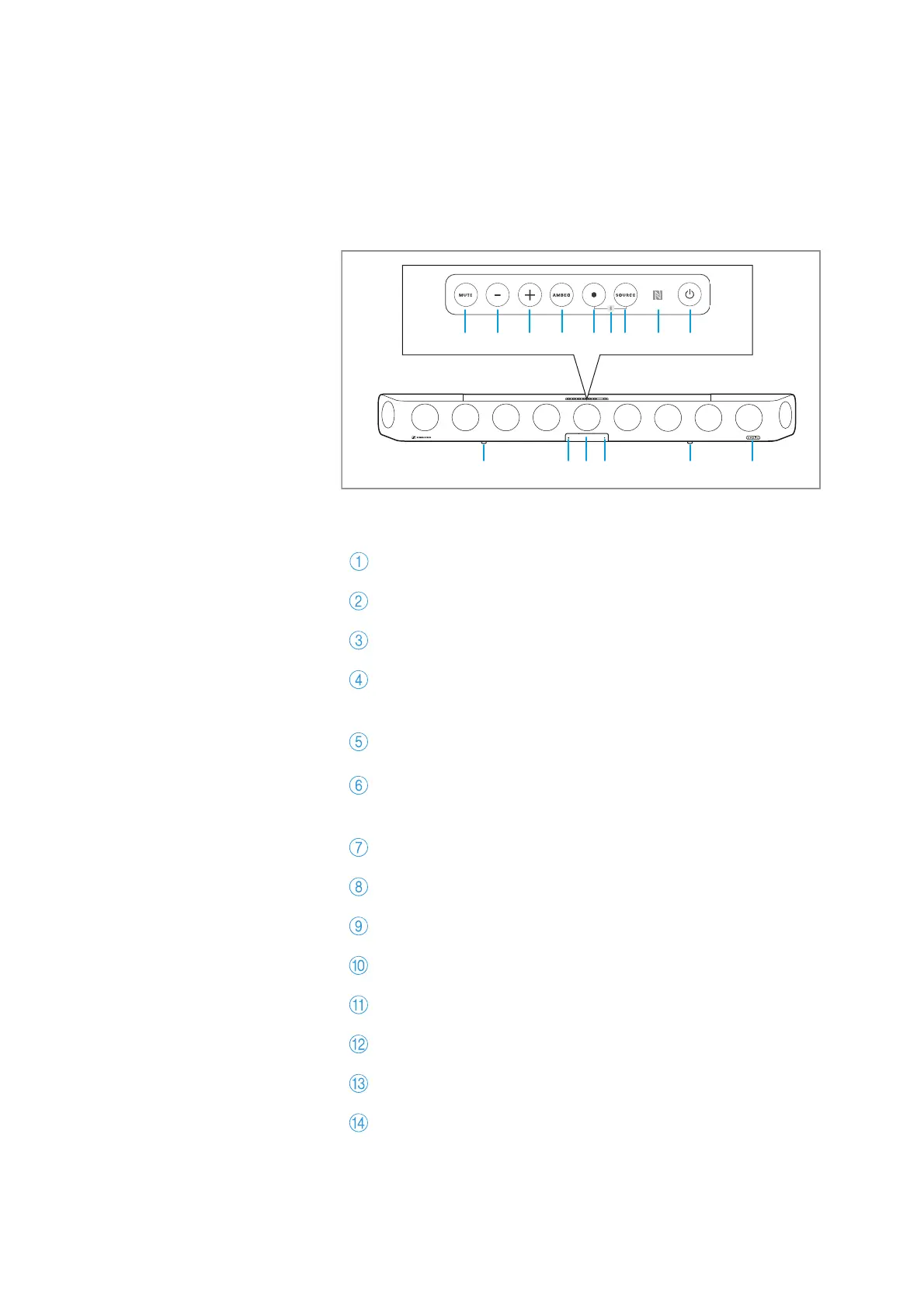
SB01 AMBEO Soundbar
Front
Control panel
MUTE button
Volume - button (volume down)
Volume +button (volume up)
AMBEO button
for activating the AMBEO Soundbar
(pressing for 4 seconds activates the room calibration)
Multi-function button •
for controlling the media playback
Bluetooth pairing
(by simultaneously pressing the multi-function button and
the input
source button for 2 seconds)
SOURCE button (input source selection)
NFC antenna
On/off button
Vibration absorbing feet
Input for room calibration microphone
OLED display with matt, scratch-resistant surface
Status LED
AMBEO display











 To Next Page