ENGLISH
Pag. 14
3. In situ adjustment instructions
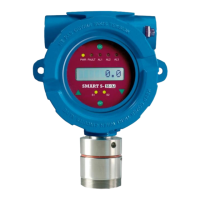
SMART3G gas detectors oer a eld adjustment for the Zero, Span (response to gas), 4-20mA
and alarm thresholds values.
By operating through a magnetic wand on the Hall eect sensors ENTER NEXT and ESC one
person can verify the calibration and the parameters of the gas detector. This calibration is
dened as non intrusive beacuse it does not require the area to be declassied or the tran-
smitter to be opened for operating.
The magnetic wand is supplied on request.
Apply the magnetic wand close to the glass cover above the hall eect sensors you need to
operate on (ENTER, NEXT, ESC).
The display has a main menu with the items listed in Table 3. In correspondence of each item
of the main menu it’s possible to enter in a submenu by pressing ENTER. The description of
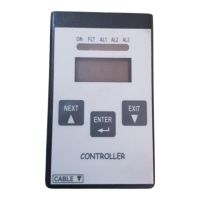
the ENTER, NEXT and EXIT magnets are described in Figure 4.
Displayed
name
Meaning Description
PSd Password 1234. It allows to access the keypad menu, otherwise the user
can only reset the detector or visualise its rmware version.
To modify the alarm thresholds and the hysteresis value, the
password is 5345.
ZEro Zero When the detector is turned on for the rst time, or when
a new kit sensor head is mounted into the instrument, the
ZERO calibration is recommended.
Span Span The Span allows the instrument calibration and is to be exe-
cuted if the response in gas of the instrument is not correct.
To run the Span calibration, it is essential the use of a sample
gas bottle with Target Gas.
t4.20 4-20 cali-
bration
4-20 mA output calibration
THr1 Threshold 1 Displays and allows editing of the rst alarm threshold
THr2 Threshold 2 Displays and allows editing of the second alarm threshold
THr3 Threshold 3 Displays and allows editing of the third alarm threshold
HYSt Hysteresis Displays and allows editing of hysteresis of the alarm thre-
sholds
rES Reset Reset of the Fault status
VEr Version Detector rmware version
Adr Address To display and set the detectors’ address on the RS485 bus
bAUd Baudrate Displays and allows editing of the baud rate of the serial port.
List of available values: 9600, 115200
Table 3) Description of main menù voices



 To Next Page