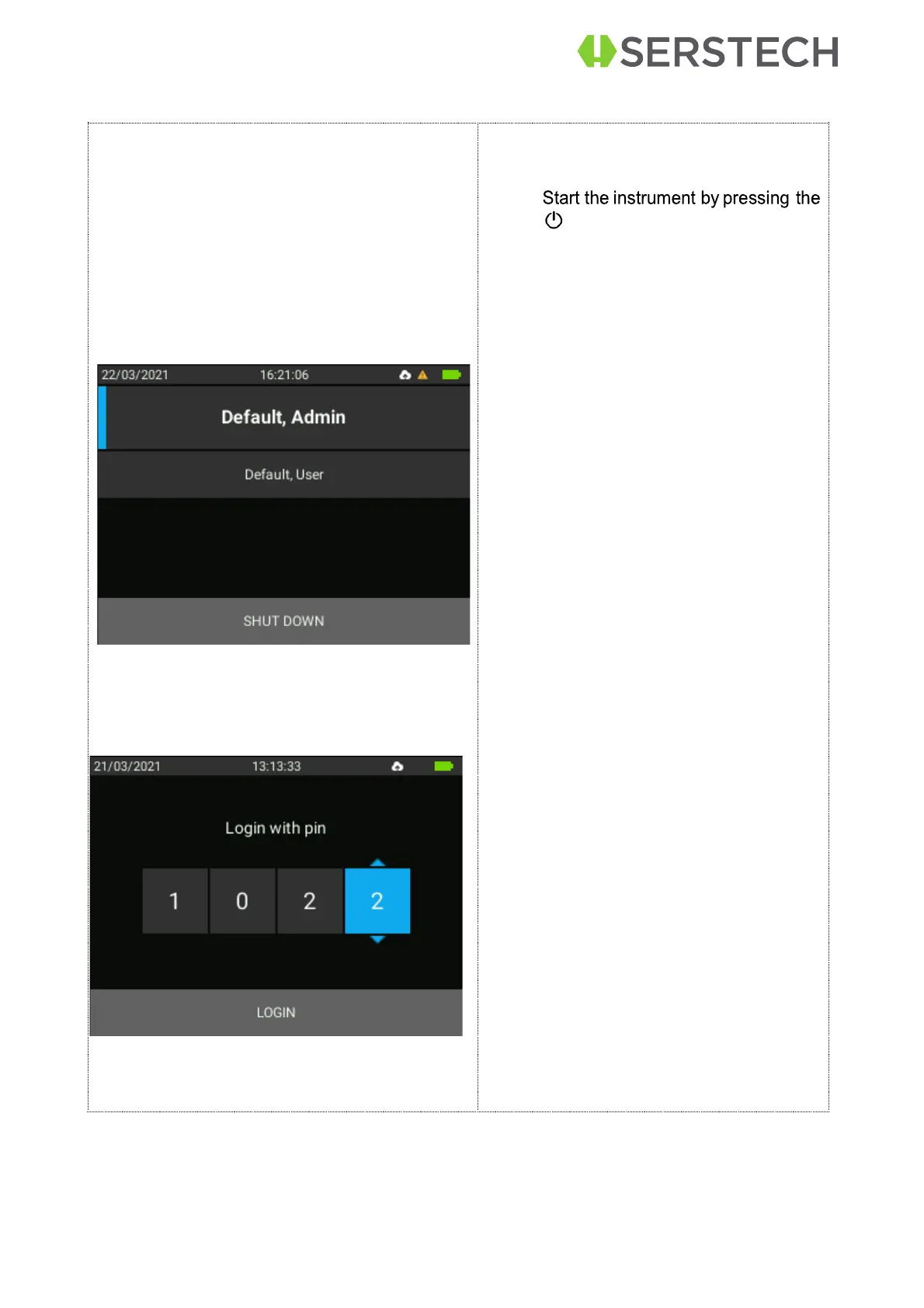
Select your identity from the list in
the window:
If the instrument is started for the first
time, there are two predefined users that
may be used to access the instrument:
Default, Admin
Default, User
•
Scroll with the arrow keys be-
tween the alternatives.
•
Press the OK button to select a
user
•
Enter your four-digit personal
code that your local instrument
administrator has supplied you
with.
•
Move to the next digit by pressing
the [OK] key.
•
Use the up and down arrows to
change the value for each of the
four digits. The value can be set to
0-9.
•
The Main menu will be displayed
after a successful log-in.
•
NOTE: When the instrument is
started for the first time the PIN
code (supplied with the instru-
ment) is 0000.


 To Next Page