7.4 Calibration check
To ensure the performance of the instrument it should be checked its calibration regu-
larly, f.eg. daily check. To pass the calibration stage, the measured spectrum must corre-
spond to 90% the reference spectrum of calibration substance Polystyrene of the Calibration
cap. The default setting for Calibration validity time is 8 hours. When the time is expired a
pop-up, message appears on the display. You can cancel the pop-up message by setting
the calibration validity time to 0 in the Calibration setting.
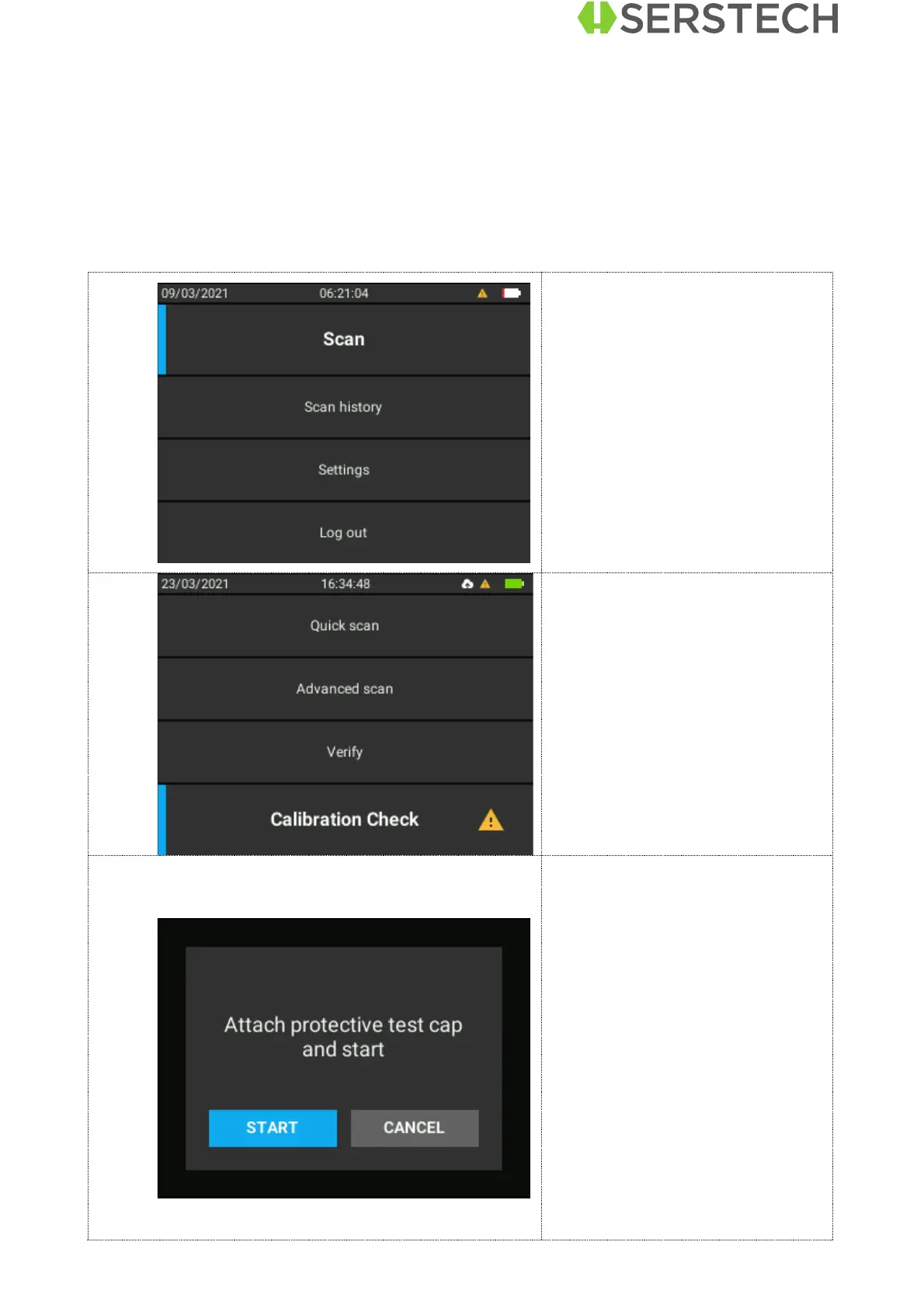
Select Calibration Check. A
warning sign will appear next to
the tab and also on the main
screen letting the user know that
the calibration expired.
Prepare the calibration.
Put the calibration cap on
Start the calibration by pressing
OK when Start option selected.


 To Next Page