EasyManua.ls Logo

Serstech ARX - Instrument Keypad; Arx Instrument Log In

Serstech ARX
62 pages
Print Icon
To Next Page IconTo Next Page
To Previous Page IconTo Previous Page
Loading...
21
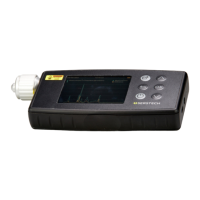
4.2 Instrument keypad
1.
Quick Scan button
Start the instrument by pressing the power button and shut
it down by keeping the power button pressed for 5 seconds.
2.
Up-arrow
Use the up and down arrow buttons to move between the
different items in the menus.
3.
Back button
Use this button to return to the previous screen.
4.
OK button
Use this button to confirm your choice on the screen and
execute the command.
5.
Power button
Use this button if you want to:
§
Shutdown the device
§
Restart the device
§
Log out of the device
6.
Down-arrow
Use the up and down arrow buttons to move between the
different items in the menus.
5
Arx log in
In order to log in the Arx instrument, please follow all steps described below: