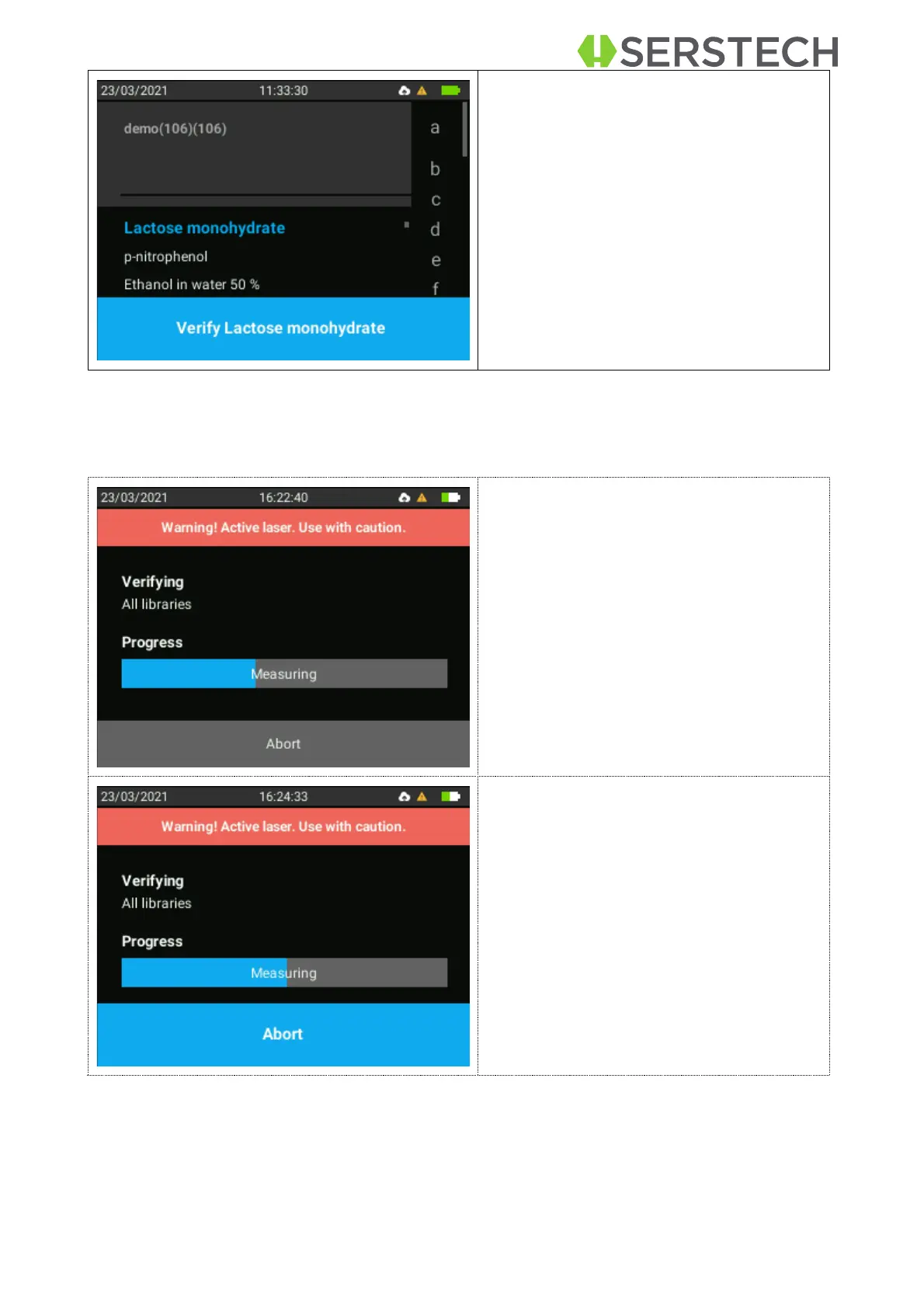
Once the desired substance is selected,
the user must click on the lower button
“Verify [substance name]”.
Follow the different steps in the sample analysis:
There is a warning regarding the laser
activity.
The lower progress bar shows the pro-
gress of the current part of the scan pro-
cess, beginning with the setting the laser
temperature.
The scan can be aborted by pressing
OK. You will return to the previous menu.
If the scan is aborted, the measurement
will stop and no result will be shown.


 To Next Page