48
Version 3 2012-08
GB
NOTE!
To prepare the coffee speciality with your own
settings, press the respective button until is
displayed after the corresponding symbol (►"7.2
Making individual settings for coffee preparation").
5. Press the e-Select.
 The desired coffee speciality is prepared.
6. If you would like to change the milk quantity during dispensing, turn the
e-Select while the milk is being dispensed.
 The display shows a bar with the set milk dispensing time in
seconds.
7. If you would like to change the coffee quantity during dispensing, turn
the e-Select while the coffee is being dispensed.
 The display shows a bar with the set quantity in "ml".
The coffee dispensing stops automatically, but can also be
stopped by pressing e-Select.
After preparation, the display indicates:
DO YOU WANT TO CLEAN THE MILK SYSTEM?
8. Press
• the button under the display eld to perform cleaning
(►"8.2.2 Cleaning milk system"), or
• the button under the display eld if you want to perform the
cleaning later.
NOTE!
It is recommended that you clean the milk system
after each preparation.
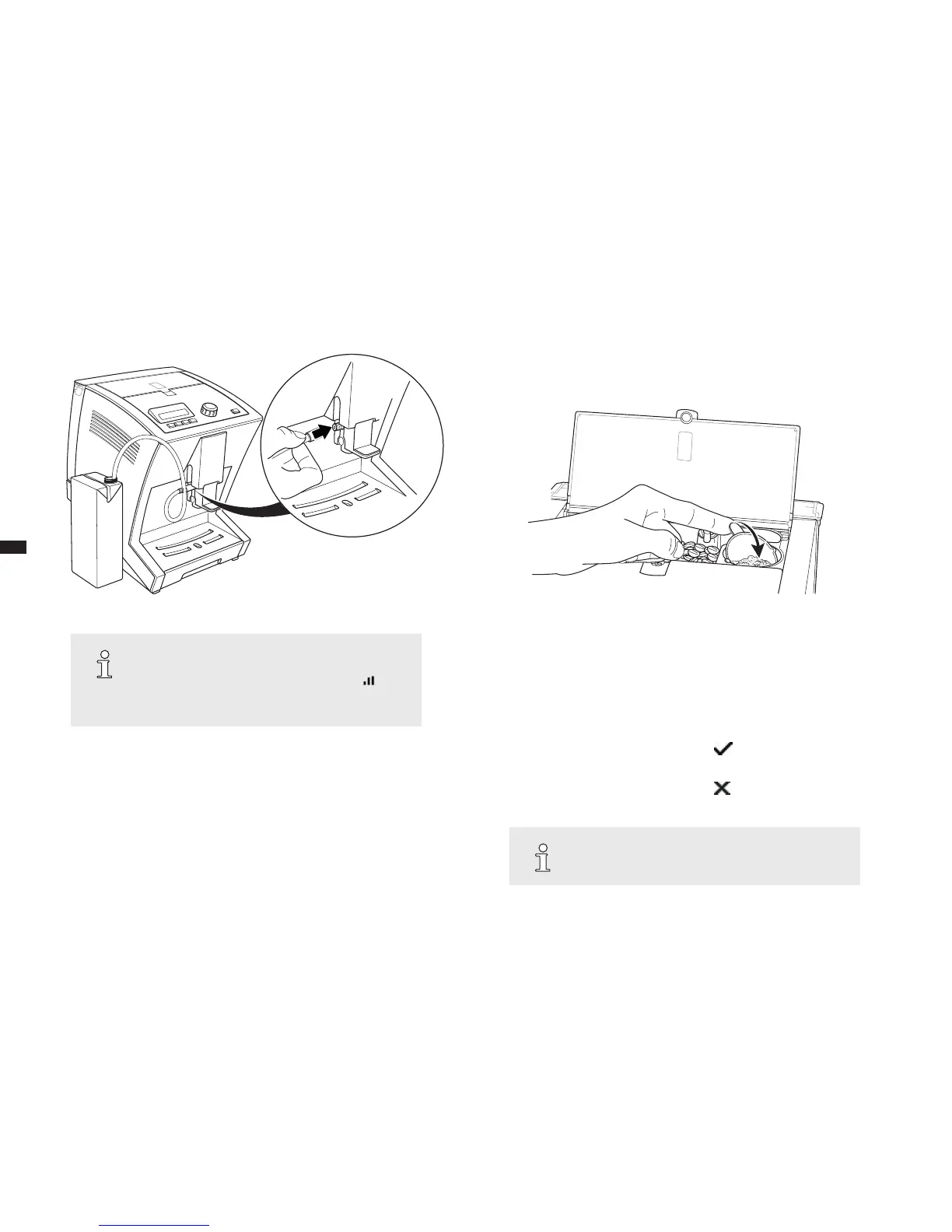
g. 6: Connecting the milk tube g. 7: Turning over the powder dosing chamber





 To Next Page