61
Version 3 2012-08
GB
2. Then select the
WATER FILTER
menu option and press the e-Select.
 The display shows:
INSERT NEW WATER FILTER
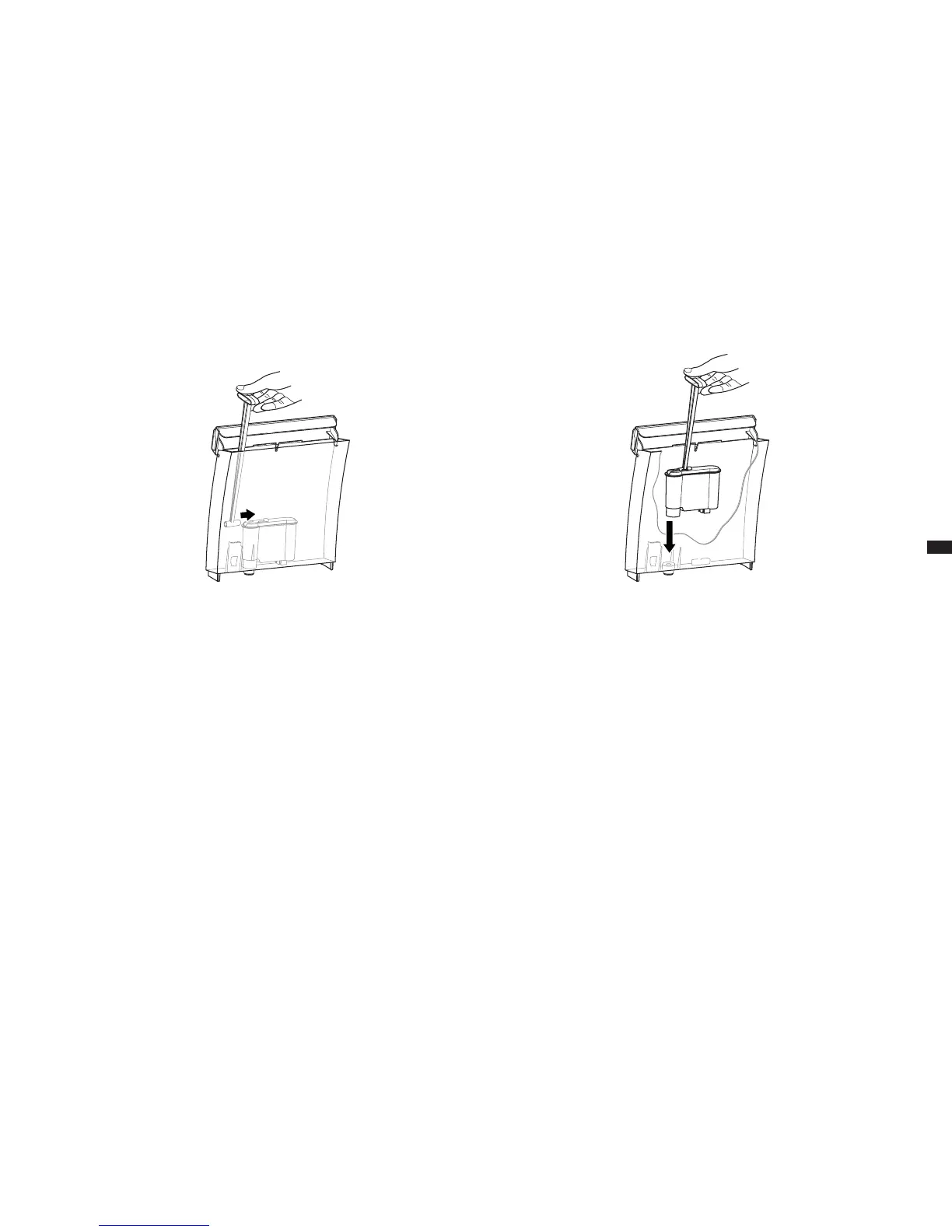
3. Place the insertion aid into the water lter (g. 12) and remove the water
lter.
4. Fill the water tank halfway with cold drinking water.
5. Use insertion aid to insert a new water lter (g. 13) and remove inser-
tion aid again.
6. Replace the water tank on the device.
7. Press the e-Select.
 The display shows:
RINSING
 The lter change is complete as soon as the "Beverage selection"
view is displayed again.
g. 12: Inserting the insertion aid on water lter g. 13: Inserting the water lter





 To Next Page