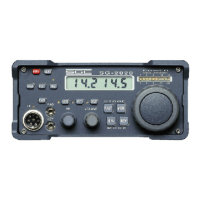
SG-2000 MANUAL 103
The SGC Building, 13737 S.E. 26th St. Bellevue, WA. 98005 USA
©1995, SGC, Inc. TEL: (206) 746-6310 FAX: (206) 746-6384
Menu.
3. Running Software from Floppy Drives
To run the software on the product disk, place the disk in Drive "A" (for 3.5"
floppy). Now change to the "A" drive by typing:
A: [enter]
The computer will respond with the following prompt:
A:\>
Type the following command at the A:\> prompt to begin the software:
SGC [enter]
4. Hard Disk Installation
To install the software on your hard drive, place the program disk in Drive "A"
(for 3.5" floppy) of your computer.
Change to the "A" drive, if you are in some other drive, by typing:
A: [enter]
The computer will respond with the following prompt: A:\> Now type:
install [enter].
You will be prompted through the installation process.
In the event you do not wish to use the installation program which is supplied,
please refer to your DOS manual and copy the file:
SGC.EXE
to the desired directory on your hard drive. The program is started by typing
SGC [enter] at the appropriate DOS prompt.
5. Terms, Conditions, and License
A. SGC software is provided under the following terms and con-
ditions of sale and license:
1. This software is for use on only one computer.
2. One back up copy is permitted.
3. Title to the medium is transferred to the customer but SGC,
Inc. retains all title to the software.
4. Customer is expressly prohibited from disassembly of the


 To Next Page