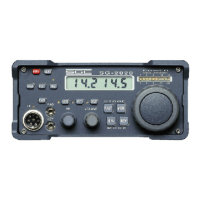
SG-2000 MANUAL 79
The SGC Building, 13737 S.E. 26th St. Bellevue, WA. 98005 USA
©1995, SGC, Inc. TEL: (206) 746-6310 FAX: (206) 746-6384
Change Channel Scan Rate (In Channel Scan Mode)
1) Press the “SHIFT/FUNC” button.
2) Press the “SCAN” button.
3) Press the “Up” or “Down” arrow to change the rate to the following:
a) 1 channel per 40 seconds |
b) 1 channel per 20 seconds ||
c) 1 channel per 10 seconds |||
d) 1 channel per 5 seconds ||||
e) 1 channel per 2 seconds | ||||
f) 1 channel per second || ||||
g) 2 channels per second ||| ||||
h) 5 channels per second |||| ||||
4) This function will automatically time out after four seconds.
Change Frequency Scan Step
1) Press the “SHIFT/FUNC” button
2) Press the “FREQ” button
3) Press the “Up” or “Down” arrow to change the rate to the following:
a) 100 Hz per step
b) 500 Hz per step
b) 1000 Hz per step
c) 3000 Hz per step
d) 5000 Hz per step
4) The function will automatically time out after four seconds.
13.12 Additional Functions
Timer
To turn timer on and off:
1) Press “5” or “TIMER”


 To Next Page