SG-2000 MANUAL 60
The SGC Building, 13737 S.E. 26th St. Bellevue, WA. 98005 USA
©1995, SGC, Inc. TEL: (206) 746-6310 FAX: (206) 746-6384
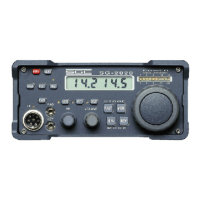
13.2 Front Panel Controls
Control of the SG-2000 is accomplished through push buttons located on the front panel
of the radio. We will cover the functions of each button; then we will do some actual
“on-the-air” operations in the Operating Session section.
The primary functions of each button are imprinted on the button itself. The yellow 1
button is the number 1 when you are entering a frequency. When you are listening to
the radio, it will toggle between LSB and USB (see Section 13.3 below). Shift functions
are printed on the front panel above and below the button. These advanced functions
are accessed by use of the Shift/Function key.
The key pad of the SG-2000 may be operated with or without a confirming beep when
each key is pressed.
13.3 Primary Keyboard Functions
In this section, we will discuss the various primary keyboard functions beginning with
the top row of buttons and working left to right.
SHIFT/ FUNC Pressing this key accesses the alternate key functions which are
screened on the front panel of the SG-2000.
PRGM Pressing this key activates the programming mode, which tells
the SG-2000 what to do. The best way to think of the Program
function is to remember that commands must be “sandwiched
between Program commands.” For example, to program a
simplex frequency directly into use, the keyboard sequence is
PRGM, FREQ, enter the digits of the desired frequency and
press PRGM to finish the programming operation. You will
note that FREQ and the actual digits of the frequency desired
were sandwiched between the PRGM key strokes.
It is best to think of the Program button as meaning both
“Program” and “Enter.”
CHAN If the frequency desired is currently displayed, the CHAN
button will change the display to the corresponding channel
number if the frequency has been assigned to one of the
channel memories. If the desired frequency is displayed, but
does not have a corresponding channel, the CHAN button
enables the user to input a preprogrammed channel of their
choosing .



 To Next Page