How to Use the Shark HD510 CNC Machine for First Time Users (Ready2Control)
9) Insert the USB drive that contains the .tap files you created
on the Library PC.
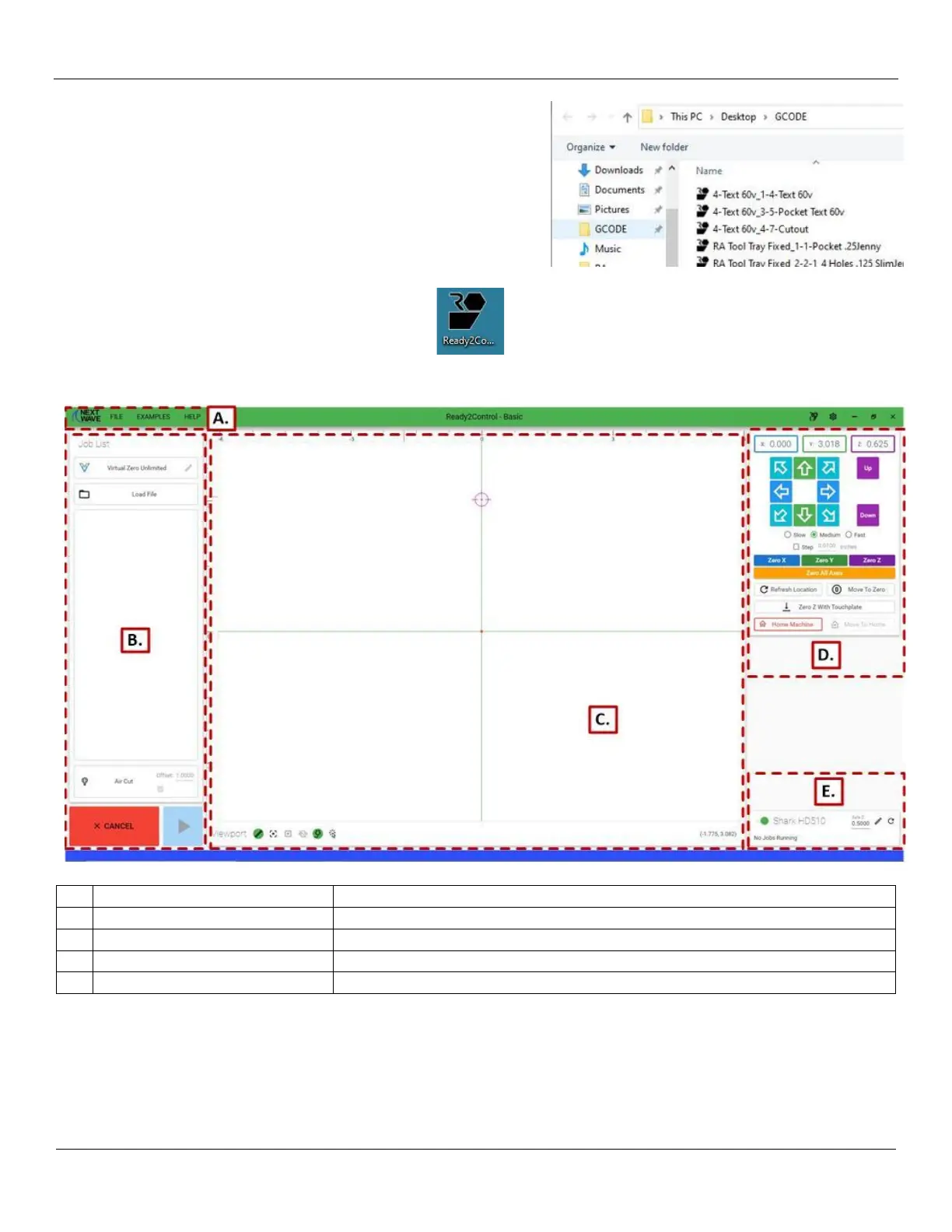
10) Open Windows File Explorer and copy (drag/drop) your .tap
file(s) for this project into the GCODE folder on the PC.
When you have copied all of the necessary files to the GCODE
folder, you can then eject the USB drive and remove it from
the PC.
11) Double click on the Ready2Control icon to
start the Ready2Control program.:
The main window for Ready2Control will now appear. There are 5 primary parts to the Ready2Control Main Screen
Under Help you can view the User Guide and Shortcuts
Load Jobs, Examine G-Code and Start/Stop jobs
Provides images of the running toolpaths
Move the Gantry/Spindle and set X/Y/Z positions
Machine Connection Status
Displays the connection to the Shark HD510


 To Next Page