How to Use the Shark HD510 CNC Machine for First Time Users (Ready2Control)
Shark HD510 CNC Power Up Sequence
1) Check out the key for the Shark CNC using
the Lock Box procedures. The lock box is
located at the Monitor station in the main
room of the shop.
2) Unlock and store the front sliding door of
the cabinet.
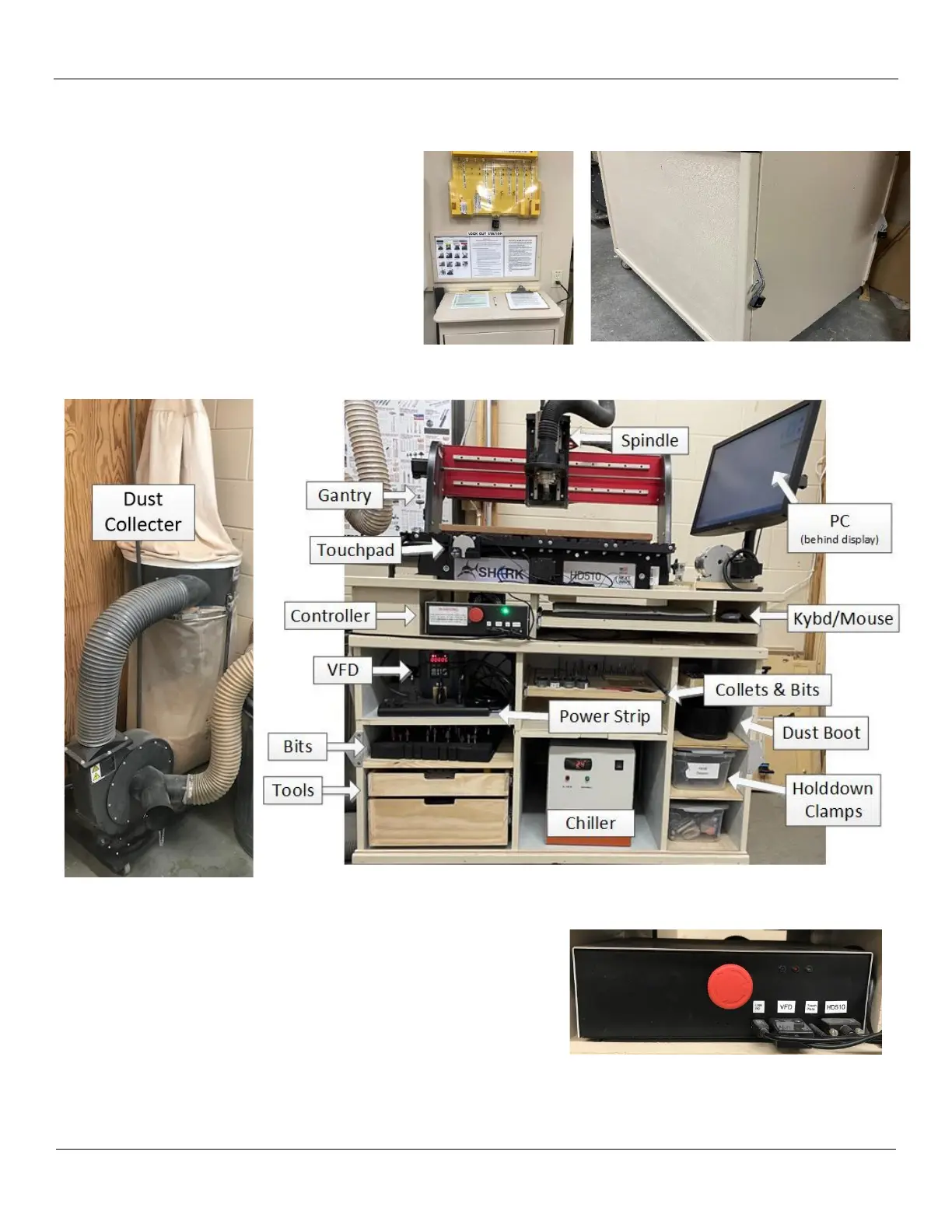
Note the location of the main components of the system illustrated below:
3) Prior to powering up system, make sure the large red knob on the
controller is pushed in (this is the OFF position). It is important
that the controller is off before powering up the rest of the
system. No LEDS should be illuminated.
Also ensure that the PC Screen is moved away from the gantry.


 To Next Page