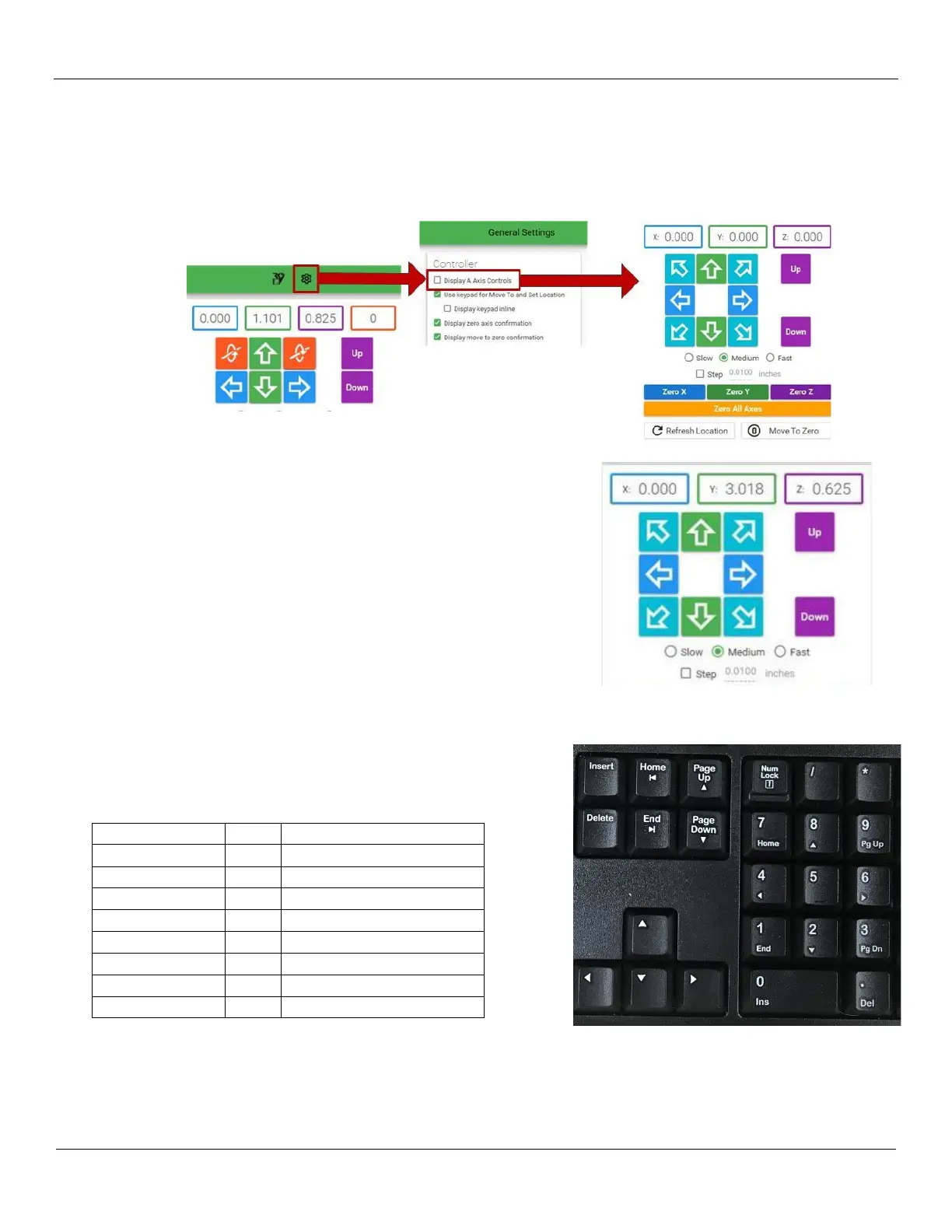
Note: If the Gantry Control buttons are not displayed in the top right section of the Ready to Control app as illustrated,
click on the Settings gear icon at the top right of the menu line to open the Settings window. Under General
Settings, find the Display A Axis Controls checkbox and click on it to disable the controls.
You can use the Ready2Control program to move the CNC gantry
spindle up and out of the way. At the top right of the screen you can
click on arrow keys to move the gantry around. As you move the
gantry/spindle around the machine, you can change the speed of the
movement depending on the desired dexterity of that movement.
Note the speed options:
- Slow
- Medium
- Fast
The Step Checkbox allows you to fine tune the movement even
further by setting the amount in inches in the value to the right of the
checkbox.
You can also use the arrow keys on the keyboard to move the
gantry/spindle as well.


 To Next Page