02/5/27 CD-XP120W(A)3.fm
E-28
ENGLISH
CD-XP120W
References
- Maintenance / Headphones -
Maintenance
!
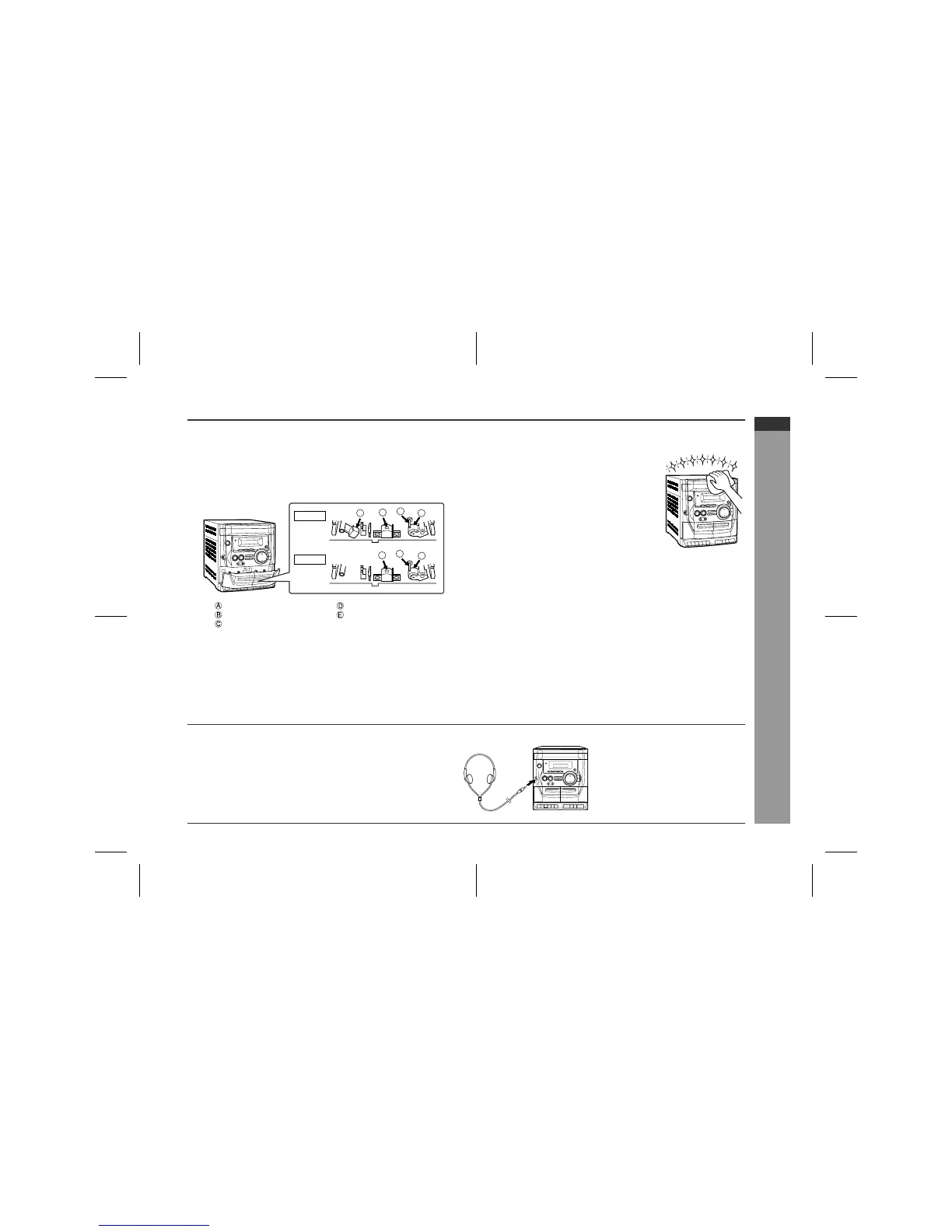
Cleaning the tape-handling parts
"
Dirty heads, capstans or pinch rollers can cause poor sound and
tape jams. Clean these parts with a cotton swab moistened with
commercial head/pinch roller cleaner or isopropyl alcohol.
"
When cleaning the heads, pinch rollers, etc., unplug the unit
which contains high voltages.
"
After long use, the deck's heads and capstans may become mag-
netised, causing poor sound. Demagnetise these parts once
every 30 hours of playing/recording time by using a commercial
tape head demagnetiser. Read the demagnetiser's instructions
carefully before use.
!
Cleaning the cabinet
Headphones
Erase head Pinch roller
Recording/Playback head Playback head
Capstan
TAPE 1
TAPE 2
A
C
C
D
D
E
B
Periodically wipe the cabinet with a soft cloth
and a diluted soap solution, then with a dry
cloth.
Caution:
"
Do not use chemicals for cleaning (petrol,
paint thinner, etc.). It may damage the cabi-
net finish.
"
Do not apply oil to the inside of the unit. It
may cause malfunctions.
"
Before plugging in or unplugging the headphones, reduce the vol-
ume.
" Be sure your headphones have a 3.5 mm (1/8") diameter plug and
are between 16 ohms and 50 ohms impedance. The recommend-
ed impedance is 32 ohms.
"
Plugging in the headphones disconnects the speakers automati-
cally. Adjust the volume using the VOLUME buttons.



 To Next Page