118
■ RA/RA2
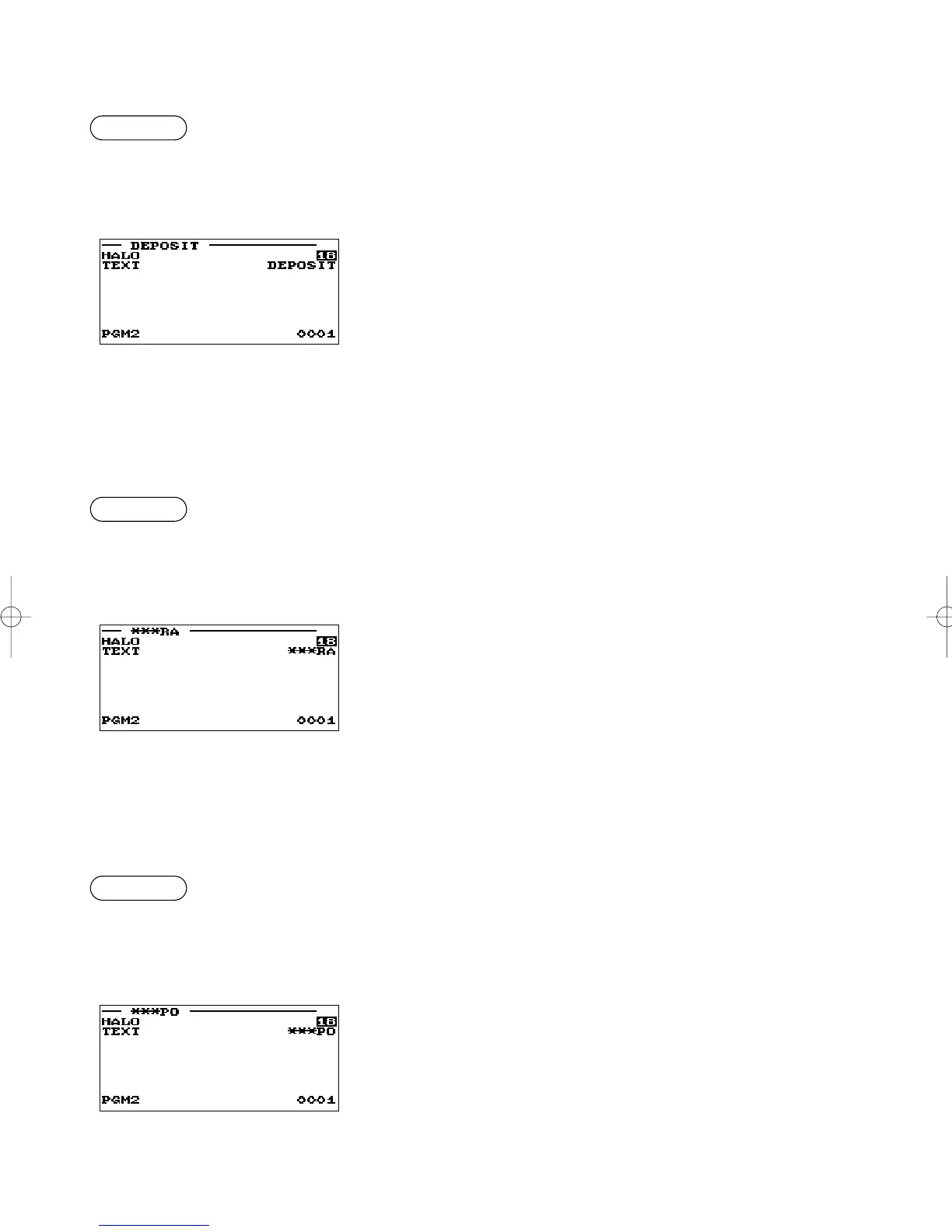
You can program an upper limit amount and description for each received-on-account key.
Procedure
▼
Select a pertinent received-on-
account key from the RA keys list.
Program each item as follows:
• HALO (High Amount Lockout) (Use the numeric entry)
A: Significant digit for HALO (1 through 9)
B: Number of zeros to follow the significant digit for HALO (0
through 8)
AB is the same as A x 10
B
.
• TEXT (Use the character entry)
Description for the received-on-account key. Up to 12
characters can be entered.
■ PO/PO2
You can program an upper limit amount and description for each paid-out key.
Procedure
▼
Select a pertinent paid-out key
from the PO keys list.
Program each item as follows:
• HALO (High Amount Lockout) (Use the numeric entry)
A: Significant digit for HALO (1 through 9)
B: Number of zeros to follow the significant digit for HALO (0
through 8)
AB is the same as A x 10
B
.
• TEXT (Use the character entry)
Description for the paid-out key. Up to 12 characters can be
entered.
■ Deposit
Procedure
▼
Select a pertinent deposit key from
the deposit keys list.
Program each item as follows:
• HALO (High Amount Lockout) (Use the numeric entry)
A: Significant digit for HALO (1 through 9)
B: Number of zeros to follow the significant digit for HALO (0
through 8)
AB is the same as A x 10
B
.
• TEXT (Use the character entry)
Description for the deposit. Up to 12 characters can be
entered.
ER-A280F_N(SEEG)(E)-6 09.6.18 6:53 AM Page 118



 To Next Page