133
Date/Time Setting
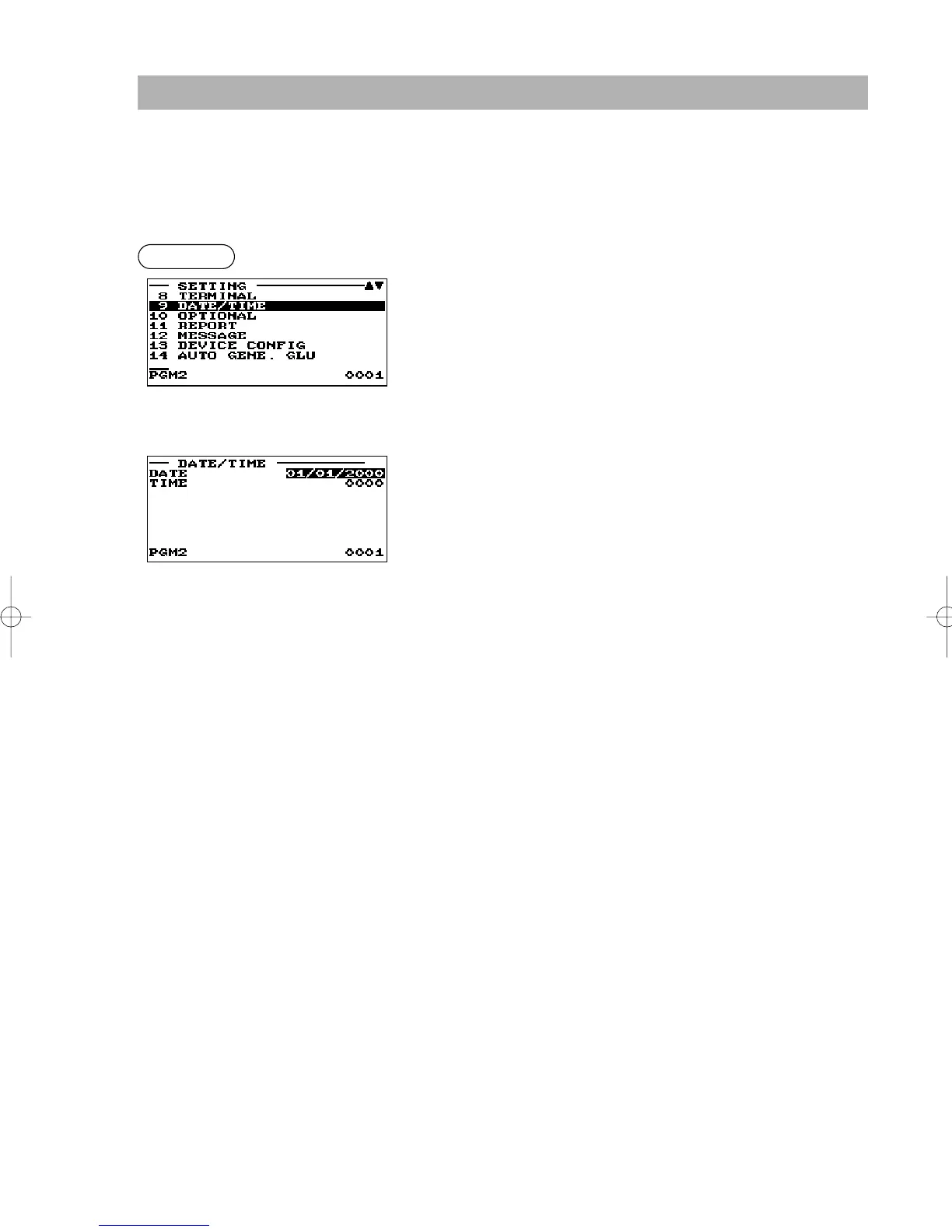
Use the following procedure to select the menu option “9 DATE/TIME”:
■ Date/time
You can set the date and time for the register.
Set each item as follows:
• DATE (Use the numeric entry)
Enter the day (2 digits), month (2 digits), and year (2 digits) in
this sequence.
• TIME (Use the numeric entry)
Set the time (max. 4 digits) on the 24-hour system. For
example, when the time is set to 2:30 AM, enter 0230; and
when it is set to 2:30 PM, enter 1430. The time will be printed
and displayed. Once you set the time, the internal clock unit
will continue to run as long as the built-in battery pack is
charged and also update the date (day, month, year) properly.
Procedure
▼
ER-A280F_N(SEEG)(E)-7 09.6.18 6:54 AM Page 133



 To Next Page