140
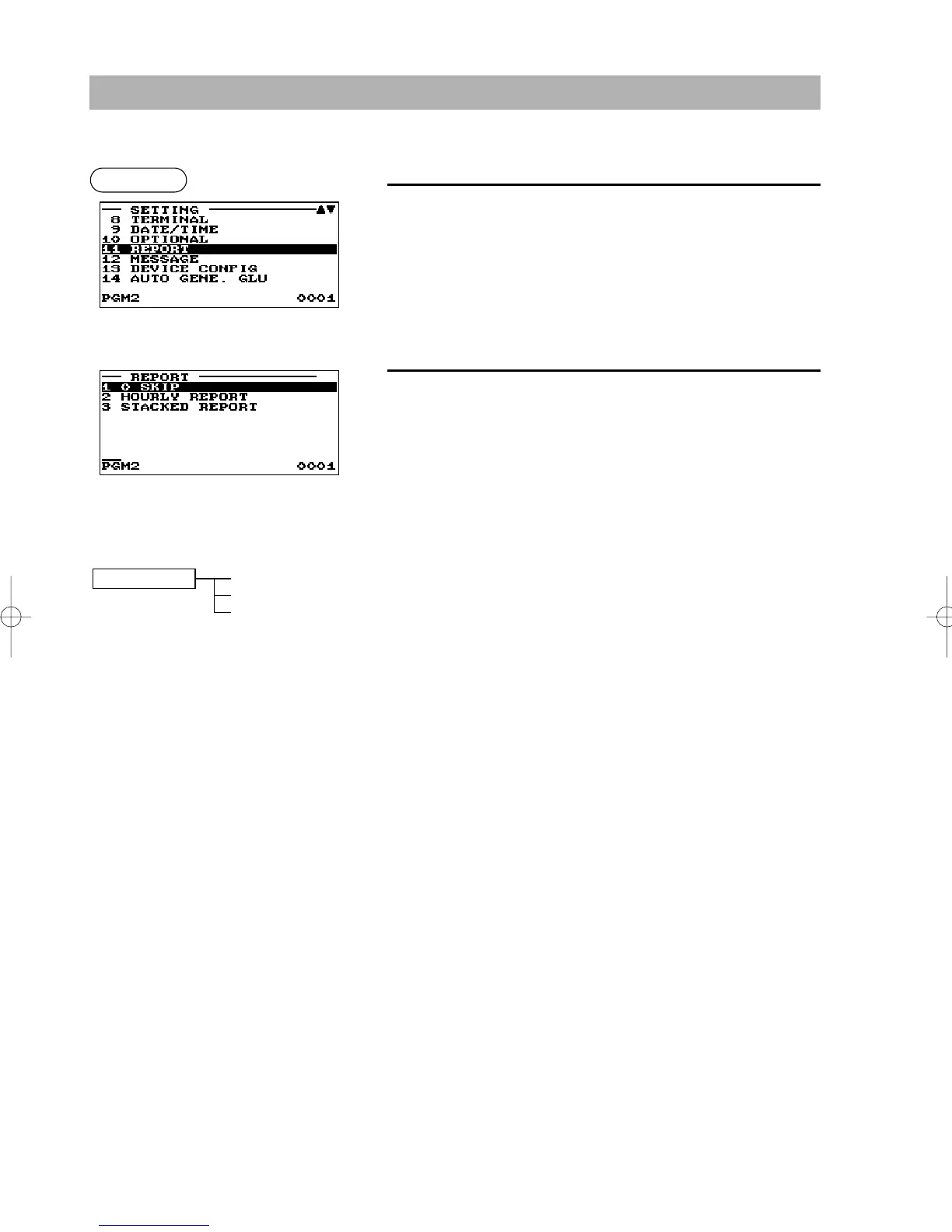
The following illustration shows those options included in this programming group.
11 REPORT 1 0 SKIP
➡
See “Zero skip” on page 141.
2 HOURLY REPORT
➡
See “Hourly report” on page 141.
3 STACKED REPORT
➡
See “Stacked report” on page 142.
Report Programming
Use the following procedure to select any option included in the report group:
1.
In the SETTING window, select “11 REPORT”.
• The REPORT window will appear.
2.
Select any option from the following options list:
1 0 SKIP Zero skip
2 HOURLY REPORT Hourly report
3 STACKED REPORT Stacked report
Procedure
▼
ER-A280F_N(SEEG)(E)-7 09.6.18 6:55 AM Page 140



 To Next Page