131
• X2Z2 (Use the selective entry)
DISABLE: Disables operation in the X2/Z2 mode.
ENABLE: Enables operation in the X2/Z2 mode.
• FLASH (Use the selective entry)
DISABLE: Disables operation in the FLASH mode.
ENABLE: Enables operation in the FLASH mode.
• AUTO KEY (Use the selective entry)
DISABLE: Disables operation in the AUTO KEY mode.
ENABLE: Enables operation in the AUTO KEY mode.
• SD CARD (Use the selective entry)
DISABLE: Disables operation in the SD CARD mode.
ENABLE: Enables operation in the SD CARD mode.
• Z1 IN OPX/Z (Use the selective entry)
DISABLE: Disables resetting operation in OPX/Z mode.
ENABLE: Enables resetting operation in OPX/Z mode.
■ Cashier (continued)
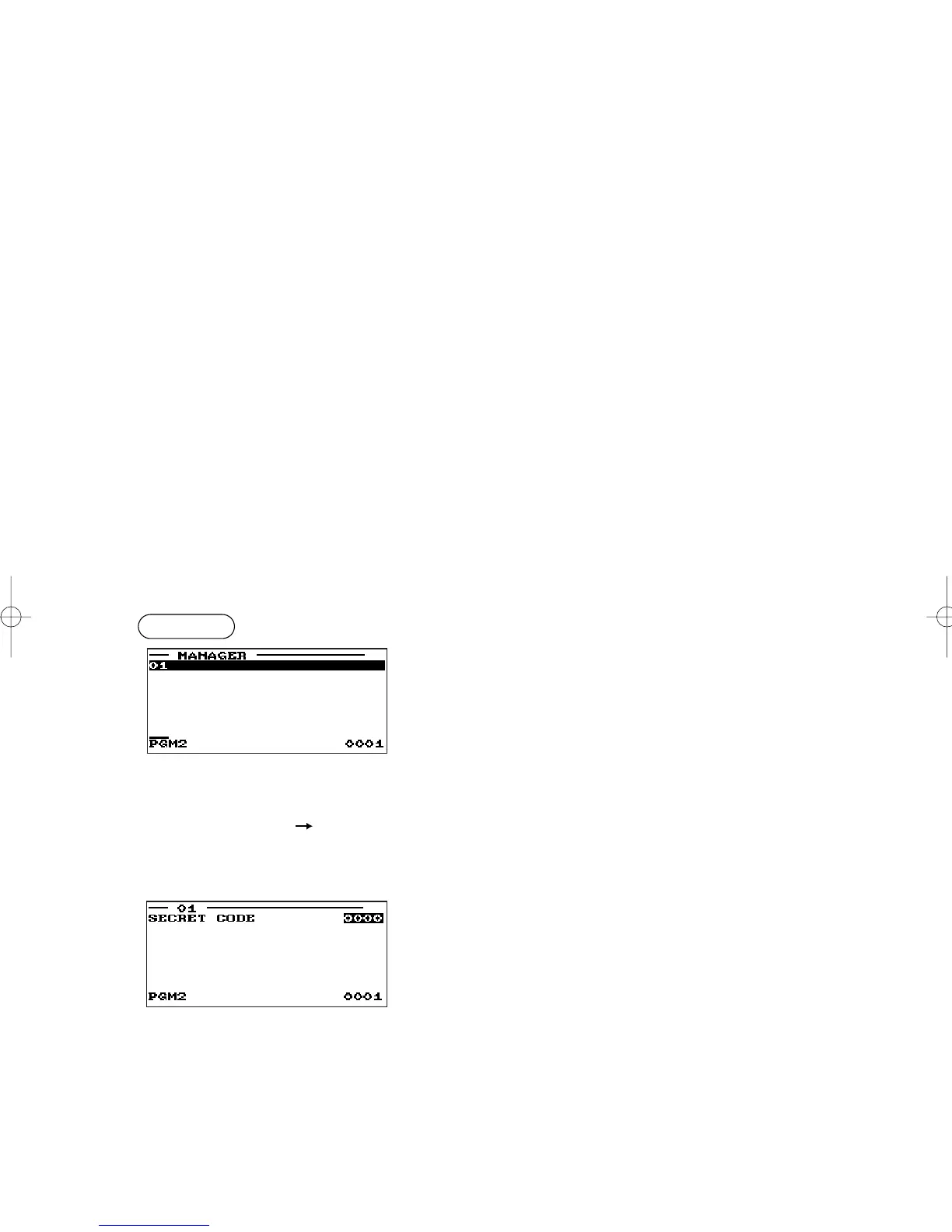
■ Manager
You can program a secret code for each manager.
Program each item as follows:
• MANAGER (Use the numeric entry)
Manager code (max. 2 digits: 01 to 99)
• SECRET CODE (Use the numeric entry)
Secret code (max. 4 digits: 0000 to 9999)
Pertinent
manager code
E
Procedure
▼
▼
ER-A280F_N(SEEG)(E)-7 09.6.18 6:54 AM Page 131



 To Next Page