EasyManua.ls Logo

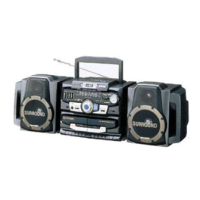
Sharp GX-CD5100W - User Manual

Sharp GX-CD5100W
32 pages
Print Icon
To Next Page IconTo Next Page
Loading...
04/12/15 GX-CD5100_FRONT.fm
Thank you for purchasing this SHARP product.
To obtain the best performance from this product, please read this
manual carefully. It will guide you in operating your SHARP product.
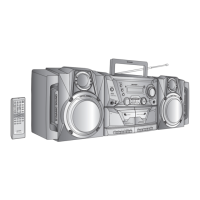
PORTABLE CD STEREO
MODEL
OPERATION MANUAL
GX-CD5100W
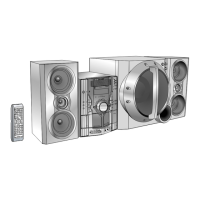
COMPONENT SYSTEM

Other manuals for Sharp GX-CD5100W

Questions and Answers

  • A
    Anna RobertsAug 31, 2025
    Why does my Sharp Stereo System sound skipping?
    • A
      amberdominguezAug 31, 2025
      Sound issues like skipping, inability to hear treble, or sound fluctuation on your Sharp Stereo System could be due to: * Slack in the tape. * A stretched tape. * Dirty capstans, pinch rollers, or heads.
  • A
    Amber Barr PhDAug 30, 2025
    Why Sharp GX-CD5100W Stereo System cannot record tracks with proper sound quality?
    • K
      Katherine YoungAug 30, 2025
      If your Sharp Stereo System cannot record tracks with proper sound quality, ensure you are using a normal tape. Recording is not possible on metal or CrO tapes.
  • E
    emilyharrellAug 29, 2025
    Why is my Sharp GX-CD5100W Stereo System clock not set to the correct time?
    • B
      bonnie51Aug 29, 2025
      If the clock on your Sharp Stereo System is incorrect, it may be due to a power failure. Reset the clock.
  • D
    David RichardsonAug 28, 2025
    What to do if my Sharp GX-CD5100W button does not respond?
    • B
      brandonrichardsonAug 28, 2025
      If your Sharp Stereo System isn't responding when you press a button, set the unit to the power stand-by mode and then turn it back on. If the unit still malfunctions, reset it.
  • M
    Makayla WeissAug 27, 2025
    Why does Sharp Stereo System radio make unusual noises?
    • S
      Sheryl MayAug 27, 2025
      If your Sharp Stereo System's radio is making unusual noises, it might be placed near a TV or computer. If the aerial is near the AC power lead, move it away.
  • D
    Diana ClarkAug 27, 2025
    What to do if Sharp Stereo System playback does not start?
    • D
      Deborah BeckAug 27, 2025
      If playback on your Sharp Stereo System doesn't start, stops midway, or isn't performing correctly, check if: * The disc is loaded upside down. * The disc meets the required standards. * The disc is distorted or scratched.
  • J
    jamiemcintyreAug 25, 2025
    What to do if Sharp Stereo System playback sounds are skipped?
    • T
      Thomas CabreraAug 26, 2025
      Skipping or stopping during playback on your Sharp Stereo System can occur due to: * The unit being located near excessive vibrations. * A very dirty disc. * Condensation formed inside the unit.
  • K
    Kelly LopezAug 25, 2025
    Why does my Sharp GX-CD5100W Stereo System have no sound?
    • J
      jason41Aug 25, 2025
      There are several reasons why your Sharp Stereo System might not be producing sound: * The volume level may be set to "0". * Headphones might be connected. * The speaker wires could be disconnected.

Summary

General Information

General Precautions and Safety

Covers safe installation, operation, and handling of the unit, including ventilation and electrical safety.

Remote Control Functions and Layout

Details the layout and functions of all buttons on the remote control transmitter.

Preparation for Use

AC Power Connection and Setup

Details how to connect the unit to the AC power outlet and initial setup.

Battery Installation and Usage

Guide to inserting, replacing, and precautions for using batteries for power.

Basic Operation

Setting the System Clock

Step-by-step instructions for setting the 24-hour or 12-hour clock using the remote control.

CD or MP3 Disc Playback

Basic CD and MP3 Playback

Instructions for inserting a disc and starting playback of CD or MP3 files.

Disc Playback Functions

Details functions like Play, Stop, Pause, Track Skip, Fast Forward/Reverse for disc playback.

Selecting MP3 Folders and Tracks by Name

Guide to navigating and selecting MP3 files by folder and track name.

Programmed Playback for CDs

Instructions for creating and playing custom track sequences from a CD.

Radio

Tuning and Receiving Radio Broadcasts

How to tune into FM, SW, and MW stations, including FM stereo reception.

Tape Playback

Cassette Tape Playback Guide

Instructions for playing cassette tapes on TAPE 1 and TAPE 2, including one-sided and continuous playback.

Tape Recording

Recording from CD to Cassette Tape

Step-by-step guide to recording audio from a CD onto a cassette tape.

Recording Radio Broadcasts to Cassette Tape

Instructions for recording radio programs onto a cassette tape.

Dubbing Cassette Tapes (Tape 1 to Tape 2)

Instructions for copying audio from one cassette tape to another.

Advanced Features

Timer and Sleep Operation Features

Explains how to set timers for playback/recording and the sleep function.

Setting Timer Playback or Recording

Detailed steps for setting ONCE TIMER and DAILY TIMER for playback or recording.

References

Troubleshooting Common Issues

A guide to diagnosing and resolving common problems with the unit's various functions.

General Troubleshooting

Addresses common issues like clock settings, unit response, and no sound.

CD Player Troubleshooting

Solutions for problems related to CD playback, skipping, or stopping.

Cassette Deck Troubleshooting

Solutions for issues with recording, sound quality, erasing, and tape handling.

Resolving Operational Malfunctions

Steps to take when the unit malfunctions due to external interference or incorrect operation.

Clearing All Memory and Resetting the Unit

Procedure to reset the unit to factory default by clearing all stored data.

Technical Specifications

Detailed technical data including power, dimensions, weight, and performance metrics for all components.

Sharp GX-CD5100W Specifications

General IconGeneral
CD PlayerYes
FM RadioYes
AM RadioYes
Speaker Configuration2.0
Cassette RecorderYes

Related product manuals