Connecting a USB device
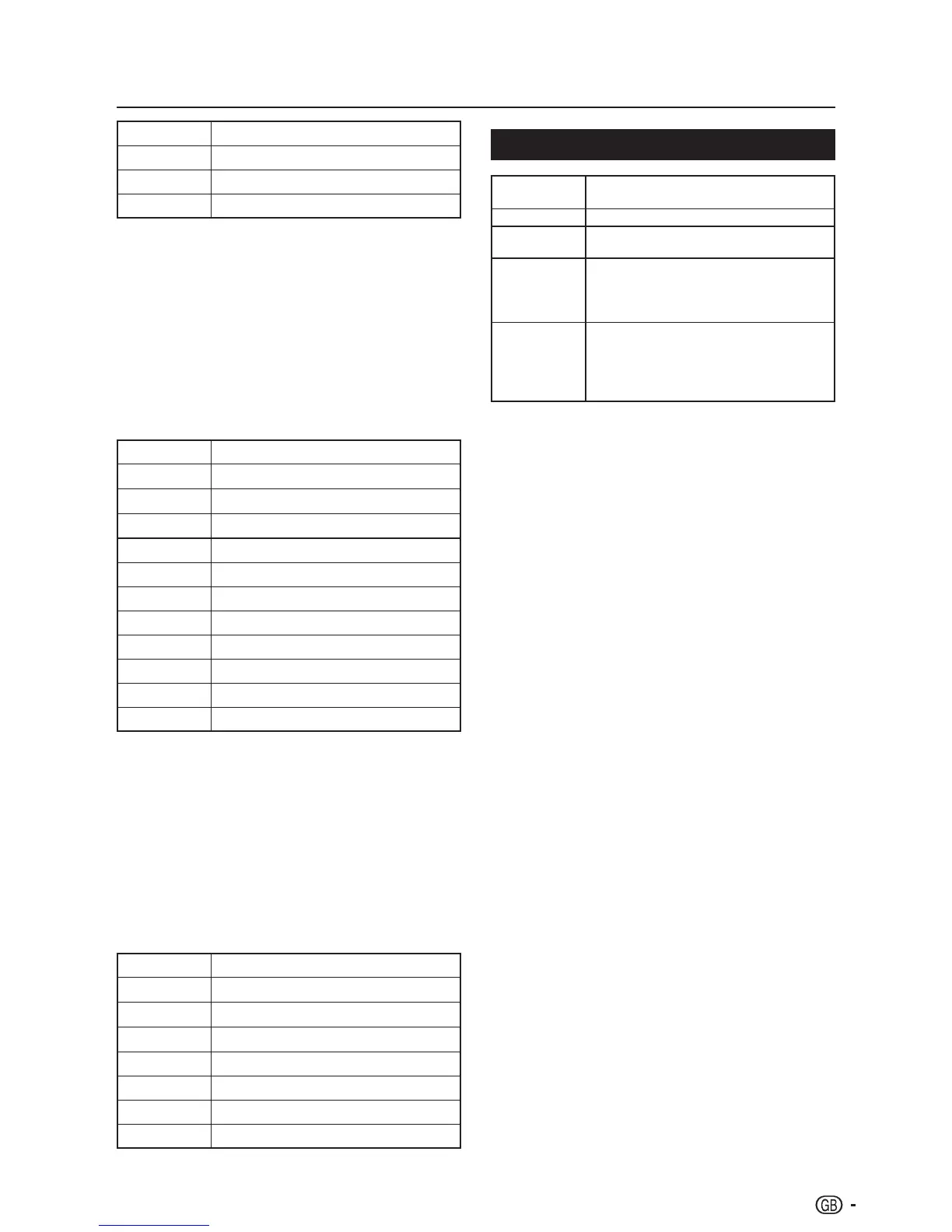
Buttons Descriptions
G button Select the slide show duration.
Y button Select the slide show transition effect.
EXIT Return to the previous operation.
Listen to Music E
In the 1. Music thumbnail browser, press <>≤≥
to select a music file or a music album.
Press 2. OK to play the MP3 file.
Use the buttons on the remote control and 3.
follow the on-screen instructions to play the
MP3 files.
Buttons for music mode
Buttons Descriptions
≥ (Cursor)
Fast forward the music.
≤ (Cursor)
Rewind the music.
I
/
F
Play or pause the music.
H
Stop the music.
T
/
U
Go to the previous/next music.
MENU Open the music sub-menu.
R button Repeat the music.
G button Play the music randomly.
Y button Audio Only.
B button Show information of the music file.
EXIT Return to the previous operation.
Play Videos E
In the 1. Video thumbnail browser, press <>≤≥
to select a video file.
Press 2. OK to play the video.
Use the buttons on the remote control and 3.
follow the on-screen instructions to play the
video.
Buttons for playing video mode
Buttons Descriptions
≥ (Cursor)
Fast forward the video.
≤ (Cursor)
Reverse the video.
I
/
F
Play or pause the video.
H
Stop the video.
T
/
U
Go to the previous/next video.
MENU Open the video sub-menu
EXIT Return to the previous operation.
USB device compatibility
USB 2.0
device
USB Memory, USB card reader, HDD
(Mass Storage class)
File system FAT / FAT32
Photo file
format
JPEG (*.JPG), PNG
Music file
format
MPEG1 (*.MP3)
Bitrate: 32k, 64k, 96k, 128k, 196k,
256k, 320kbps
Sampling frequency: 32k, 44.1k, 48kHz
Video file
format
MPEG1/2 (*.AVI, *.MPG, *.MPEG, *.TS)
MPEG4 (*.AVI, *.MP4, *.MOV, *.MKV)
H.264 (*.AVI, *.MP4, *.MOV, *.MKV, *.TS)
DivX (*.AVI)
XviD (*.AVI)
NOTE
It does not support “NTFS” and the maximum file size of •
a single file is 4GB.
Progressive format jpeg files are not supported.•
All files in USB devices with capacity may not be played •
properly.
Operation using USB hubs is not guaranteed.•
The external hard disc with capacity cannot be detected •
correctly.
Cables used to prolong the USB device must be •
certified as USB 2.0.
In USB devices, video files may not be played properly if •
speed is not enough.



 To Next Page