LC-60LE822E/LC-60LE822ERU
4 – 3
3. Removing of Connectors
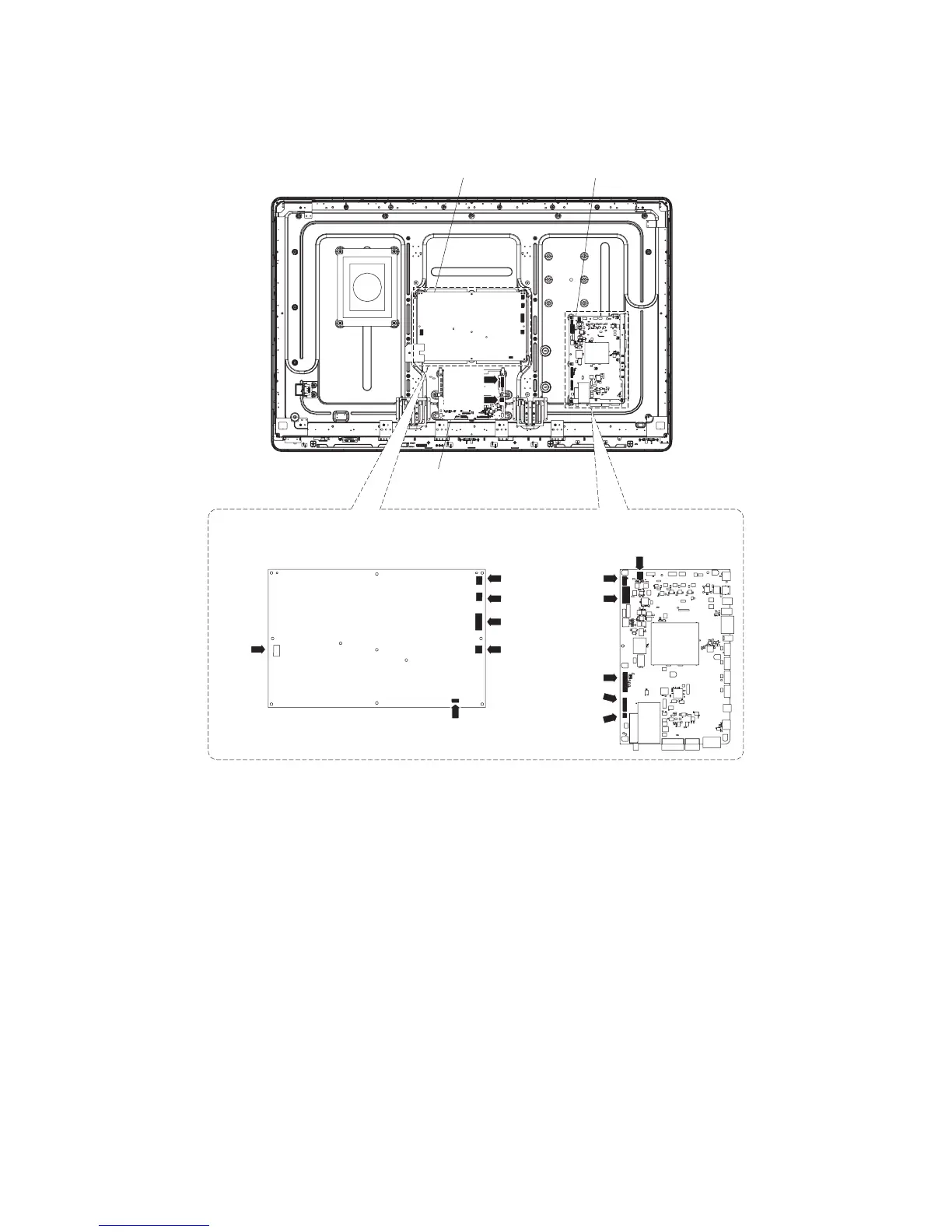
1. Disconnect the following connectors from the MAIN Unit. (SB, LB, PD, LW, RA, RL)
2. Disconnect the following connectors from the POWER/LED Drive Unit. (AS, L1, L2, LB, PD, PL)
3. Disconnect the following connectors from the LCD Control Unit. (LW, PL)
MAIN Unit
POWER/LED Drive Unit
[L1]
[L2]
[LB]
[PD]
[AS]
[PL]
[LB]
[PD]
[RA]
[RL]
[LW]
[SB]
MAIN UnitPOWER/LED Drive Unit
LCD Control Unit
[LW]
[PL]





 To Next Page