14
TWO-SIDED PRINTING
The machine can print on both sides of the paper. This function is useful for many purposes, and is particularly
convenient when you want to create a simple pamphlet. Two-sided printing also helps conserve paper.
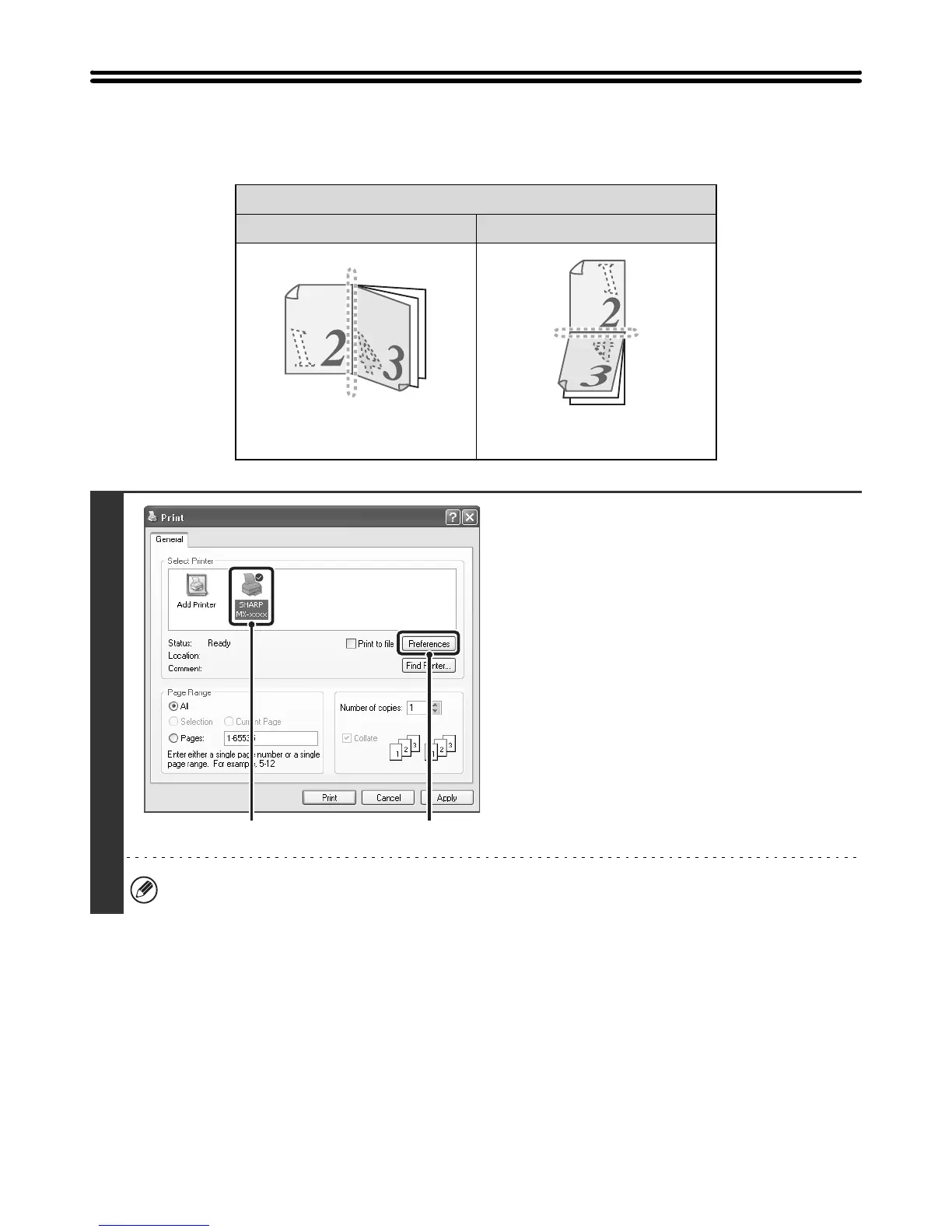
Printing result
2-Sided (Book) 2-Sided (Tablet)
The pages are printed so that they
can be bound at the side.
The pages are printed so that they
can be bound at the top.
1
Open the printer driver properties
window from the print window of the
software application.
(1) Select the printer driver of the machine.
(2) Click the [Preferences] button.
The button that is used to open the printer driver properties window (usually [Properties] or [Printing Preferences])
may vary depending on the software application.
(1)
(2)



 To Next Page