MX-5001N SIMULATION 6 – 81
46-23
Purpose
Adjustment/Setup
Function (Purpose)
Used to set the density correction of copy
high density section (High density tone gap
supported).
Section
Operation/Procedure
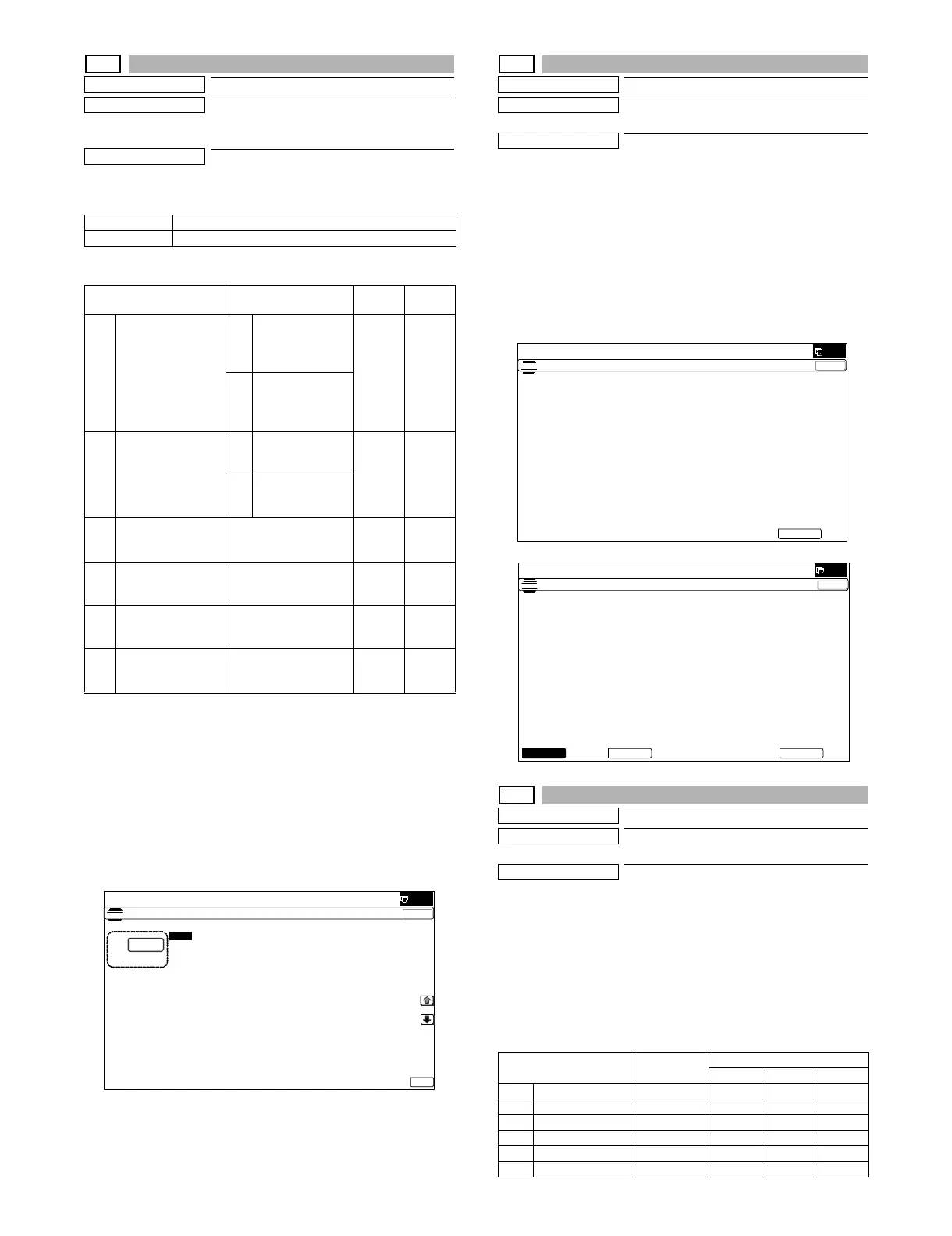
1) Enter the set value with 10-key.
2) Press [OK] key. (The set value is saved.)
* When tone gap is generated in the high density area, set items A
and B to "0.
The density of high density part decreases. However, the tone
gap is better.
* To increase the density in the high density area further, set items
A and B to "1.
The tone gap may occur in high density part.
NOTE: Do not change the values of items C, D, E, and F. If these
values are changed, the density in the high density area is
changed.
46-24
Purpose
Adjustment
Function (Purpose)
Copy color balance adjustment
(Auto adjustment)
Section
Operation/Procedure
1) Press [EXECUTE] key.
The color patch image (adjustment pattern) is printed out.
2) Plate the printed adjustment pattern on the document table,
select [FACTORY] or [SERVICE] mode.
3) Press [EXECUTE] key.
The copy color balance automatic adjustment is performed,
then the adjustment result pattern is printed.
4) Press [OK] key.
The half tone correction target registration is processed.
46-25
Purpose
Adjustment
Function (Purpose)
Used to adjust the copy color balance. (Sin-
gle color copy mode)
Section
Operation/Procedure
1) Select an adjustment target color with [C][M][Y] keys on the
touch panel.
2) Select an adjustment target item with [↑] [↓] key on the touch
panel.
3) Enter the set value with 10-key.
4) Press [OK] key. (The set value is saved.)
When the adjustment value is increased, the image density of the
target color is increased, and vice versa.
0 Enable
1 Inhibit
Item/Display Content
Setting
range
Default
value
ACMY
(0 : ENABLE
1 : DISABLE)
0 CMY engine
highest density
correction mode :
Enable
0 - 1 0
1 CMY engine
highest density
correction mode :
Disable
BK
(0 : ENABLE
1 : DISABLE)
0 K engine highest
density correction
mode : Enable
0 - 1 1
1 K engine highest
density correction
mode : Disable
C CYAN MAX
TARGET
Scanner target value for
CYAN maximum
density correction
0 - 999 629
D MAGENTA MAX
TARGET
Scanner target value for
MAGENTA maximum
density correction
0 - 999 532
E YELLOW MAX
TARGET
Scanner target value for
YELLOW maximum
density correction
0 - 999 500
F BLACK MAX
TARGET
Scanner target value for
BLACK maximum
density correction
0 - 999 500
ǂǂǂ6,08/$7,21ǂǂ12
&/26(
7(67
(1*,1(0$;,080'(16,7<$'-8670(1702'(
$˖
˷˹
˖&0<˄(1$%/(ǂ˖',6$%/(˅
$˖
˖.˄(1$%/(ǂ˖',6$%/(˅
%˖
˖&<$1ǂ0$;ǂ7$5*(7
&˖
˖0$*(17$ǂ0$;ǂ7$5*(7
'˖
˖%/$&.ǂ0$;ǂ7$5*(7
)˖
˖<(//2:ǂ0$;ǂ7$5*(7
(˖
2.
Item/Display
Setting
range
Default value
CMY
A RED 0 - 255 0 255 200
B GREEN 0 - 255 255 0 255
C BLUE 0 - 255 255 200 0
D CYAN 0 - 255 255 0 0
E MAGENTA 0 - 255 0 255 0
F YELLOW 0 - 255 0 0 255
(1*,1(+$/)721($872$'-8670(1702'(5(*8/$5
35(66>(;(&87(@72352&21(;(&87,21$1'35,177+(7(673$7&+
3/($6(86(63(&,),('7<3(2)$25h6,=(3$3(5
)257+,6$'-8670(17
ǂǂǂ6,08/$7,21
ǂǂ12
&/26(
7(67
(1*,1(+$/)721($872$'-8670(1702'(5(*8/$5
3/($6(6(/(&77+(02'()$&725<256(59,&($1'3/$&(
7+(35,17('7(673$7&+21'2&80(17*/$667+(135(66>(;(&87(@
/,*+7$5($$7/()76,'(21'2&80(17*/$66
(;(&87(6(59,&()$&725<



 To Next Page