-74
Changing the Password
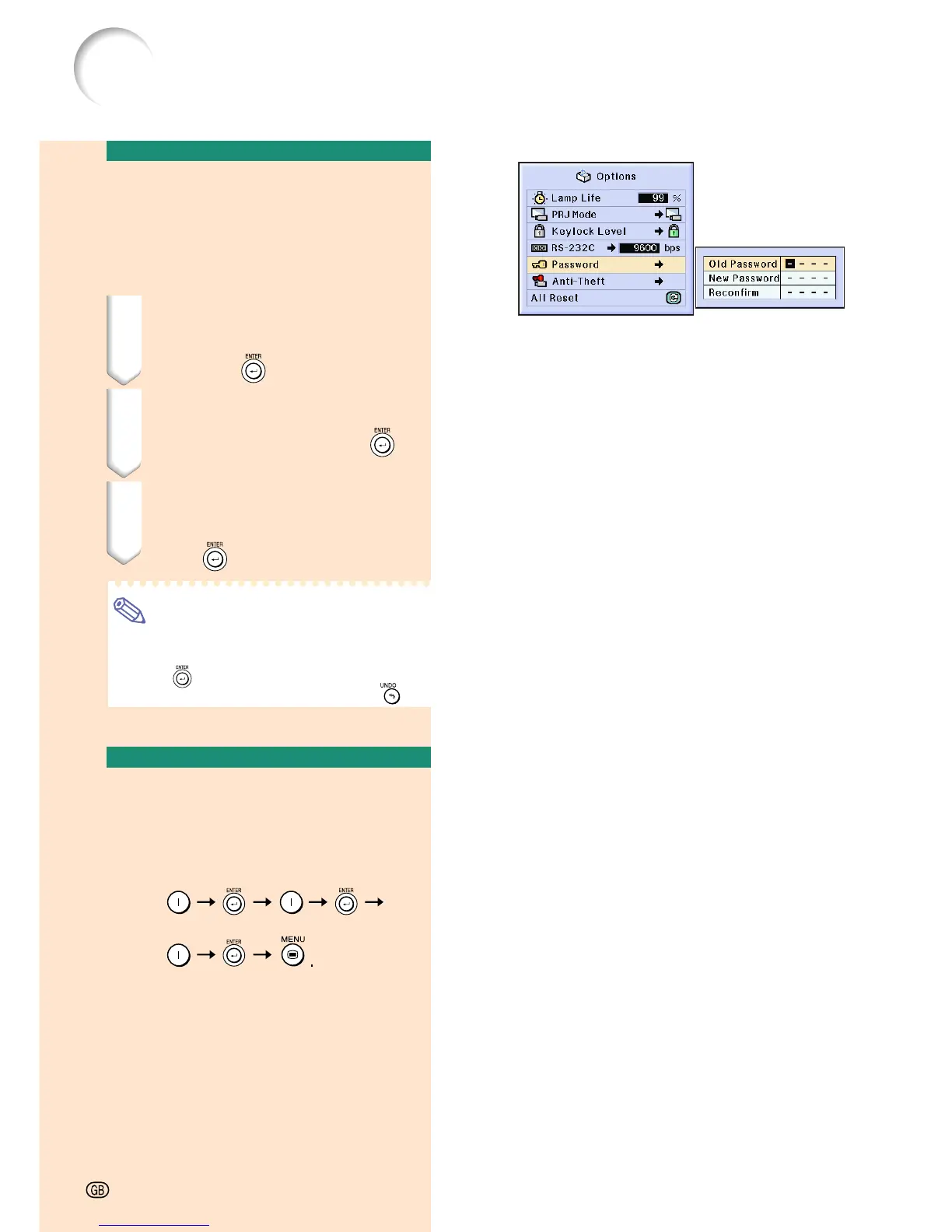
Select “Password” in the “Options (2)”
menu on the menu screen.
➝ For operating the menu screen, see
pages 42 to 45.
1 Press
''
''
',
""
""
" and
||
||
| to enter the
password in “Old Password”
and press
.
2 Press
''
''
',
""
""
" and
||
||
| to set the
new password and press
.
3 Enter the new 4-digit password
again in “Reconfirm” and
press
.
Note
• If you do not want to set a password, leave
the fields in procedures 2 and 3 blank and
press .
• To cancel the password settings, click
.
If You Forget Your
Password
If you forget the password, delete it and set a
new password using the following procedure.
Press
-74
Setting up a Password
ON ON
ON





 To Next Page