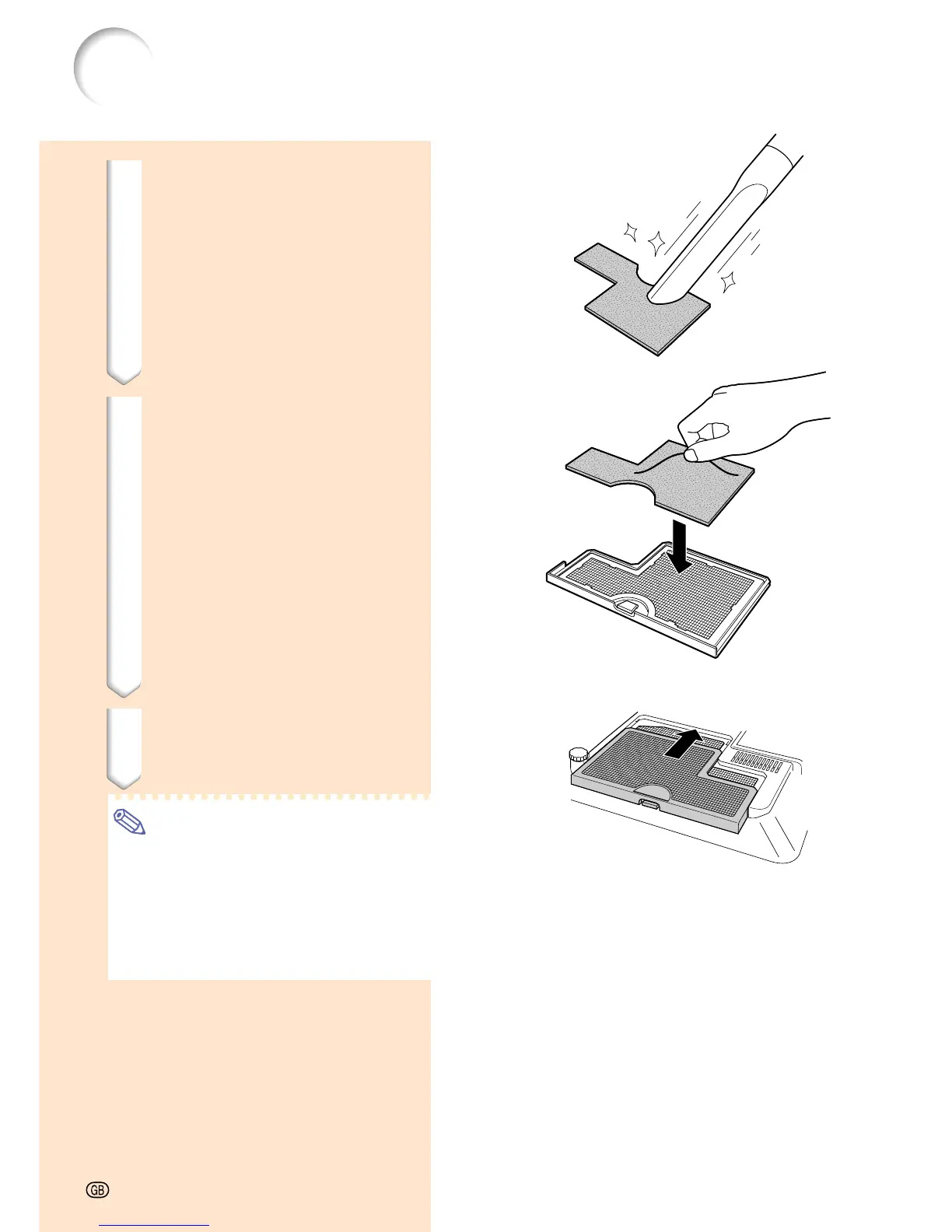
4 Clean the air filter.
• Clean the dust off the air filter and
cover with a vacuum cleaner extension
hose.
5 Replace the air filter.
• Place the air filter underneath the tabs
on the filter cover.
6 Replace the filter cover.
• Slide the filter cover in the direction of
the arrow to close it.
Note
• Be sure the filter cover is securely
installed. The power will not turn on
unless it is correctly installed.
• If dust or dirt has collected inside the
bottom air filter (not removable), clean the
filter with a vacuum cleaner extension
hose.
Replacing the Air Filter
-82




 To Next Page