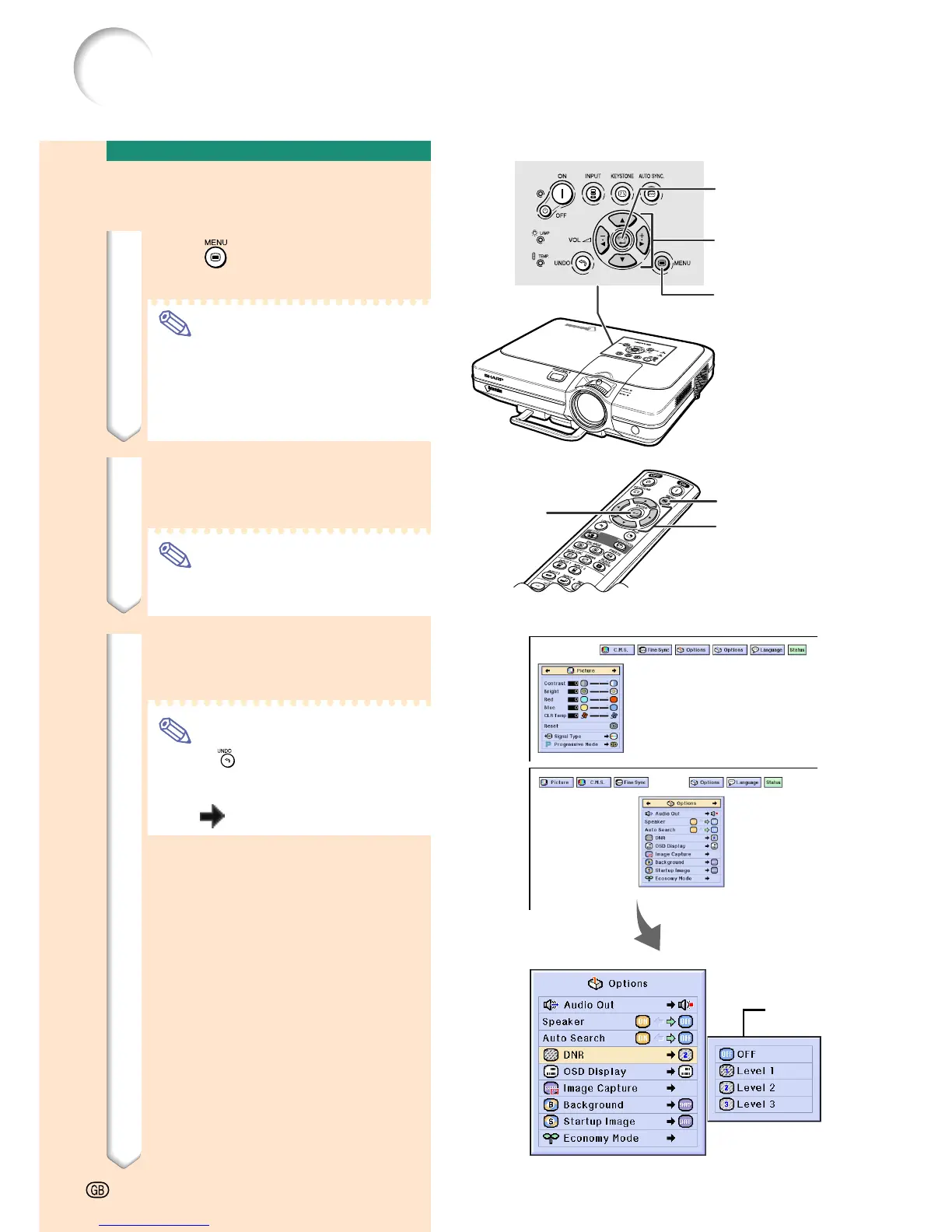
▼ Menu screen
Menu Selections
(Settings)
1 Press .
• The menu screen is displayed.
Note
• The “Picture” menu screen for the
selected input mode is displayed.
• The on-screen display shown on the
lower right is displayed when INPUT
1 or 2 mode is selected.
2 Press
\\
\\
\ or
||
||
| to select the
menu you want to adjust.
Note
• For details on the menus, see the
tree charts on pages 40 and 41.
3 Press
''
''
' or
""
""
" to select the
item you want to set.
Note
• Press to return to the previous
screen.
• In some menus, select the icon us-
ing “
”.
Using the Menu Screen
Sub menu
-44
MENU button
''
''
',
""
""
",
\\
\\
\,
||
||
|
buttons
ENTER button
MENU button
ENTER
button
''
''
',
""
""
",
\\
\\
\,
||
||
|
buttons










 To Next Page