EasyManua.ls Logo

Sharp SF-2022 - Page 15

Sharp SF-2022
76 pages
Print Icon
To Next Page IconTo Next Page
To Previous Page IconTo Previous Page
Loading...
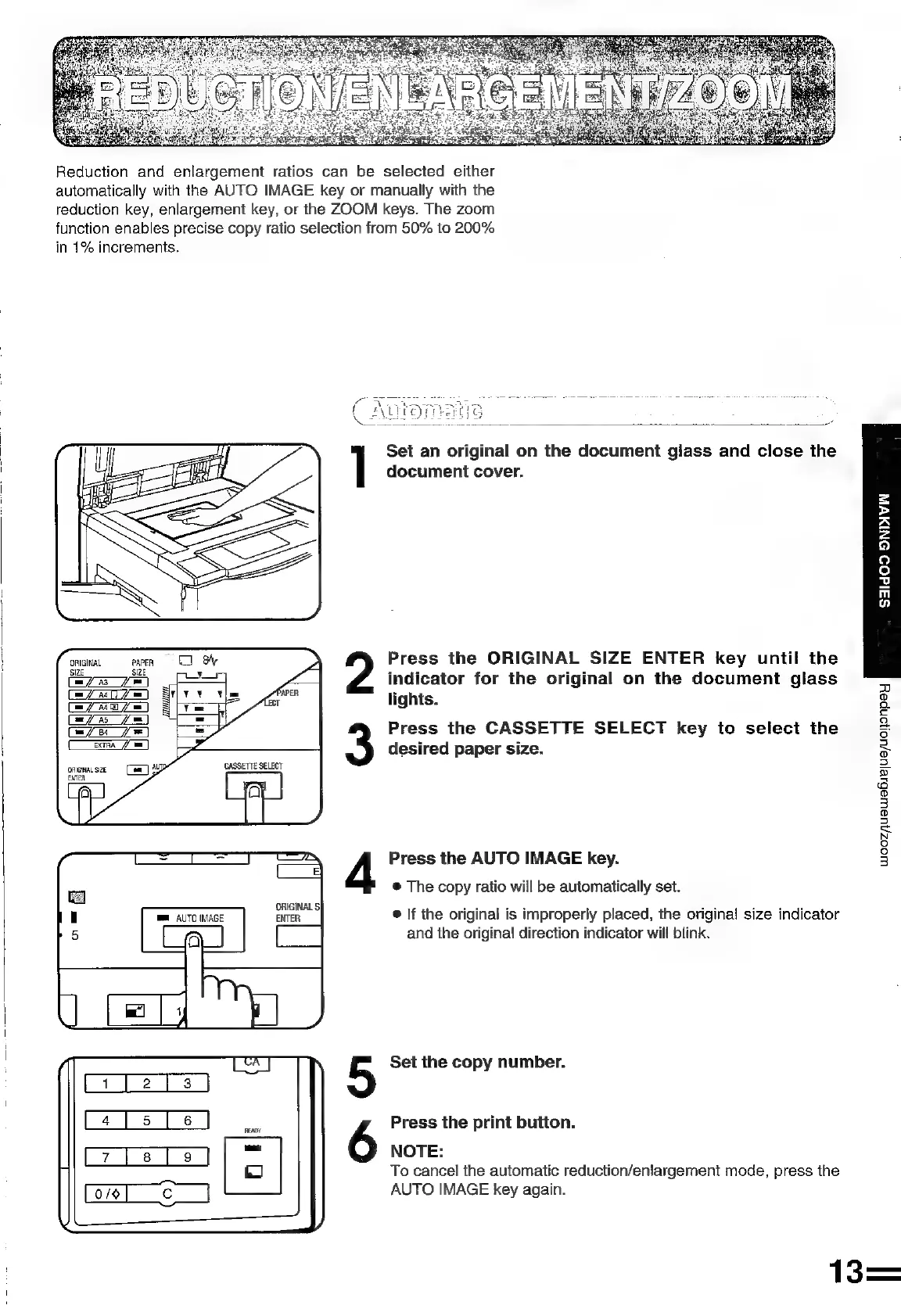
Reduction
and
enlargement
ratios
can
be
selected
either
automatically
with
the
AUTO
IMAGE
key
or
manually
with
the
reduction
key,
enlargement
key,
or
the
ZOOM
keys.
The
zoom
function
enables
precise
copy
ratio
selection
from
50%
to
200%
in
1%
increments.
Set
an
original
on
the
document
glass
and
close
the
document
cover.
=
>
a
2
fa)
2
fo]
2
m
wo
ORIGINAL
eapen
=
Press
the
ORIGINAL
SIZE
ENTER
key
until
the
yee)
_
fot
indicator
for
the
original
on
the
document
glass
atu
T
=
vy
lights.
vari
a
am
ff
85
Tae
Press
the
CASSETTE
SELECT
key
to
select
the
SERA
desired
paper
size.
ORIGINAL
SIZE
=
ENTER
woozjuswabye|ue/uononpey
Press
the
AUTO
IMAGE
key.
®
The
copy
ratio
will
be
automatically
set.
®
lf
the
original
is
improperly
placed,
the
original
size
indicator
and
the
original
direction
indicator
will
blink.
Set
the
copy
number.
Press
the
print
button.
NOTE:
To
cancel
the
automatic
reduction/eniargement
mode,
press
the
AUTO
IMAGE
key
again.
13=

Related product manuals