EasyManua.ls Logo

Sharp SF-2022 - Two-Sided Copying

Sharp SF-2022
76 pages
Print Icon
To Next Page IconTo Next Page
To Previous Page IconTo Previous Page
Loading...
TWO-SIDED
COPYING
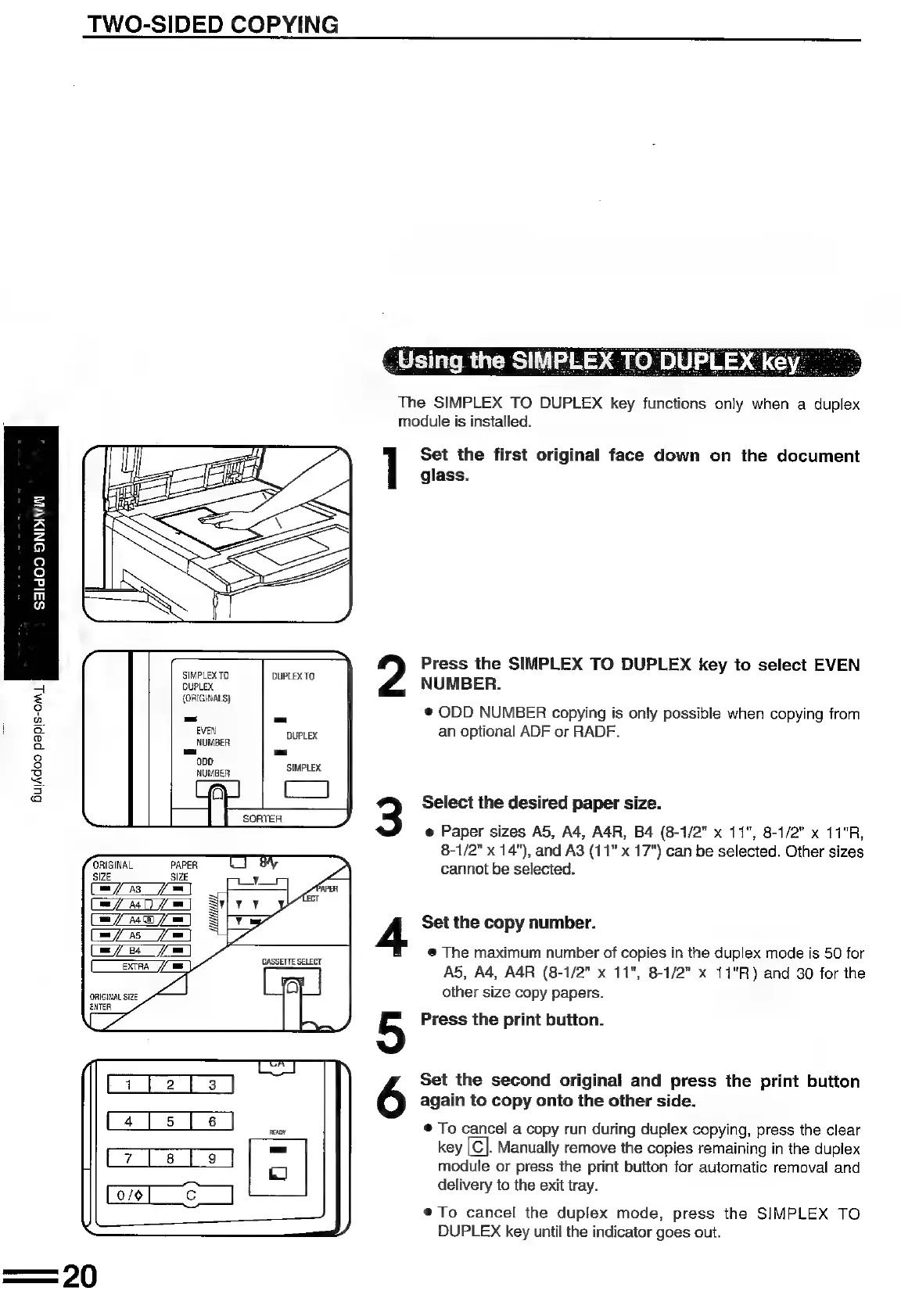
The
SIMPLEX
TO
DUPLEX
key
functions
only
when
a
duplex
module
is
installed.
]
Set
the
first
original
face
down
on
the
document
glass.
=
>
bal
2
9
Q
fe)
vu
in
o
os
,
Press
the
SIMPLEX
TO
DUPLEX
key
to
select
EVEN
=
DUPLEX
MEANS
j
NUMBER.
=
{ORIGINALS}
:
=
©
ODD
NUMBER
copying
is
only
possible
when
copying
from
o
EVEN
DUPLEX
an
optional
ADF
or
RADF.
a
NUMBER
°
Ll
=
8
SIMPLEX
<
=
.
s,
a
Select
the
desired
paper
size.
e
Paper
sizes
A5,
A4,
A4R,
B4
(8-1/2"
x
11",
8-1/2"
x
11°R,
8-1/2”
x
14"),
and
A3
(11"
x
17")
can
be
selected.
Other
sizes
a
;
cannot
be
selected.
AS
=
A
im
Ae
AS
(i=
Ba
=
ExTA
//
ws
|
ORIGINAL
SIZE
MA
Set
the
copy
number.
®@
The
maximum
number
of
copies
in
the
duplex
mode
is
50
for
AS, A4,
A4R
(8-1/2"
x
11",
8-1/2"
x
11"R)
and
30
for
the
other
size
copy
papers.
Press
the
print
button.
ORIGINAL
SIZE
ENTER
Set
the
second
original
and
press
the
print
button
again
to
copy
onto
the
other
side.
(456
|
aon
©
To
cancel
a
copy
run
during
duplex
copying,
press
the
clear
key
|C}.
Manually
remove
the
copies
remaining
in
the
duplex
[7
[3]
9
|
module
or
press
the
print
button
for
automatic
removal
and
delivery
to
the
exit
tray.
®To
cancel
the
duplex
mode,
press
the
SIMPLEX
TO
DUPLEX
key
until
the
indicator
goes
out.

Related product manuals