EasyManua.ls Logo

Sharp SF-2022 - Page 21

Sharp SF-2022
76 pages
Print Icon
To Next Page IconTo Next Page
To Previous Page IconTo Previous Page
Loading...
Two-sided
copies
can
be
made
on
the
SF-2022
using
the
manual
feed
tray,
or
by
pressing
the
SIMPLEX
TO
DUPLEX
key.
(The
SIMPLEX
TO
DUPLEX
key
only
functions
when
a
duplex
module
is
installed.)
To
copy
automatically
in
the
DUPLEX
TO
DUPLEX
mode,
an
optional
duplex
module
and
an
optional
RADF
must
be
installed.
See
pages
47
for
details.
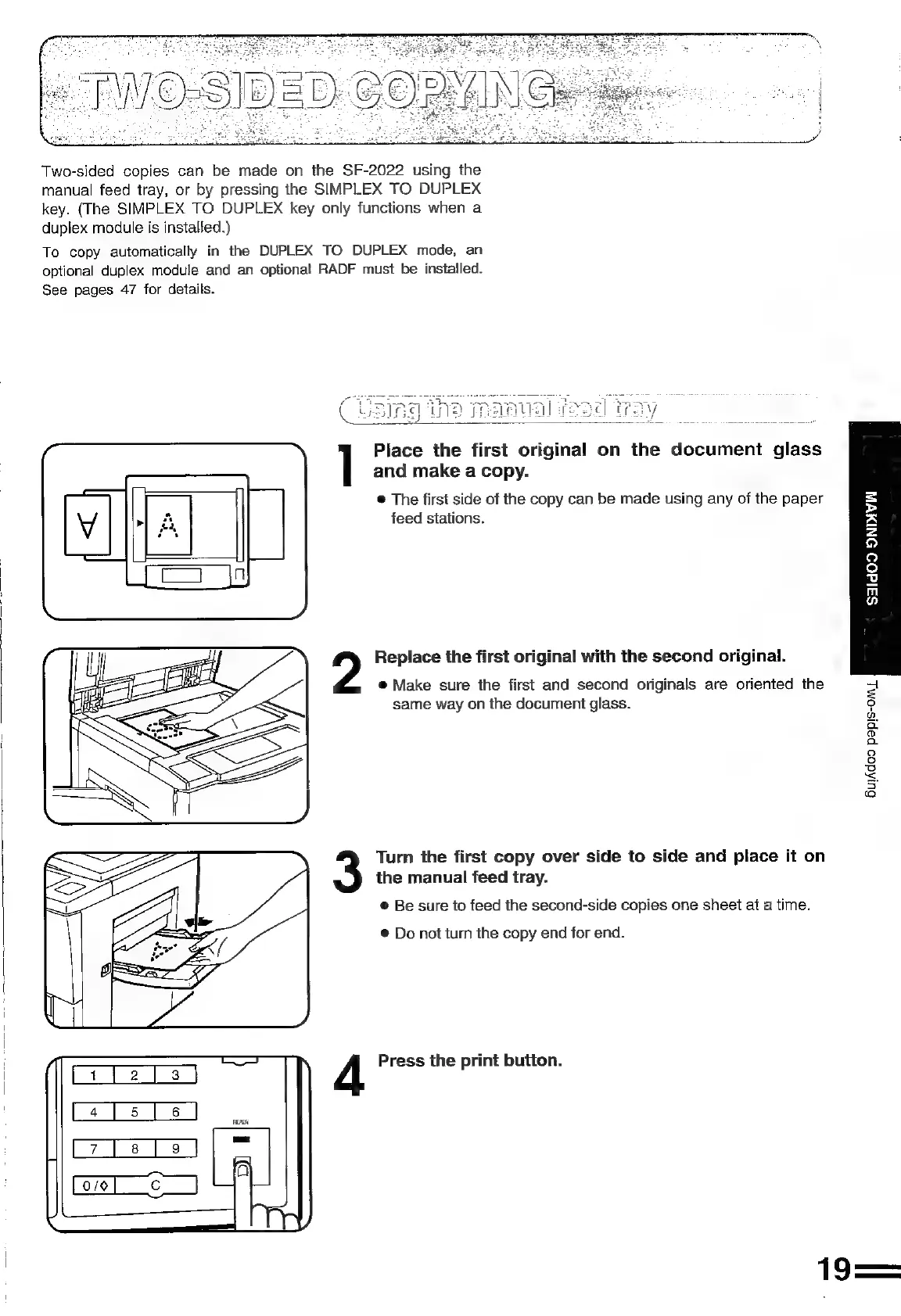
Place
the
first
original
on
the
document
glass
and
make
a
copy.
®@
The
first
side
of
the
copy
can
be
made
using
any
of
the
paper
feed
stations.
Replace
the
first
original
with
the
second
original.
®@
Make
sure
the
first
and
second
originals
are
oriented
the
same
way
on
the
document
glass.
Turn
the
first
copy
over
side
to
side
and
place
it
on
the
manual
feed
tray.
©
Be
sure
to
feed
the
second-side
copies
one
sheet
at
a
time.
®
Do
not
turn
the
copy
end
for
end.
A
Press
the
print
button.
19
=
>
s
z
9
9
fe}
a
m
n
BulAdoo
papis-om
L

Related product manuals