EasyManua.ls Logo

Sharp SF-2022 - Copier Trouble

Sharp SF-2022
76 pages
Print Icon
To Next Page IconTo Next Page
To Previous Page IconTo Previous Page
Loading...
WH3N3D
2
7
fe)
ES
5
a
fe)
=
£9|qnoy
Jaido5
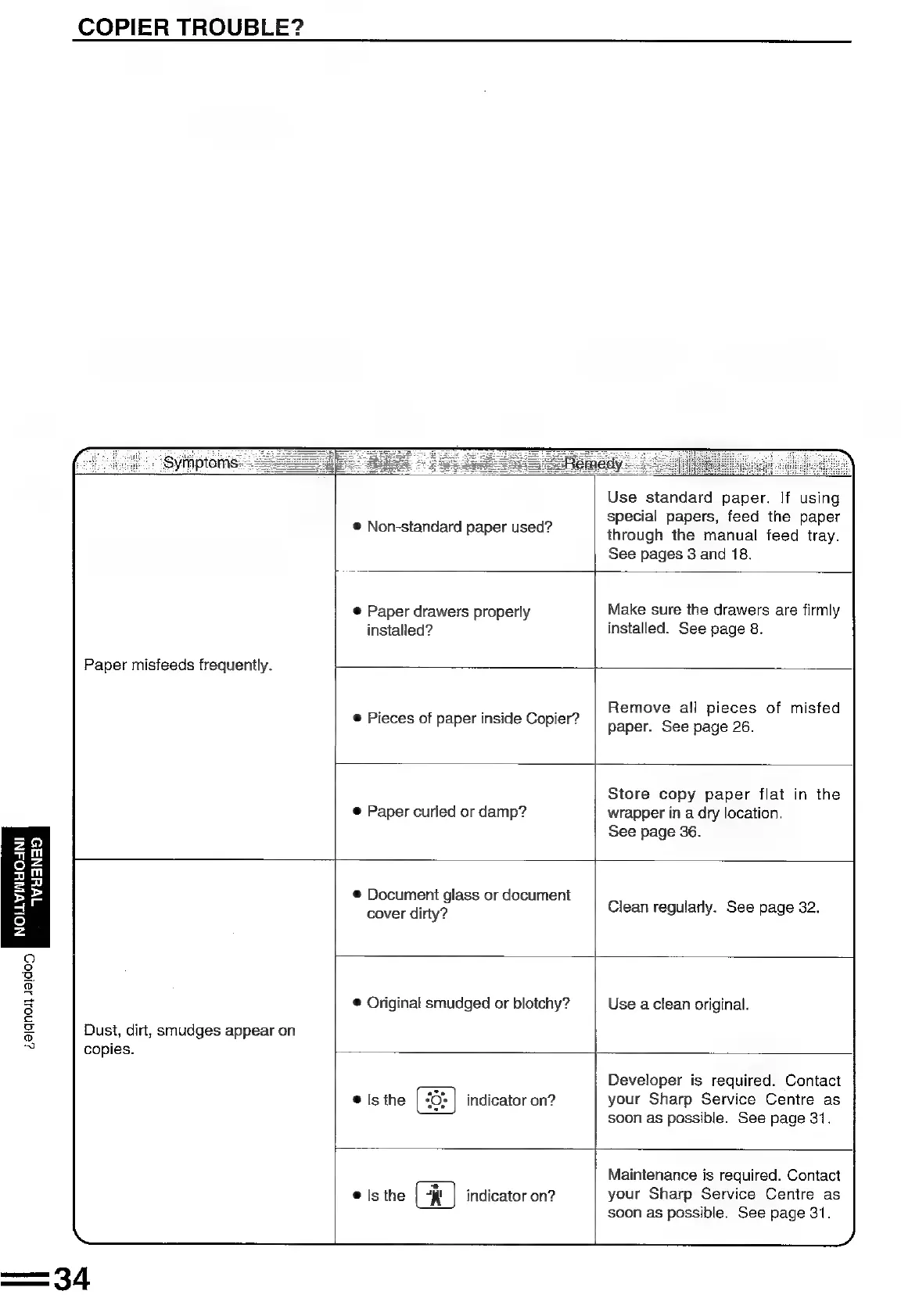
COPIER
TROUBLE?
Symptoms
Paper
misfeeds
frequently.
®
Non-standard
paper
used?
Use
standard
paper.
If
using
special
papers,
feed
the
paper
through
the
manual
feed
tray.
See
pages
3
and
18.
@
Paper
drawers
properly
installed?
Make
sure
the
drawers
are
firmly
installed.
See
page
8.
©
Pieces
of
paper
inside
Copier?
Remove
all
pieces
of
misfed
paper.
See
page
26.
@
Paper
curled
or
damp?
Store
copy
paper
flat
in
the
wrapper
in
a
dry
location.
See
page
36.
Dust,
dirt,
smudges
appear
on
copies.
@
Document
glass
or
document
cover
dirty?
Clean
regularly.
See
page
32.
®
Original
smudged
or
blotchy?
Use
a
clean
original.
@
Is
the
indicator
on?
Developer
is
required.
Contact
your
Sharp
Service
Centre
as
soon
as
possible.
See
page
31.
@
Is
the
(
indicator
on?
Maintenance
is
required.
Contact
your
Sharp
Service
Centre
as
soon
as
possible.
See
page
31.

Related product manuals