EasyManua.ls Logo

Sharp SF-2022 - Reduction;Enlargement;Zoom

Sharp SF-2022
76 pages
Print Icon
To Next Page IconTo Next Page
To Previous Page IconTo Previous Page
Loading...
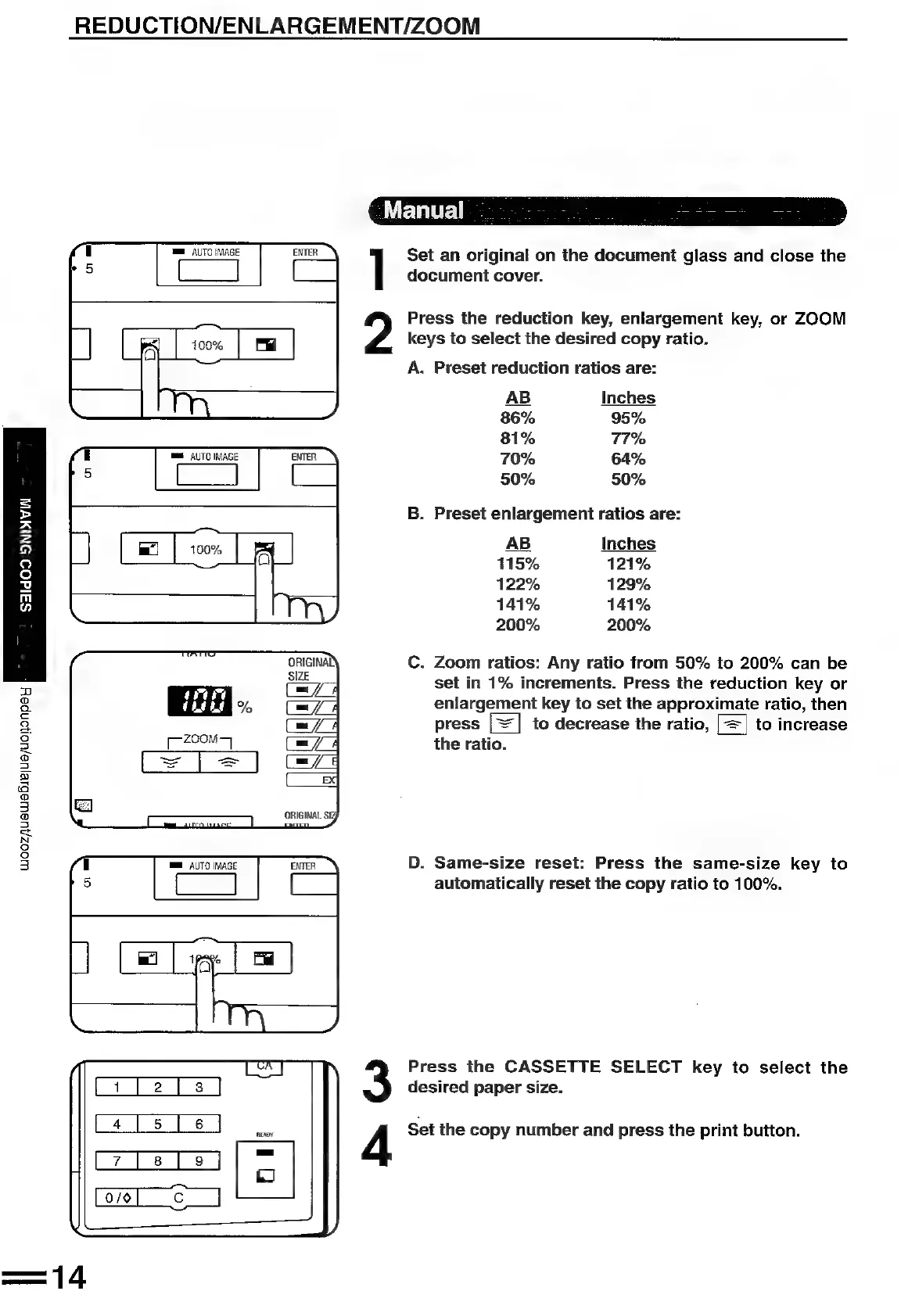
REDUCTION/ENLARGEMENT/ZOOM
Set
an
original
on
the
document
glass
and
close
the
document
cover.
Press
the
reduction
key,
enlargement
key,
or
ZOOM
keys
to
select
the
desired
copy
ratio.
A.
Preset
reduction
ratios
are:
AB
Inches
86%
95%
81%
77%
70%
64%
50%
50%
=
B.
Preset
enlargement
ratios
are:
Fs
AB
Inches
Q
115%
121%
3
122% 129%
BY
141% 141%
200%
200%
C.
Zoom
ratios:
Any
ratio
from
50%
to
200%
can
be
set
in
1%
increments.
Press
the
reduction
key
or
eulargenrent
key
to
set
the
approximate
ratio,
then
press
|=
|
to
decrease
the
ratio,
|=|
to
increase
the
ratio.
WwoozjUaWAaBiE|Ue/uoHonpey
F
D.
Same-size
reset:
Press
the
same-size
key
to
automatically
reset
the
copy
ratio
to
100%.
Press
the
CASSETTE
SELECT
key
to
select
the
desired
paper
size.
La
[5]
6
J
4
Set
the
copy
number
and
press
the
print
button.
Lz7[ales]
ZO

Related product manuals