EasyManua.ls Logo

Sharp SF-2022 - Page 23

Sharp SF-2022
76 pages
Print Icon
To Next Page IconTo Next Page
To Previous Page IconTo Previous Page
Loading...
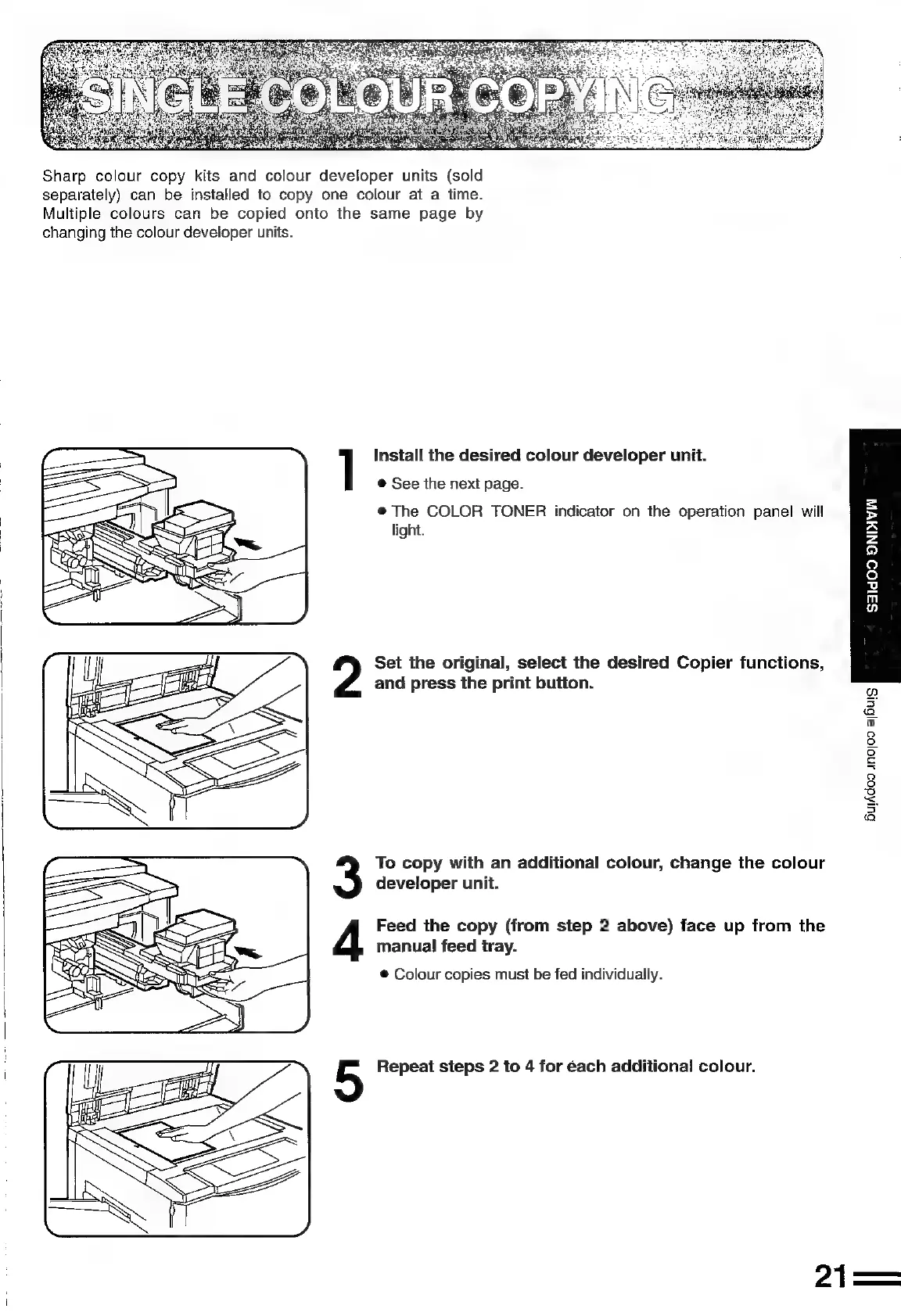
Sharp
colour
copy
kits
and
colour
developer
units
(sold
separately)
can
be
installed
to
copy
one
colour
at
a
time.
Multiple
colours
can
be
copied
onto
the
same
page
by
changing
the
colour
developer
units.
Install
the
desired
colour
developer
unit.
©
See
the
next
page.
@
The
COLOR
TONER
indicator
on
the
operation
panel
will
light.
Set
the
original,
select
the
desired
Copier
functions,
and
press
the
print
button.
To
copy
with
an
additional
colour,
change
the
colour
developer
unit.
Feed
the
copy
(from
step
2
above)
face
up
from
the
manual
feed
tray.
®
Colour
copies
must
be
fed
individually.
Repeat
steps
2
to
4
for
each
additional
colour.
21
H
=
a
[oy
ivy
So
oO
i
is
Q
oO
Res
S
PS
a

Related product manuals