EasyManua.ls Logo

Sharp SF-2022 - Page 30

Sharp SF-2022
76 pages
Print Icon
To Next Page IconTo Next Page
To Previous Page IconTo Previous Page
Loading...
MISFEED
REMOVAL
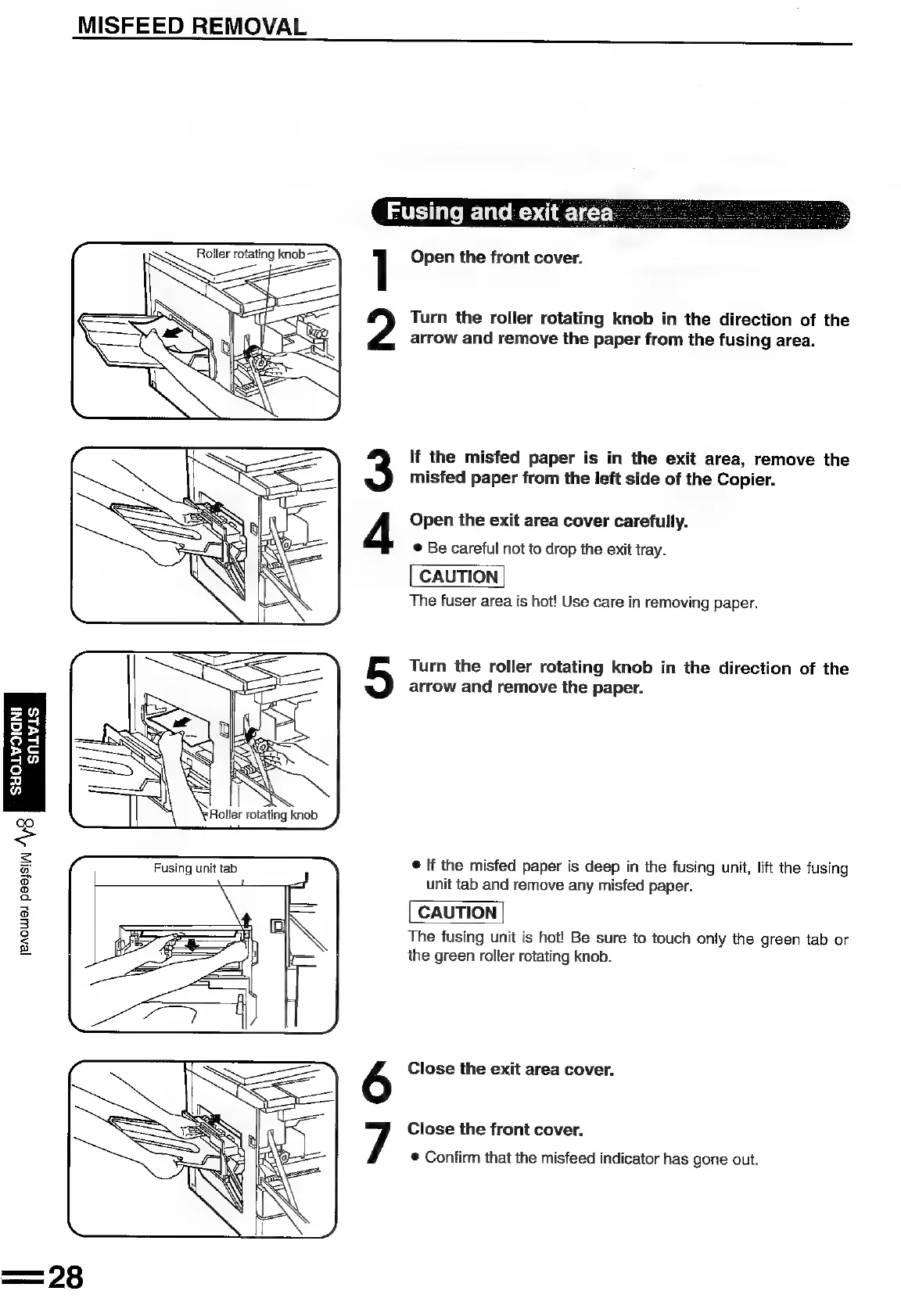
Roller
rotating
knob
——
]
Open
the
front
cover.
Turn
the
roller
rotating
knob
in
the
direction
of
the
arrow
and
remove
the
paper
from
the
fusing
area.
If
the
misfed
paper
is
in
the
exit
area,
remove
the
misfed
paper
from
the
left
side
of
the
Copier.
f
Open
the
exit
area
cover
carefully.
®
Be
careful
not
to
drop
the
exit
tray.
CAUTION
The
fuser
area
is
hot!
Use
care
in
removing
paper.
Turn
the
roller
rotating
knob
in
the
direction
of
the
arrow
and
remove
the
paper.
SNLVLS
FS
g
S
a
wa
7)
©
If
the
misfed
paper
is
deep
in
the
fusing
unit,
lift
the
fusing
unit
tab
and
remove
any
misfed
paper.
CAUTION
The
fusing
unit
is
hot!
Be
sure
to
touch
only
the
green
tab
or
the
green
roller
rotating
knob.
[eAOWA! peessi,
AS
°
Close
the
exit
area
cover.
7
Close
the
front
cover.
®
Confirm
that
the
misfeed
indicator
has
gone
out.

Related product manuals