EasyManua.ls Logo

Sharp SF-2022 - Page 44

Sharp SF-2022
76 pages
Print Icon
To Next Page IconTo Next Page
To Previous Page IconTo Previous Page
Loading...
ADF
‘Normal
copying
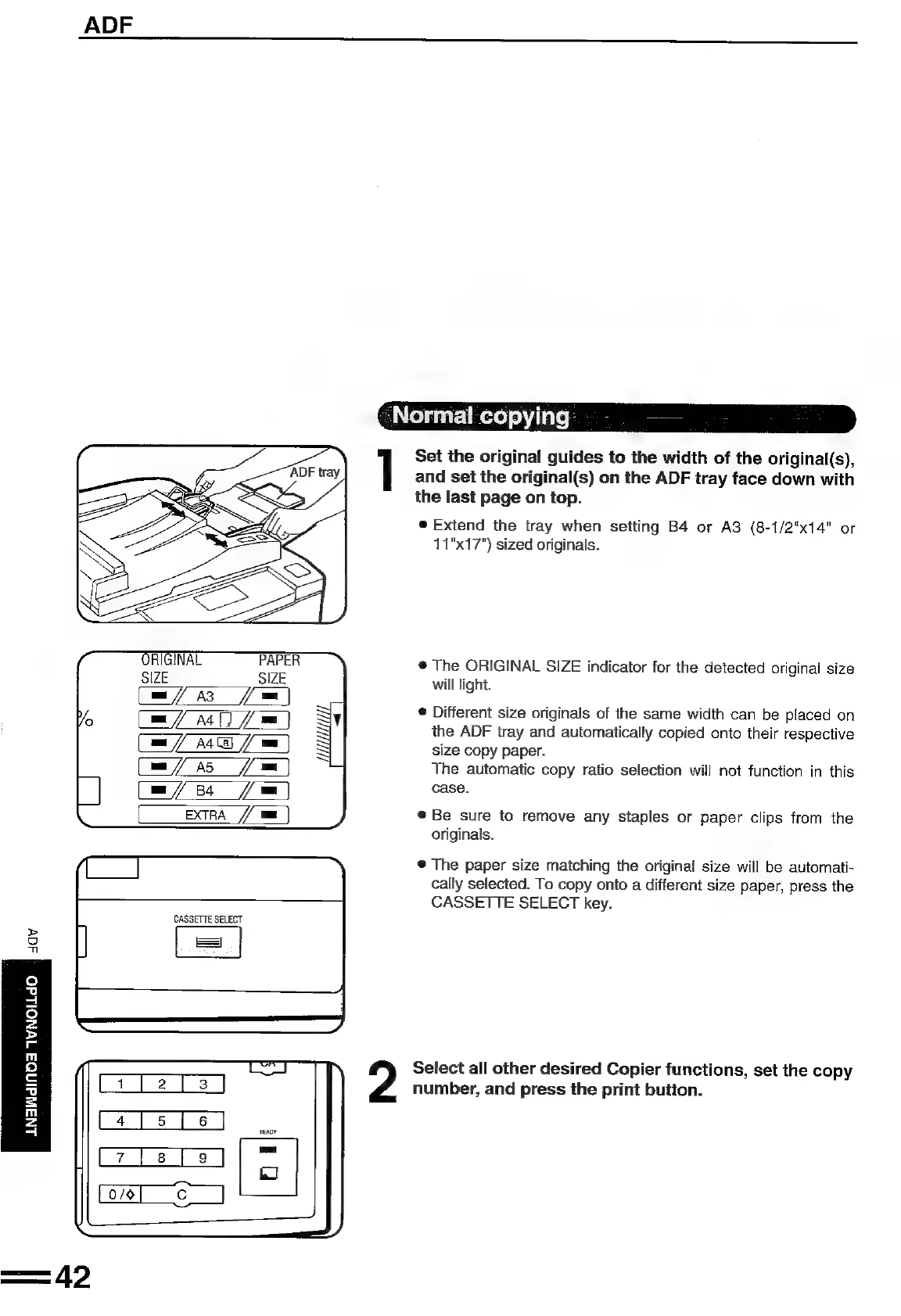
Set
the
original
guides
to
the
width
of
the
original(s),
and
set
the
original(s)
on
the
ADF
tray
face
down
with
the
last
page
on
top.
e@
Extend
the
tray
when
setting
B4
or
A3
(8-1/2"x14"
or
11"x17")
sized
originals.
@
The
ORIGINAL
SIZE
indicator
for
the
detected
original
size
will
light.
®
Different
size
originals
of
the
same
width
can
be
placed
on
the
ADF
tray
and
automatically
copied
onto
their
respective
size
copy
paper.
The
automatic
copy
ratio
selection
will
not
function
in
this
case.
EXTRA
©
Be
sure
to
remove
any
staples
or
paper
clips
from
the
originals.
®@
The
paper
size
matching
the
original
size
will
be
automati-
cally
selected.
To
copy
onto
a
different
size
paper,
press
the
CASSETTE
SELECT
key.
CASSETTE
SELECT
>
Og
=
Select
all
other
desired
Copier
functions,
set
the
copy
number,
and
press
the
print
button.
ANAWdINOA
1WNOLLdO

Related product manuals