EasyManua.ls Logo

Sharp SF-2022 - Page 50

Sharp SF-2022
76 pages
Print Icon
To Next Page IconTo Next Page
To Previous Page IconTo Previous Page
Loading...
RADF
f
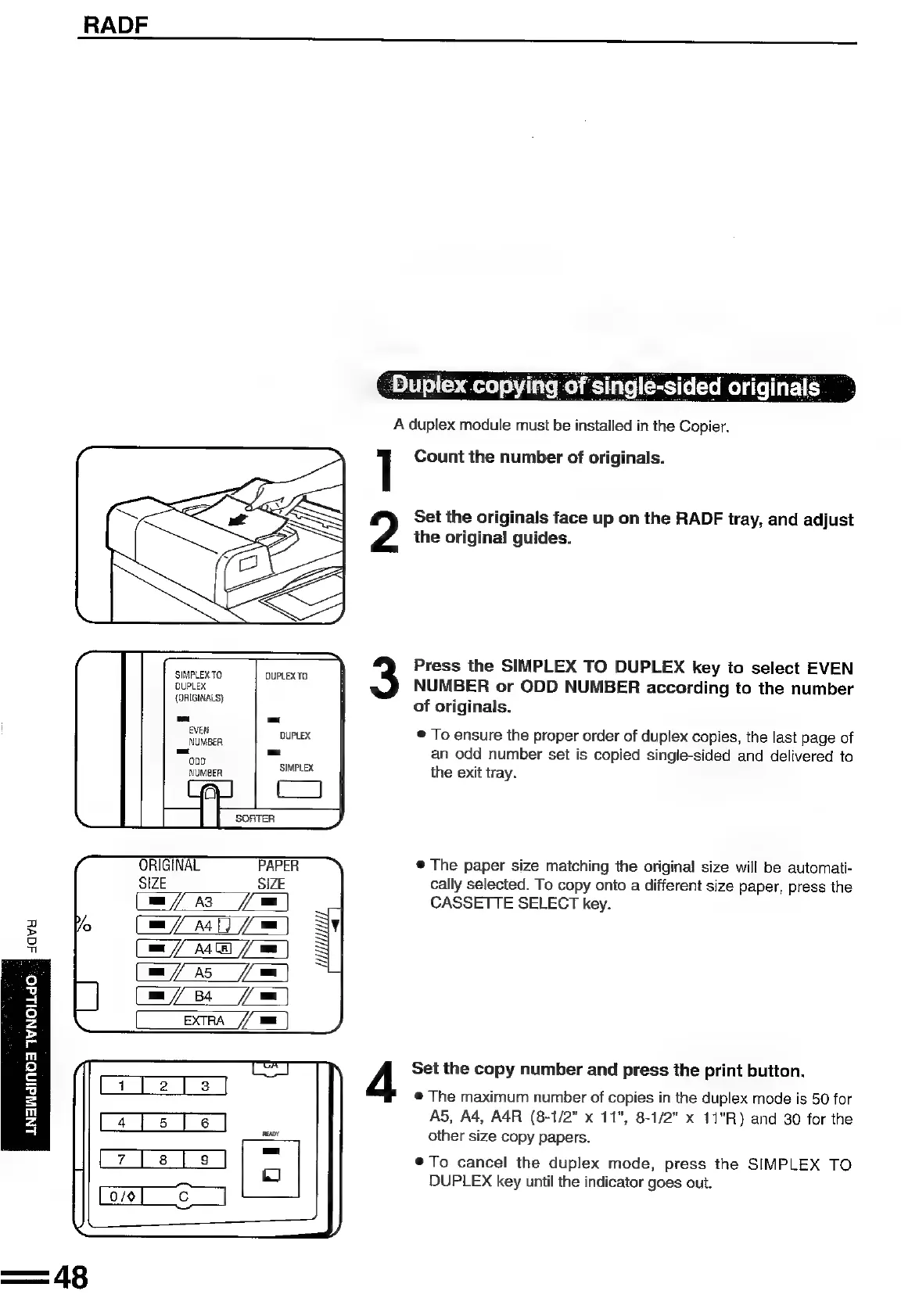
single-sided
originals
_
A
duplex
module
must
be
installed
in
the
Copier.
T
Count
the
number
of
originals.
Set
the
originals
face
up
on
the
RADF
tray,
and
adjust
the
original
guides.
Press
the
SIMPLEX
TO
DUPLEX
key
to
select
EVEN
nue
|
TO
NUMBER
or
ODD
NUMBER
according
to
the
number
(one)
E
of
originals.
!
Ateii
DUPLEX
©
To
ensure
the
proper
order
of
duplex
copies,
the
last
page
of
=e
=
an
odd
number
set
is
copied
single-sided
and
delivered
to
NUMBER
ealras
the
exit
tray.
ORIGINAL
®@
The
paper
size
matching
the
original
size
will
be
automati-
g
SIZE
cally
selected.
To
copy
onto
a
different
size
paper,
press
the
A3
CASSETTE
SELECT
key.
va
awe
ae)
>
=)
a
A
Set
the
copy
number
and
press
the
print
button.
©
The
maximum
number
of
copies
in
the
duplex
mode
is
50
for
A5,
A4,
A4R
(8-1/2"
x
11",
8-1/2"
x
11"R)
and
30
for
the
other
size
copy
papers.
®To
cancel
the
duplex
mode,
press
the
SIMPLEX
TO
DUPLEX
key
until
the
indicator
goes
out.
LNAWdINOA
IWNOLdO

Related product manuals