EasyManua.ls Logo

Sharp SF-2022 - Page 53

Sharp SF-2022
76 pages
Print Icon
To Next Page IconTo Next Page
To Previous Page IconTo Previous Page
Loading...
10-BIN
SORTER/20-BIN
SORTER
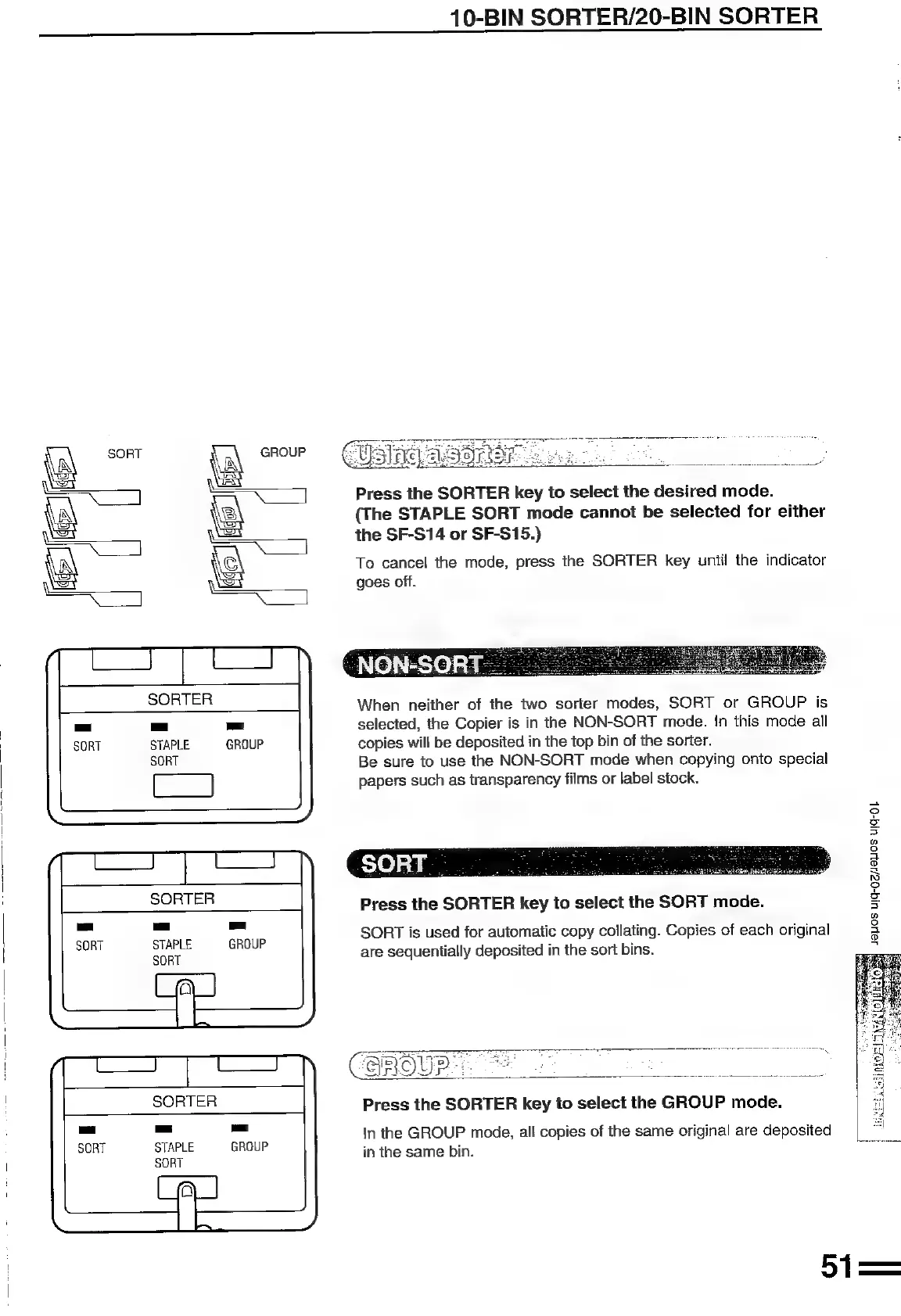
Press
the
SORTER
key
to
select
the
desired
mode.
(The
STAPLE
SORT
mode
cannot
be
selected
for
either
the
SF-S14
or
SF-S15.)
To
cancel
the
mode,
press
the
SORTER
key
until
the
indicator
goes
off.
NON-SORT
.
_
When
neither
of
the
two
sorter
modes,
SORT
or
GROUP
is
selected,
the
Copier
is
in
the
NON-SORT
mode.
In
this
mode
all
STAPLE
GROUP
copies
will
be
deposited
in
the
top
bin
of
the
sorter.
SORT
Be
sure
to
use
the
NON-SORT
mode
when
copying
onto
special
papers
such
as
transparency
films
or
label
stock.
SORTER
7
Press
the
SORTER
key
to
select
the
SORT
mode.
°
S
5
®
3
3
g
ey
2
3
5
®
3
a
g
SORT
is
used
for
automatic
copy
collating.
Copies
of
each
original
are
sequentially
deposited
in
the
sort
bins.
STAPLE
GROUP
SORT
COUR
SORTER
Press
the
SORTER
key
to
select
the
GROUP
mode.
=
cs)
STAPLE
GROUP
SORT
In
the
GROUP
mode,
all
copies
of
the
same
original
are
deposited
in
the
same
bin.

Related product manuals