EasyManua.ls Logo

Sharp SF-2022 - Page 71

Sharp SF-2022
76 pages
Print Icon
To Next Page IconTo Next Page
To Previous Page IconTo Previous Page
Loading...
STAND/500-SHEET
PAPER
DRAWER
STAND/1000-SHEET
PAPER
DRAWER
(
Dear)
Bee
G
eres
The
size
of
the
copy
paper
for
the
paper
drawer
will
be
set
by
Sharp
service
personnel
according
to
your
request
when
you
purchase
the
Copier.
If
a
different
paper
size
setting
is
required,
contact
your
authorised
Sharp
Service
Centre.
The
500-sheet
paper
drawer
is
available
for
four
different
paper
sizes:
A4,
A4R,
B4
and
A3
(8-1/2"
x
11",
8-1/2"
x
11"R,
8-1/2"
x
14"
and
11"
x
17°).
The
1000-sheet
paper
drawer
is
available
for
three
different
paper
sizes:
A4,
A4R,
and
B4
(8-1/2"
x
11",
8-1/2"
x
11"R
and
8-1/2"
x
14").
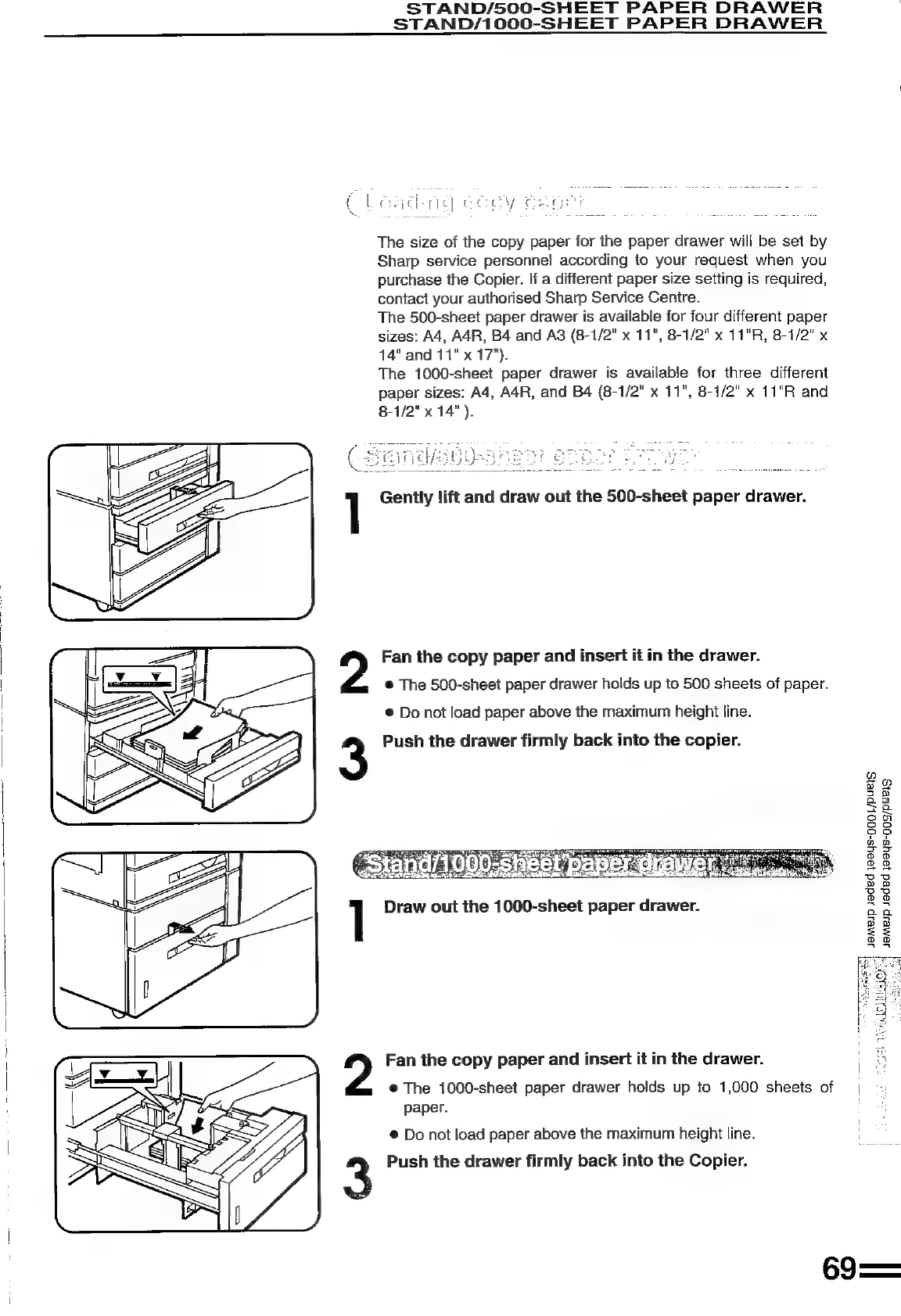
Gently
lift
and
draw
out
the
500-sheet
paper
drawer.
Fan
the
copy
paper
and
insert
it
in
the
drawer.
@
The
500-sheet
paper
drawer
holds
up
to
500
sheets
of
paper.
®
Do
not
load
paper
above
the
maximum
height
line.
Push
the
drawer
firmly
back
into
the
copier.
Draw
out the
1000-sheet
paper
drawer.
cor)
Be
>
2
ie
=
=a
oa
oo
PP?
a
wo
=
a
2
Ooo
88
UU
pp
BU
oO
oO
a
8
aa
2
z=
oo
a8
?
Fan
the
copy
paper
and
insert
it
in
the
drawer.
®@
The
1000-sheet
paper
drawer
holds
up
to
1,000
sheets
of
|
paper.
:
@
Do
not
load
paper
above
the
maximum
height
line.
3
Push
the
drawer
firmly
back
into
the
Copier.
69==

Related product manuals