12
MAKING COPIES
REDUCTION/ENLARGEMENT/ZOOM
Reduction and enlargement ratios can be selected either
automatically with the AUTO IMAGE key or manually with the
reduction ( ) key, enlargement ( ) key, or ZOOM keys.
The zoom function enables precise copy ratio selection from 50% to
200% in 1% increments.
★ KEY OPERATOR One extra preset copy ratio for reduction or
enlargement can be added. See page 88.
Reduction/Enlargement/Zoom
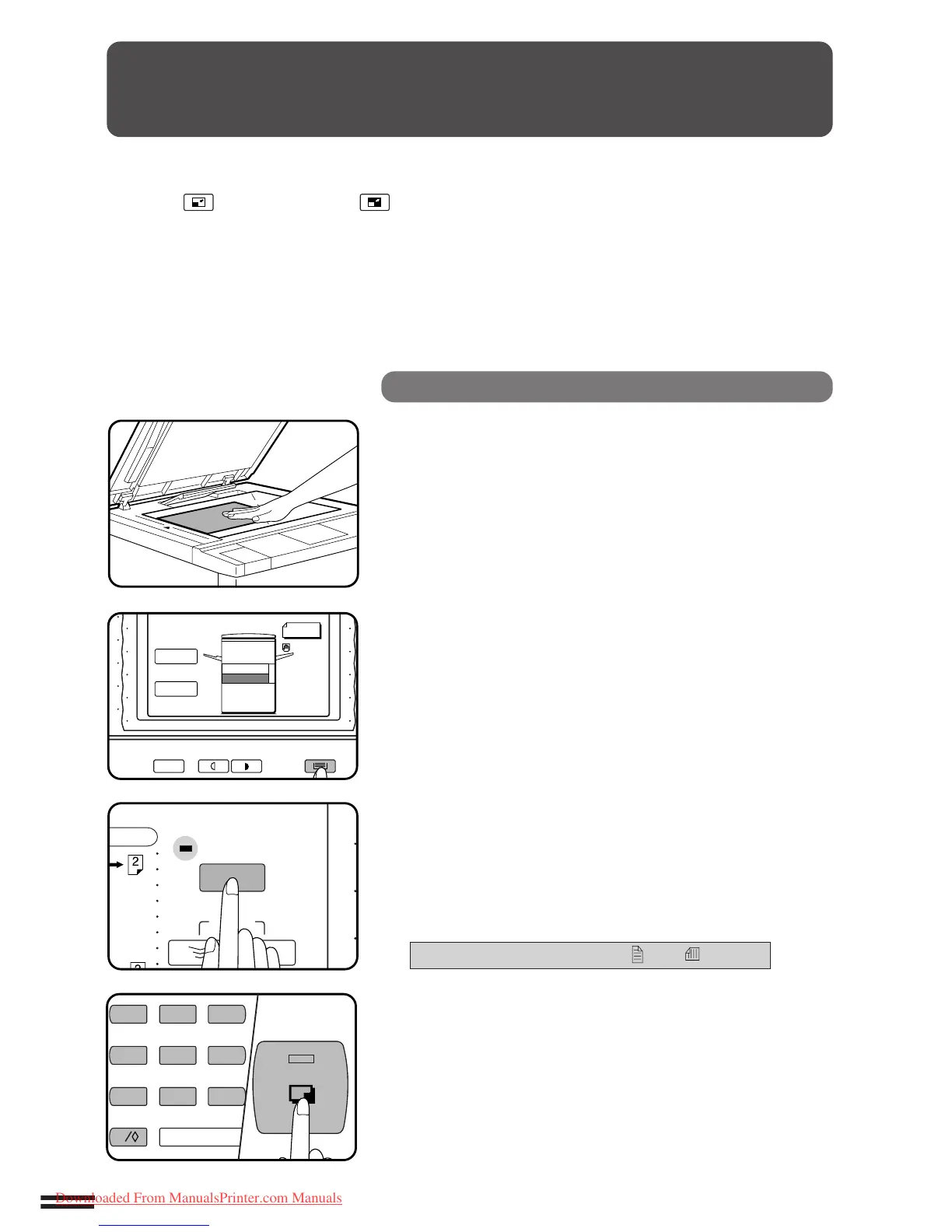
Automatic
1
Place the original on the document glass and close the
document cover.
●
The original size will be detected and indicated in the message
display.
2
Use the TRAY SELECT key to select the paper tray with
the desired paper size.
NOTE:
This feature will not work when original or copy paper is of non-
standard size.
3
Press the AUTO IMAGE key.
●
The best reduction or enlargement ratio for the selected paper
size will be automatically set.
●
If the size and orientation of the original do not correspond to
standard reduction/enlargement ratios for the selected paper
tray, then the following message will appear to indicate how the
original should be placed.
ROTATE ORIGINAL 90° FROM TO .
4
Enter the desired number of copies.
5
Press the START key.
●
To cancel the automatic reduction/enlargement mode, press
the 100% key.



 To Next Page