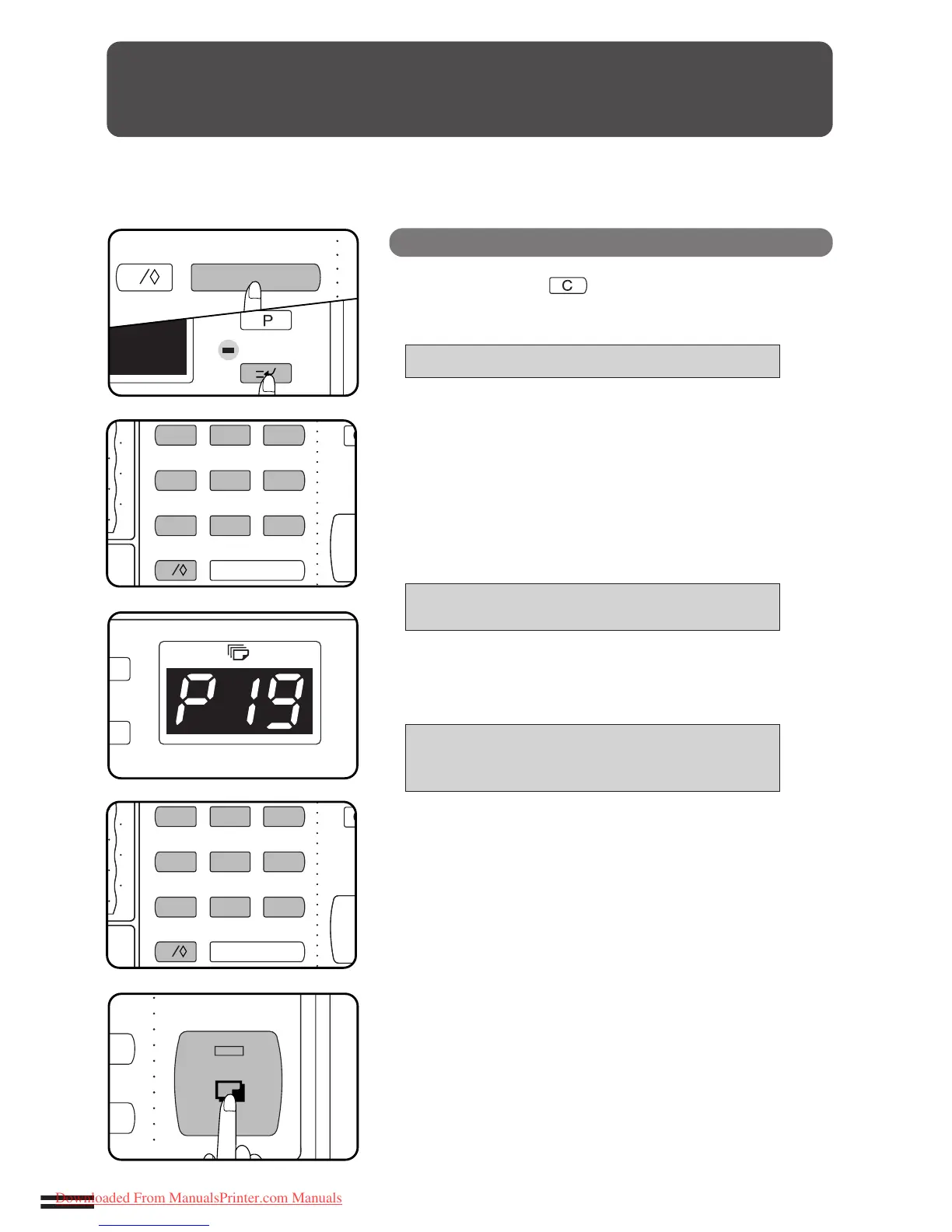
KEY OPERATOR CODE NUMBER (P19)
A key operator code number must be registered before a key operator
program can be used. The key operator must remember this number. Only
this registered number will allow access to the key operator programs.
Registering the key operator code number
Press the clear ( ) key, the INTERRUPT key, and
the clear key again.
●
The following message will appear.
ENTER KEY OPERATOR CODE. –––––
Enter your key operator code number using the 10-key
pad.
●
When registering the key operator code number for the first
time, enter the number that was set at the factory. (See page
99.)
●
As the code number is entered, the dashes in the message will
change to asterisks.
●
When the entry is complete, a “P” will appear in the copy
quantity display and the following message will appear.
INPUT A PROGRAM NUMBER AND PRESS
THE START KEY.
Enter the number 19 using the 10-key pad and press
the START key.
●
The following message will appear.
P19: KEY OPERATOR CODE NUMBER CHANGE.
INPUT A NEW CODE AND PRESS THE START
KEY. 00000 –––––
Choose a new 5-digit code number and enter it using
the 10-key pad.
Press the START key.
●
The code number will change from the factory setting to the
new setting.
●
“P” will appear in the copy quantity display.
To continue with other key operator programs, enter
the appropriate program code number.
To exit the key operator program mode, press the
CLEAR ALL key.
Key operator code number (P19)



 To Next Page