66
OPTIONAL
EQUIPMENT
1
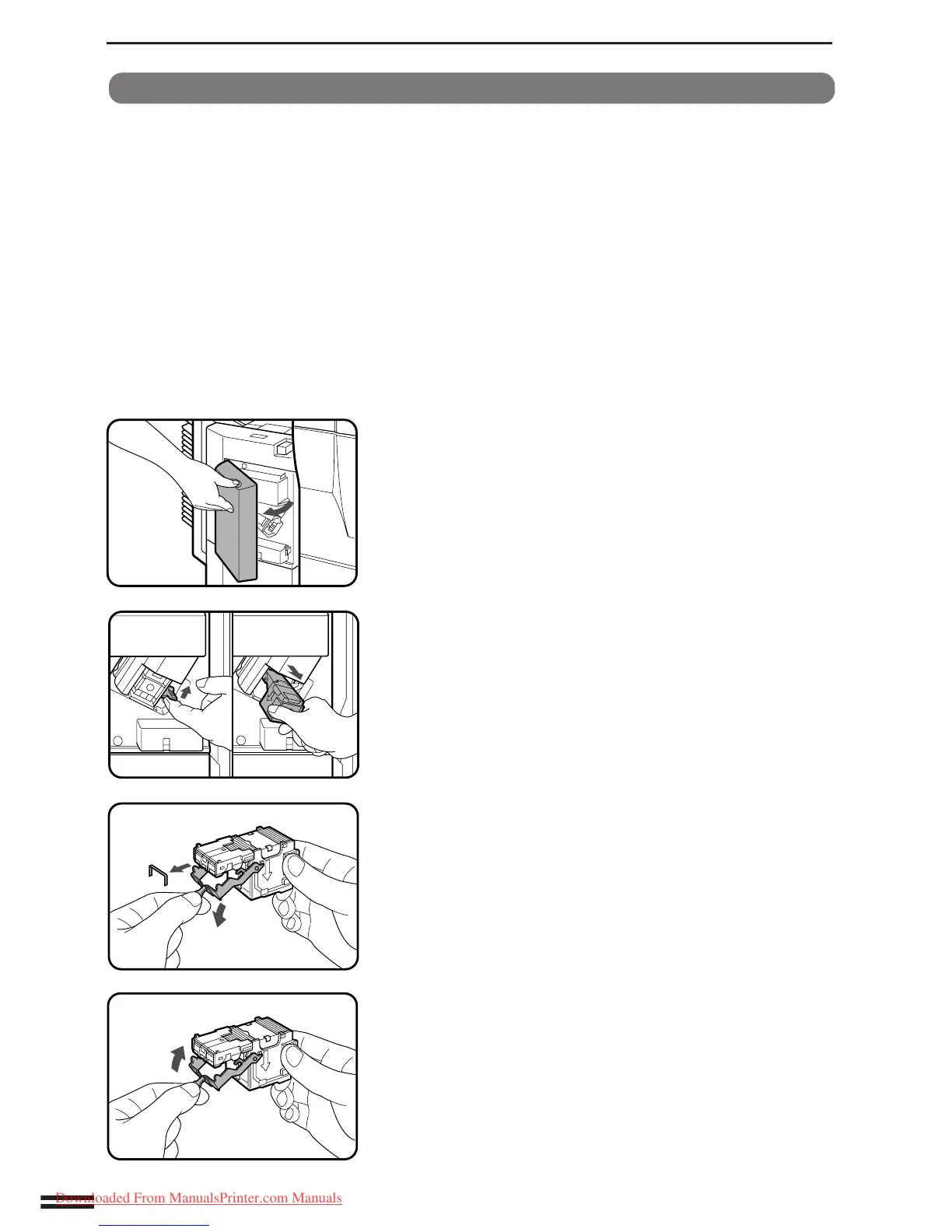
Open the stapler cover.
2
Lift the release lever and pull out the staple box.
●
Lift the release lever to unlock the staple box. Then pull out the
box.
3
Lower the lever at the end of the staple box and remove
the jammed staples.
4
Return the lever to its original position.
Staple jam removal
If staples become jammed in the stapler, the message “REMOVE
THE STAPLER AND CHECK IT.” will appear. Remove the jammed
staples in the manner described below:
20-BIN STAPLE SORTER (SF-S56)
20-bin staple sorter (SF-S56)
Downloaded From ManualsPrinter.com Manuals



 To Next Page