31
COPIER
TROUBLE?
MISFEED REMOVAL
Misfeed removal
2
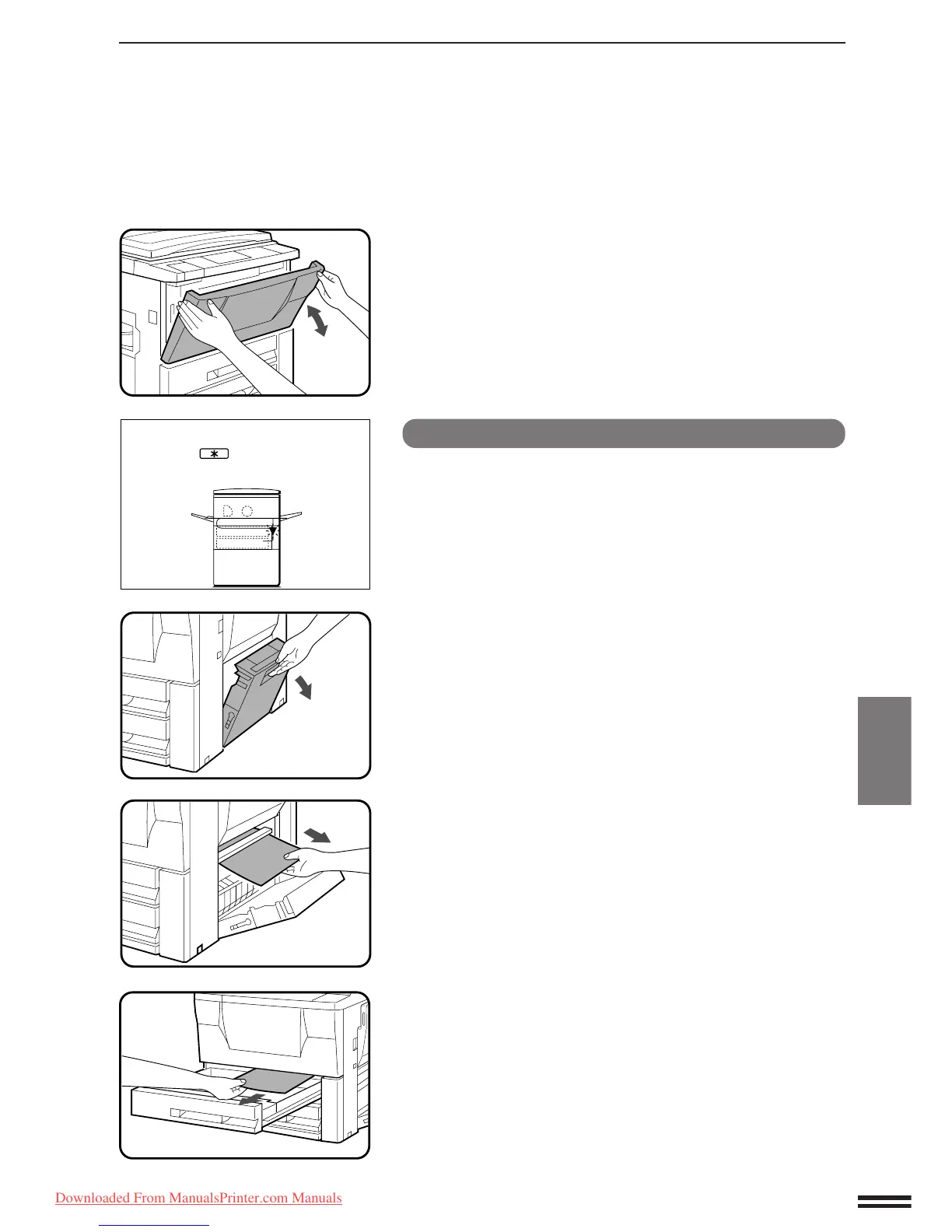
Open and close the front cover to cancel the misfeed
display.
Misfeed in a paper tray
1
Open the side cover.
NOTE:
If the transport area misfeed indicator is lighted, clear the
transport area first. (See “Misfeed in the transport area” on the
next page.)
2
Remove the misfed paper.
●
Be careful not to tear the misfed paper during removal.
3
If the paper cannot be seen from the side, pull out the
paper tray and remove the misfed paper.
●
Be careful not to tear the misfed paper during removal.
A MISFEED HAS OCCURRED.
CLEAR INDICATED AREA.
PRESS THE KEY FOR RECOVERY
INSTRUCTIONS.
Downloaded From ManualsPrinter.com Manuals



 To Next Page