33
COPIER
TROUBLE?
MISFEED REMOVAL
Misfeed removal
4
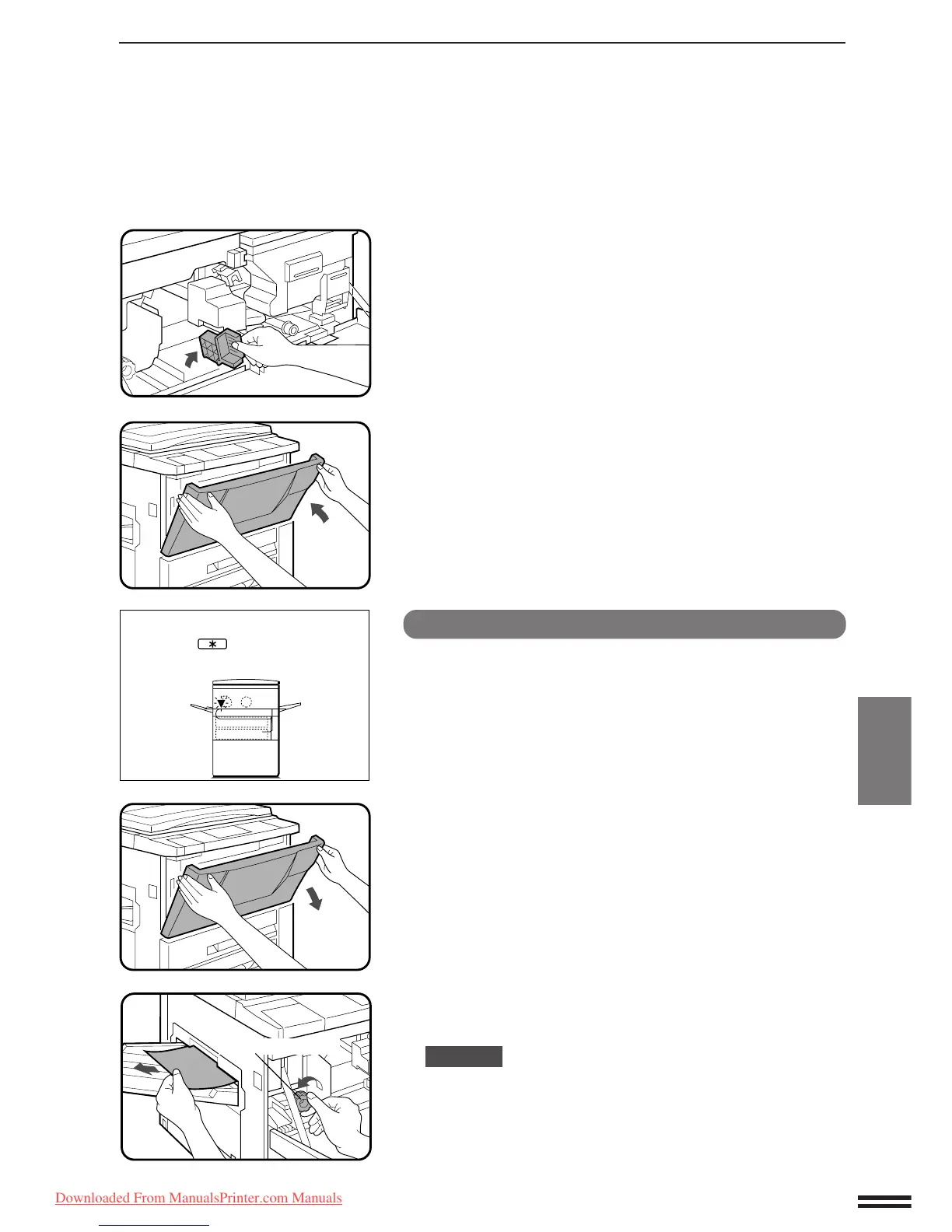
Turn the transport lever back into place.
5
Close the front cover.
●
Confirm that the misfeed display is cleared.
Misfeed around the fusing unit and exit area
1
Open the front cover.
2
Turn the roller rotating knob in the direction of the
arrow and remove the paper from the fusing unit area.
CAUTION
The fusing unit is hot! Use care in removing paper.
A MISFEED HAS OCCURRED.
CLEAR INDICATED AREA.
PRESS THE KEY FOR RECOVERY
INSTRUCTIONS.
Roller rotating knob
Downloaded From ManualsPrinter.com Manuals



 To Next Page