3
Enter the desired number of copies.
●
The maximum number of copies in the two-sided copy mode is
50 for A5, A4, and A4R (8-1/2" x 11" and 8-1/2" x 11"R) and 30
for B4 and A3 (8-1/2" x 14" and 11" x 17") paper. If the specified
number of copies exceeds the above number, the copy
quantity display will display the maximum allowable number
after copying starts. If an optional sorter is installed, the display
will change to 20 after copying starts (in sort mode).
4
Press the START key.
●
To cancel a copy run during duplex copying, press the CLEAR
ALL ( ) key. Manually remove any copies remaining in the
duplex module following the procedure for removing misfed
paper from the duplex module. (See page 35.)
2-sided copies from 2-sided originals
An optional duplex module must be installed for 2-sided copying.
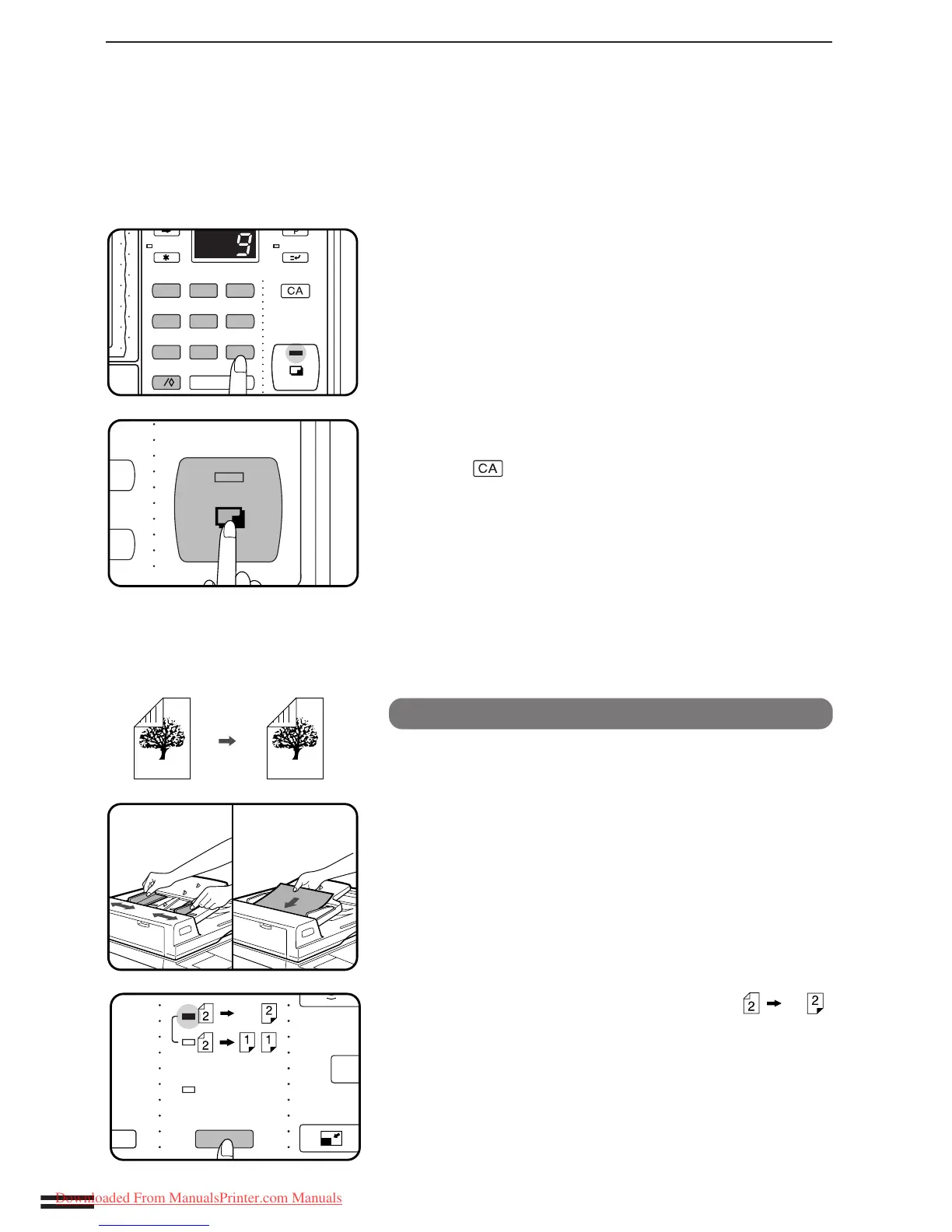
1
Adjust the original guides to the size of the originals
and set the originals face up in the document feeder
tray.
2
Use the ORIGINAL TO COPY key to select .



 To Next Page