12
VC-A565U/H965U (11-22)
Dimensions: 257 ⳯ 182 mm
Cable TV Connections
Your VCR is capable of receiving the following non-scrambled channels.
• Scrambled channels can be received with the cable box supplied by your cable TV company.
Set the 3 ↔ 4 Output Channel of the VCR to 3 or 4. See Setting the 3 ↔ 4 Output Channel on
page 11.
First check your TV/CATV system.
Step Q Is your TV cable compatible with the VCR?
•YES → Go to Step W
•NO → Go to Step E
Step W Does your CATV system have some or all channels scrambled?
•YES → Go to
•NO → Go to
Step E Does your CATV system have some or all channels scrambled?
•YES → Go to
•NO → Go to Step R
Step R Choose the type below.
•Basic connection (only for
descrambled CATV signals.) → Go to - or
•To watch a CATV programme while recording a TV programme
by using the A/B switch. → Go to
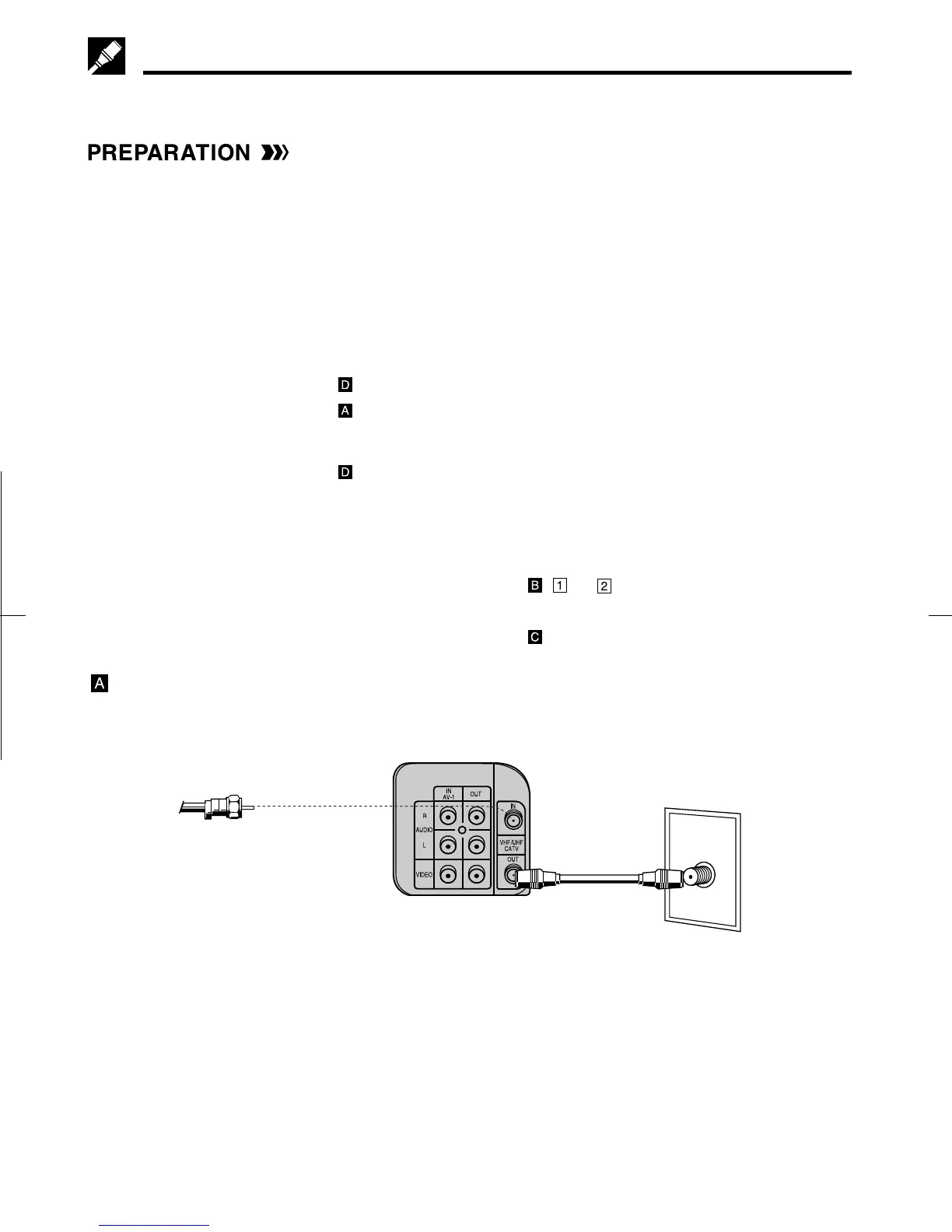
Connection without a cable box
• Connect as shown. Then go to “After the Connection”.
Coaxial
cable
(Supplied)
ANT/CABLE
VCR Rear (Hi-Fi model)
TV Rear
From CATV system



 To Next Page