VL-SD20S-GB/pp. 064-068; 99/8/18/18:00
G. K. Associates, Tokyo
Advanced Features
Advanced Features
Playback
65
Editing to Video Equipment
with the DV Terminal
(IEEE1394)
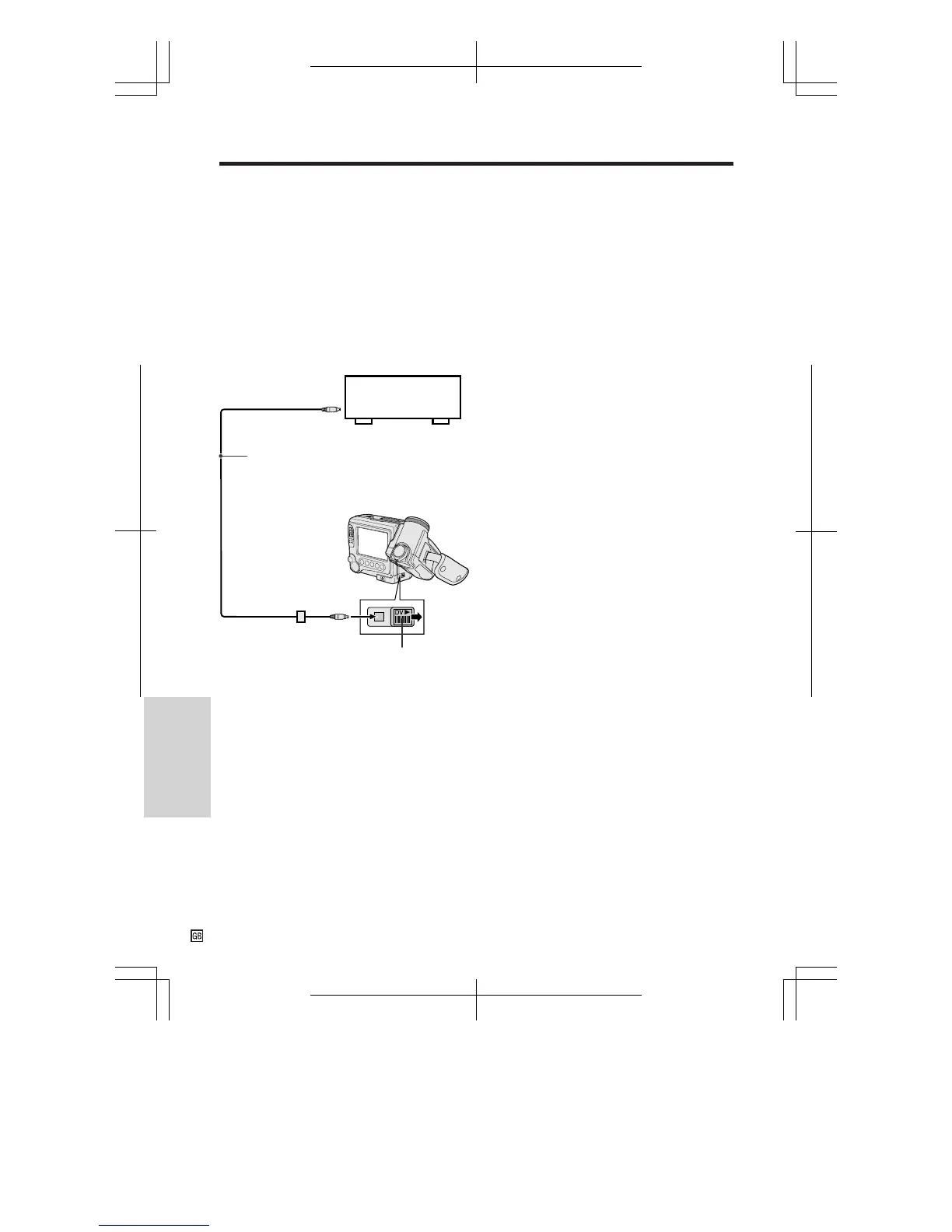
This VIEWCAM enables you to perform digital
video editing, using the VIEWCAM as the
playback source. Connect the VIEWCAM to
video equipment with a DV terminal using the
supplied DV cable. The DV cable is able to
transfer all dubbing signals including video,
audio and subcode.
Cutting Unwanted Sequences
Perform “Cutting Unwanted Sequences” on
page 64, using the video equipment as the
recording source.
Notes:
• The DV terminal on the VIEWCAM outputs the
normal playback signal regardless of use of the
strobe playback, playback zoom or picture effect
playback function.
• The VIEWCAM cannot be used as the record-
ing source.
To DV terminal
DV cable (supplied)
Slide the DV terminal cover in the
direction of the arrow to open.
Playback
Recording
Video equipment
with DV terminal
To DV terminal










 To Next Page