VL-SD20S-GB/pp. 064-068; 99/8/18/18:00
G. K. Associates, Tokyo
Advanced Features
68
Selecting the Audio Playback
Mode
You can select any of the following audio
playback modes.
Audio 1~2
• 12-bit recording in stereo (Audio 1 and Audio
2 channels)
• 16-bit recording in stereo (left and right
channels)
Audio 1
• 12-bit recording in stereo (Audio 1 channel
only)
• 16-bit recording in mono (left channel only)
Audio 2
• 12-bit recording in stereo (Audio 2 channel
only)
• 16-bit recording in mono (right channel only)
1 Play back a Mini DV cassette with
dubbed audio.
2 Display the menu screen (see page 25).
3 Toggle the CONTROL switch (Q) to
select “AUDIO”, then press the
CONTROL switch (W) to select the
desired audio playback mode.
4 Press the EXIT button (MODE DISPLAY)
to turn off the menu screen.
• The selected audio playback mode
indicator is displayed.
Note:
• The audio playback mode indicator is displayed
in different colours depending on the recording
mode (12- or 16-bit) used for the recording
being played back. A white display indicates 12-
bit recording mode, and a green display, 16-bit
recording mode.
DISPLAY
AUD IO
TC OUT
OFF
OFF
AUDI O 1+2
------------------------
MENU
AUD I O 2 AUD I O 1
AUDI O 1+2
EFF.
PIC.
MENU TURE
PIC
-
SP
AUDIO 1 2
+
EXIT
Connecting to a Personal
Computer
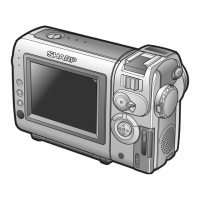
The VIEWCAM can be connected to a personal
computer for editing still images with the
optional VR-PK100S video capture software.
To RS-232C port
(D-sub 9-pin port)
RS-232C connecting cable*
To PC CONNECT
jack
*Included with the optional VR-PK100S
video capture software.
Notes:
• Still playback images or still images can be
transferred to a personal computer. Use Sharp
PixLab Browser and PixLab TWAIN (YUV)
Module to transfer images to a personal
computer.
• Images with the following functions cannot be
transferred to a personal computer.
—VCR mode: Playback Zoom, Picture Effect
Playback
—Camera mode: Digital Zoom, Digital Quick
Zoom, picture effects, 1/30 sec. shutter speed
• For details, see the operation manual of the
optional video capture software.
Audio playback
mode indicator










 To Next Page