10
2. FINDING WHAT YOU WANT, WHEN YOU WANT
2A. THE GUIDE
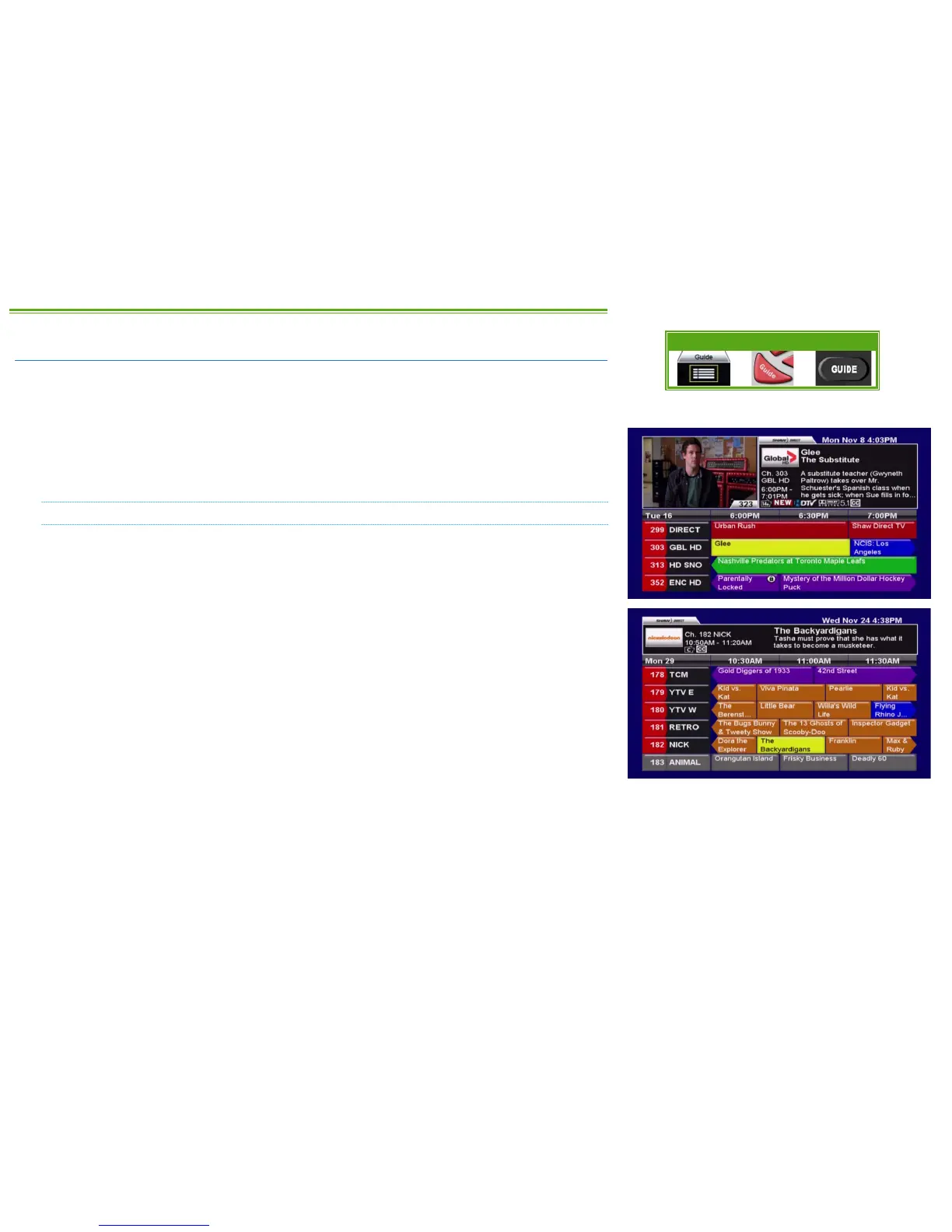
One of the greatest features of your Shaw Direct digital satellite TV is the interactive on-screen
Guide. With the Guide, you can instantly see what’s airing right now and into the future, on
every channel you subscribe to!
When accessed, the Guide will appear with the channel you’re watching highlighted. You can
browse the on-screen Guide while watching your favourite show in the corner of the screen, or
you can press GUIDE on the remote again to change to the full-screen Guide.
NAVIGATING THE GUIDE
awsd Use the DIRECTIONAL ARROW keys to move up, down, left, or right through the listings.
Pressing ENTER on a program which is currently airing will tune to that program; pressing
ENTER on a program which is not currently airing will bring up the Program Options menu.
CHw/ s You can move an entire page at a time (4 channels in the regular guide, 6 channels in
the full-screen guide) by using CHw and CHs.
5 6 Use REWIND and FAST FORWARD to move backwards or forward in the listings 6 hours at
a time.
9 0 The SKIP BACK and SKIP AHEAD buttons skip 24 hours at a time, for example from
8:00pm Monday to 8:00pm Tuesday.
2 1 Pressing PAUSE or PLAY while in the Guide will always take you back in the listings to the
channel and program you’re currently watching. If you’re watching a recording, it will take you to
the channel the receiver is currently tuned to in the background.
Press EXIT or GO BACK to leave the Guide and return to whatever you were watching.
Menu Bar 5XX Remote 6XX Remote



 To Next Page